Quick Facts
- 2026 Standard: 16GB of RAM is now the mandatory baseline for productivity and general use.
- Software Demand: Windows 11 and modern web browsers now consume between 8GB and 10GB during active multitasking sessions.
- AI Requirements: New Copilot+ PCs and local NPU processing features require a minimum of 16GB to function effectively.
- Gaming Impact: Moving to 16GB eliminates micro-stuttering and improves 1% low frame rates that plague 8GB systems.
- Hardware Longevity: With the rise of soldered memory, 16GB is required to ensure a laptop remains functional for a 3-5 year lifespan.
- System Health: Microsoft now officially positions 16GB of RAM as the minimum baseline for gaming and multitasking while recommending 32GB for optimal performance.
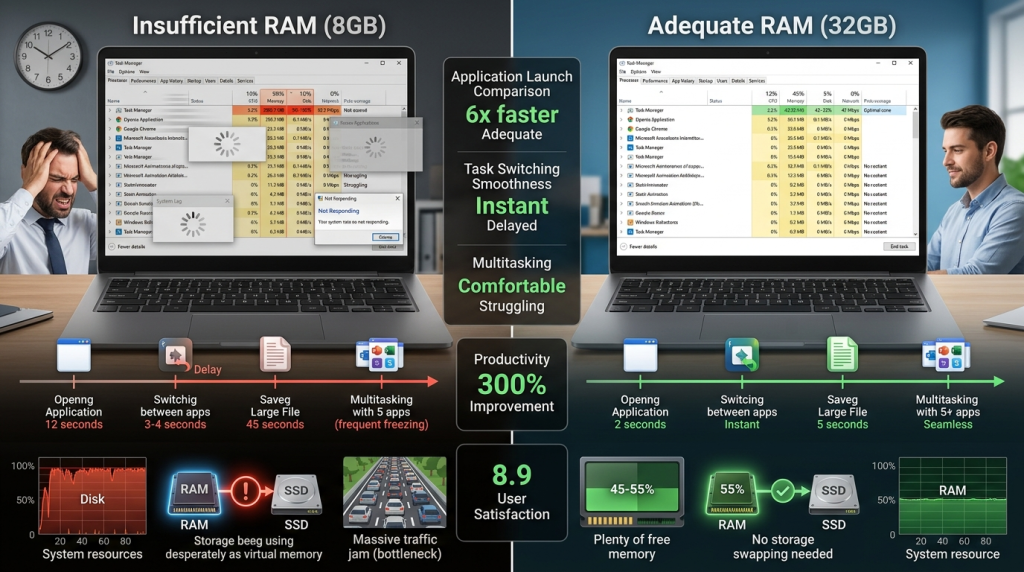
In 2026, laptop RAM requirements have shifted significantly, making 16GB the essential baseline for smooth multitasking and future-proofing against AI-driven software updates. Moving to 16GB ensures the system avoids performance bottlenecks and reduces reliance on slower virtual memory swapping as modern operating systems and browsers often consume between 8GB and 10GB during routine work.
The Real-World Data: Why 8GB Fails in 2026
For years, 8GB was the "good enough" standard for budget machines and student portables. However, as we move through 2026, that 8GB ceiling has become a floor that the modern web has crashed through. The issue isn't just about one heavy application; it is the cumulative weight of background system processes that run before you even open your first document.
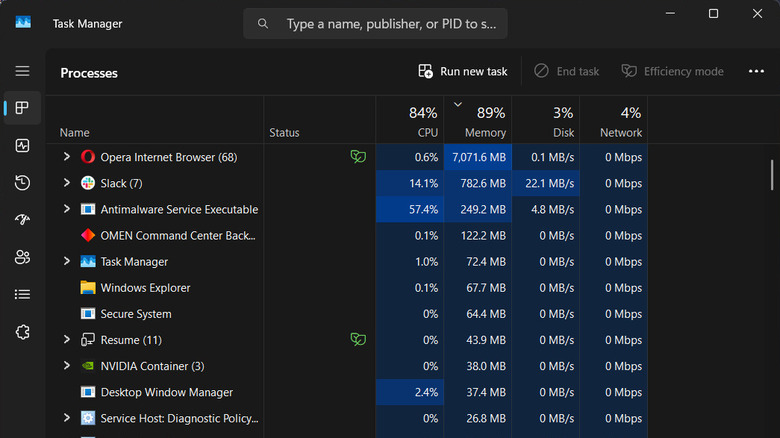
A standard professional workflow today usually looks like this: Windows 11 running in the background, a dozen Chrome or Edge tabs, Slack or Microsoft Teams for communication, and perhaps Spotify or a password manager. In our testing, this "light" load frequently hits a total system memory usage of 9.5GB. If your machine only has 8GB of physical RAM, you are already in the red.
| Application/Process | Estimated RAM Usage (2026) |
|---|---|
| Windows 11 System Idle | 3.5GB - 4.2GB |
| Browser (10-15 Tabs) | 2.0GB - 3.5GB |
| Slack / Microsoft Teams | 800MB - 1.2GB |
| Background Utilities (Antivirus, Cloud Sync) | 500MB - 800MB |
| Total Cumulative Load | ~6.8GB - 9.7GB |
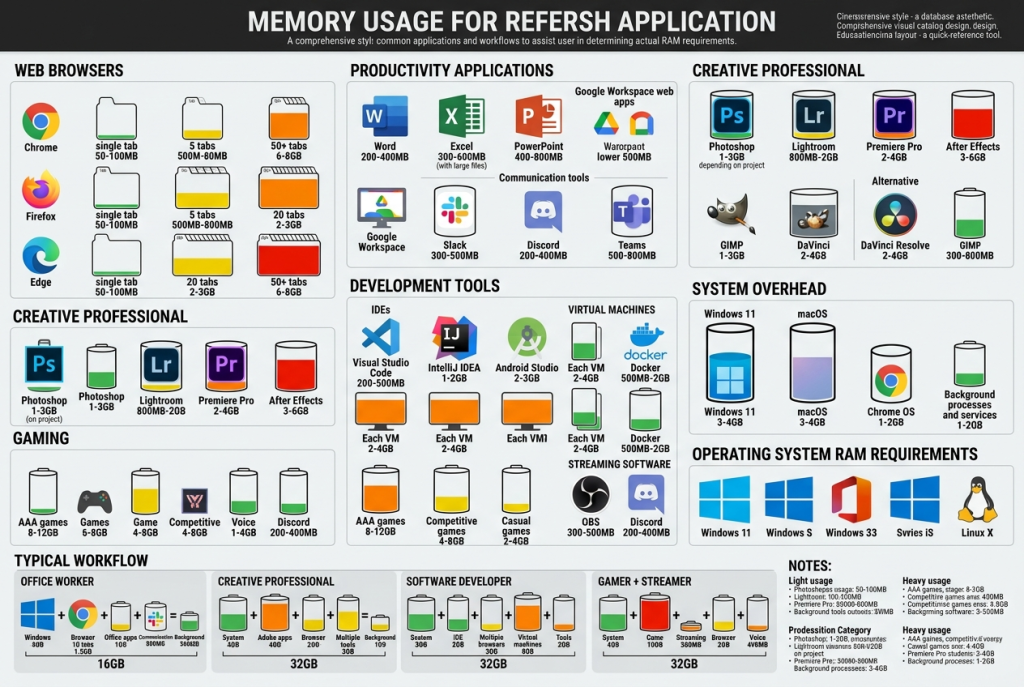
Modern multi-process browser architecture is the primary culprit. To improve security and stability, browsers now isolate every tab and extension into its own process. While this prevents one crashing tab from taking down the whole window, it multiplies the memory footprint. When you factor in why 16GB RAM is the new standard for business laptops, you realize that the overhead of modern security software alone can gobble up the remaining breathing room on an 8GB machine.
The Technical Trap: Virtual Memory Swapping and Stuttering
When you exceed your physical memory capacity, your computer doesn't just stop. Instead, it engages in virtual memory swapping. It takes the data that cannot fit in the RAM and moves it to your SSD (the "page file"). In the era of mechanical hard drives, this would result in a total system freeze. Today, with ultra-fast NVMe SSDs, the system keeps moving, but you pay a hidden performance debt.
Even the fastest Gen5 SSD is significantly slower than DDR5 memory standards. RAM operates with latencies measured in nanoseconds, while SSDs operate in microseconds. This discrepancy creates what I call "crunchy" moments—those micro-stutters where your mouse cursor hitches, or a window takes an extra second to redraw. These are the telltale signs your laptop needs a RAM upgrade from 8GB.
In gaming, this manifests as poor 1% low frame rates. You might see an average of 60 FPS, but if the system is constantly swapping assets to the SSD because of a VRAM usage overflow or lack of system RAM, you will experience jarring stutters that ruin the experience. Choosing 16GB ensures that the CPU can access the data it needs instantly, maintaining system responsiveness across all tasks.
AI and the Copilot+ Standard
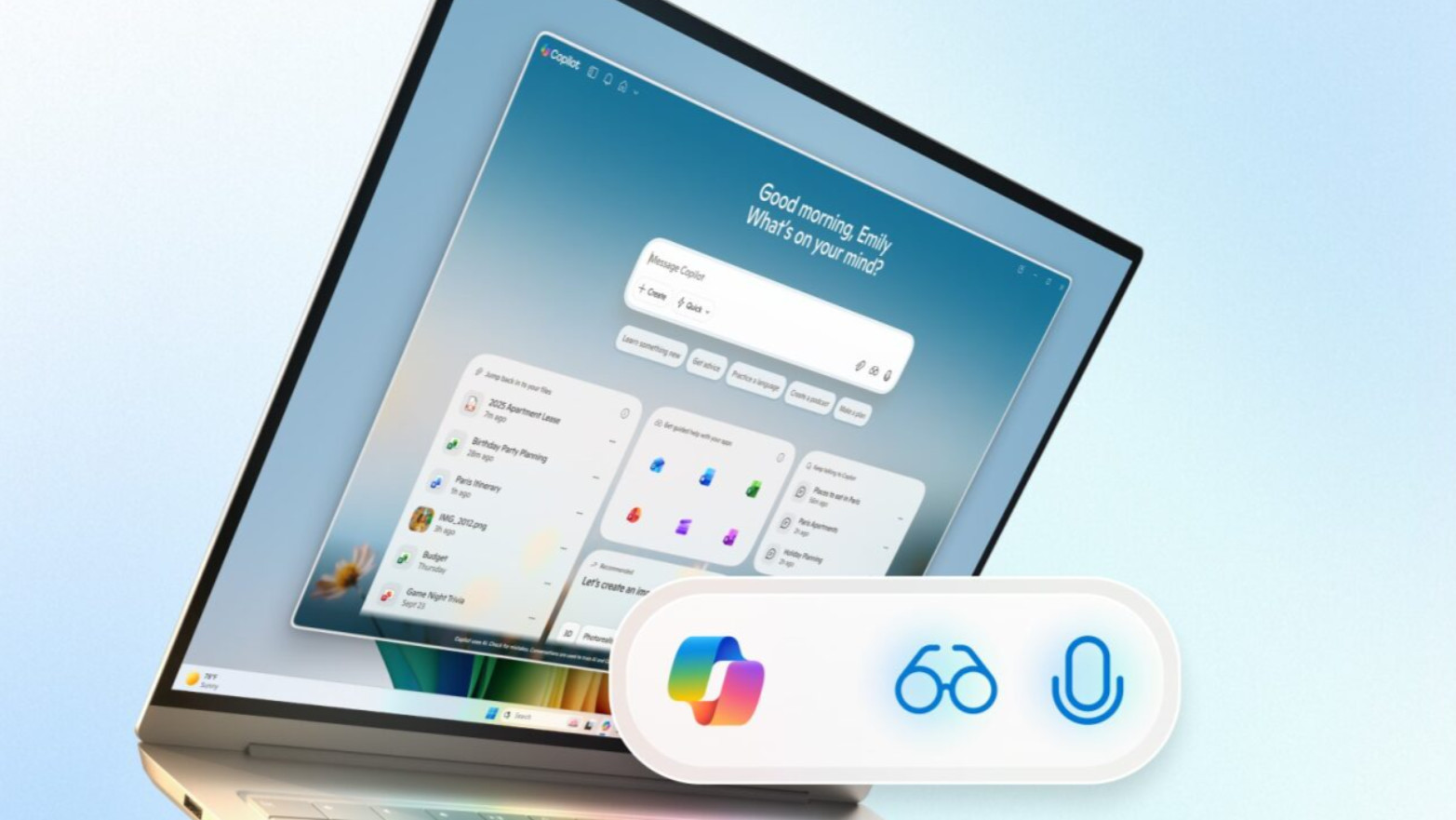
The tech landscape shifted permanently with the introduction of AI-integrated operating systems. Microsoft's Copilot+ initiative isn't just a marketing buzzword; it represents a fundamental change in how much laptop RAM for multitasking in 2026 is required. These systems use a Neural Processing Unit (NPU) to handle local AI tasks like live captions, image generation, and advanced search.
To run these local AI models alongside a standard OS, 16GB is the mandatory entry point. If you attempt to run 8GB vs 16GB RAM for Windows 11 performance comparisons on these new AI-enabled machines, the 8GB models often have certain features disabled entirely. Local AI processing requires dedicated memory buffers that cannot be swapped to disk without destroying the real-time nature of the feature. By purchasing an 8GB machine today, you are effectively opting out of the next three years of software innovation.
The Soldered RAM Dilemma: Buy It Right the First Time
Perhaps the most frustrating trend in modern computing is the death of the SO-DIMM slot. In our pursuit of thinner and lighter machines, most manufacturers—including Apple, Dell (XPS line), and Asus—have moved to soldered memory. This means the RAM is permanently etched onto the motherboard or integrated into a unified memory architecture within the processor package.
This physical limitation makes your initial purchase decision permanent. In 2026, choosing between 8GB and 16GB for budget laptops isn't just a matter of a $50 or $100 price difference; it is a question of whether the laptop will be e-waste in two years. An 8GB laptop bought today might feel fine for the first week, but as Windows updates roll out and browser requirements grow, that machine will hit a silicon ceiling that no software optimization can fix.
For parents looking for the best laptop RAM capacity for college students 2026, 16GB is the only responsible choice. A college laptop needs to last four years. If you start with 8GB, the student will likely be struggling with system lag by their junior year as they juggle research papers, data analysis tools, and video calls simultaneously.
Decision Matrix: How Much RAM Do You Actually Need?
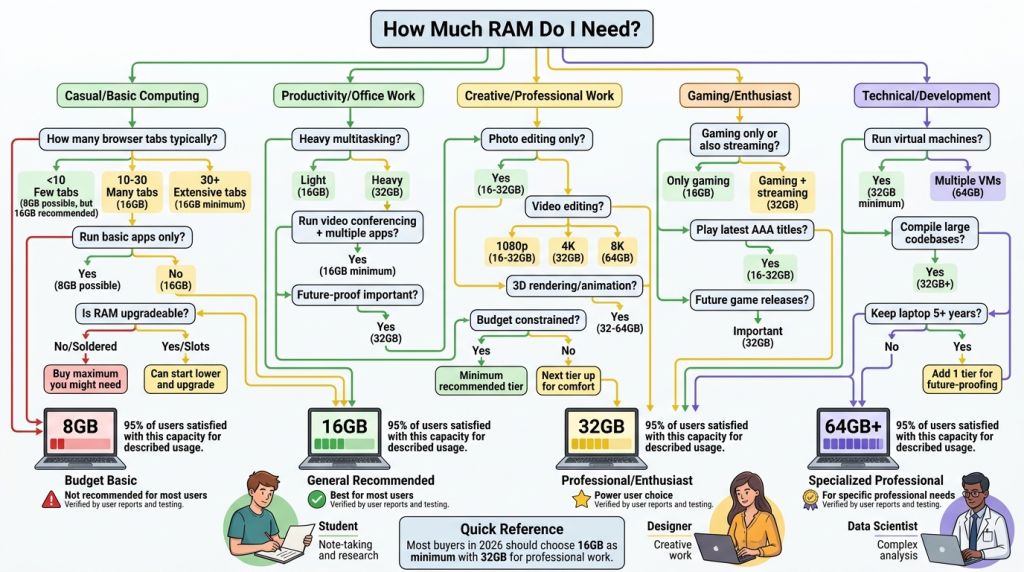
While I am sounding the alarm on 8GB, memory needs aren't one-size-fits-all. Some users may actually need more than 16GB, while a very specific niche can still survive on 8GB. Use the following guide to determine your future-proof laptop memory specs.
- 8GB RAM: Only acceptable for secondary "couch devices" used exclusively for Netflix or light web browsing, or ultra-budget Chromebooks where the OS footprint is minimal. Not recommended for a primary work or school machine.
- 16GB RAM: The sweet spot for 90% of users. This is the new standard for business, education, and general home use. It provides enough headroom for heavy multitasking, dozens of browser tabs, and entry-level creative work.
- 32GB RAM: Recommended for professionals working with large datasets, 4K video editing, or those who run local Large Language Models (LLMs). It is also the "no worries" standard for high-end gaming.
- 64GB+ RAM: Reserved for specialized engineering tasks, professional 3D rendering, and virtualization environments.
When you look at the multitasking performance laptop RAM provides, the jump from 8GB to 16GB is the single most noticeable upgrade you can make to a computer’s daily feel. It is more impactful than a minor bump in CPU clock speed or a slightly faster SSD. It is the difference between a tool that works with you and one that you are constantly waiting on.
FAQ
Is 8GB RAM enough for a laptop?
In 2026, 8GB of RAM is generally not enough for a primary laptop. While it can handle very basic tasks like checking email or watching a single video stream, modern operating systems like Windows 11 and resource-heavy web browsers will quickly consume most of that capacity, leading to system slowdowns during multitasking.
What is the difference between 8GB and 16GB RAM?
The difference lies in the system's ability to hold more data in high-speed physical memory. A 16GB system can keep more applications open simultaneously without needing to offload data to the slower SSD. This results in smoother transitions between apps, fewer tab reloads in browsers, and better overall stability during heavy workloads.
Is 16GB RAM overkill for a laptop?
No, 16GB is no longer considered overkill; it is the current industry baseline for productivity. With the introduction of local AI features and increasingly complex web applications, 16GB provides the necessary headroom to ensure a responsive experience over a typical three-to-five-year laptop lifespan.
How much RAM is needed for Windows 11?
While the official minimum requirement for Windows 11 is lower, a practical and smooth experience requires at least 8GB just for the OS and basic tasks. However, for any form of multitasking or to use the new AI-powered features of the OS, 16GB is the recommended minimum to avoid performance bottlenecks.
Can I upgrade my laptop RAM?
Whether you can upgrade depends entirely on your laptop model. Many modern thin-and-light laptops use soldered RAM that cannot be changed after purchase. Gaming laptops and larger workstations often still provide slots for upgrades. You should check your specific model’s specifications before purchasing to see if the memory is user-replaceable.