Quick Facts
- Best for Reliability: Wired USB-C to HDMI adapters offer the lowest latency and highest signal stability for gaming and 4K streaming.
- Compatibility Gateway: Android and iPhone 15/16 users must verify DisplayPort Alt Mode support for wired connections, while older iPhones require a Lightning Digital AV Adapter.
- Wireless Leader: The Google TV Streamer and Apple TV 4K provide the most seamless casting experience via Google Cast and AirPlay 2.
- Power Matters: Choosing an adapter with 60W Power Delivery (PD) ensures your phone stays charged during long viewing sessions.
- Pro-Grade Speed: Low-latency wireless HDMI transmitters are the best choice for gaming or situations where a shared Wi-Fi network isn't available.
- Market Trends: Small dongles and sticks currently dominate the market, representing over 60% of all streaming device shipments.
For a reliable wired connection, the most essential phone to tv accessories are USB-C to HDMI adapters or cables that support DisplayPort Alt Mode for 4K UHD resolution. iPhone users with older models require a Lightning Digital AV Adapter, while newer USB-C equipped iPhones and Android devices can use standard adapters. These wired setups provide lag-free performance and high signal stability for streaming apps and gaming.
The Mandatory Pre-Check: Will Your Phone Work?
Before you spend a dime on phone to tv accessories, we need to talk about the technical gatekeeper that stops most users in their tracks: hardware compatibility. Not every phone with a USB-C port is capable of sending video signals to a television.
For Android users and those with an iPhone 15 or 16, your device must support something called DisplayPort Alt Mode. This technology allows the USB-C port to carry non-USB signals, specifically video. Many budget-tier Android phones omit this feature to save costs. If your phone doesn't support this, a simple HDMI adapter for phone to TV won't work no matter how expensive it is. To check, look for a small 'D' symbol near your charging port or check your device specifications for USB 3.1 or higher.
If you are using an iPhone 14 or older, you are in a different boat entirely. You are locked into the Lightning ecosystem, which requires a specific conversion process to output video. Whether you are going wired or wireless, knowing your port's capabilities is the first step to a plug-and-play setup that actually functions when you hit the couch.
| Accessory Type | Max Resolution | Lag Level | Best Use Case |
|---|---|---|---|
| USB-C to HDMI Adapter | 4K @ 60Hz | None | Gaming & 4K Movies |
| Multi-port Hub (w/ PD) | 4K @ 60Hz | None | Long sessions / Work |
| Apple Lightning Adapter | 1080p | Minimal | Older iPhones |
| Google TV Streamer | 4K UHD | Low (Buffering) | Android Ecosystem |
| Roku Streaming Stick | 4K UHD | Low (Buffering) | Budget / Travelers |
| Wireless HDMI Kit | 4K @ 30/60Hz | Ultra-Low | Gaming / Pro Setup |
| Long-Range Transmitter | 1080p | Low | Large Venues / Outdoor |
Pro Tip: Checking for DP Alt Mode If you're unsure if your Android phone supports video out, download an app like 'USB-C Desktop Check' or visit the manufacturer's spec page. Look specifically for 'Video Output' or 'DisplayPort' listed under the USB-C features.
Wired Kings: Low-Latency Adapters and Hubs
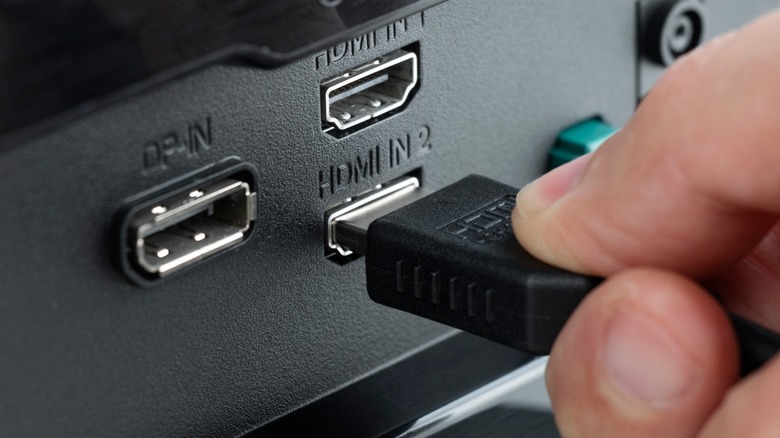
When it comes to pure performance, wires still win. If you want 4K UHD resolution without the heartbreak of a spinning buffering wheel, you need a physical connection.
1. The Standard USB-C to HDMI Adapter
For most modern users, a high-quality USB-C to HDMI adapter for phone to TV is the gold standard. These are compact, require no external power, and deliver an uncompressed signal. In 2026, you should look for adapters that support HDMI 2.1 standards to ensure you can reach 60Hz at 4K resolution. This is vital for smooth motion; 30Hz adapters often feel "choppy" when you are scrolling through social media or watching fast-paced sports.
2. Multi-port Hub with 60W Power Delivery
Streaming video is a massive drain on mobile batteries. A basic adapter might let you watch a movie, but you’ll likely end the film with a dead phone. This is where a 4K phone to TV adapter with charging port becomes essential. These hubs feature a pass-through charging port that uses Power Delivery (PD) technology. By plugging your phone's charger into the hub, you can provide up to 60W or 100W of power to the device while it outputs video. This creates a stable, permanent-feeling entertainment station.
3. Apple Lightning Digital AV Adapter
If you haven't upgraded to the latest USB-C iPhones, the Lightning Digital AV Adapter for iPhone to TV streaming is your only reliable wired path. It’s important to note that this adapter actually contains a small ARM chip that transcodes the video signal, which limits the output to 1080p. While it isn't true 4K, it offers the best signal stability for legacy Apple hardware. It also includes a secondary Lightning port so you can charge while you watch.
The Ecosystem Picks: Streaming Sticks and Dongles
Not everyone wants a cable trailing across their living room floor. Wireless solutions have improved drastically, thanks to better Wi-Fi standards. Interestingly, 38% of smart TV owners now use their televisions to mirror or cast content from other devices, reflecting a massive shift toward mobile-first viewing habits.
4. Google TV Streamer
As the successor to the iconic Chromecast, the Google TV Streamer is the premier wireless display adapter for phone screen mirroring if you are in the Android camp. It uses the Google Cast protocol, which is more efficient than standard mirroring. Instead of your phone sending the entire screen image, the phone tells the streamer which video to play, allowing the streamer to pull the data directly from the internet. This saves phone battery and allows you to use your phone for other tasks while the movie plays.
5. Roku Streaming Stick 4K
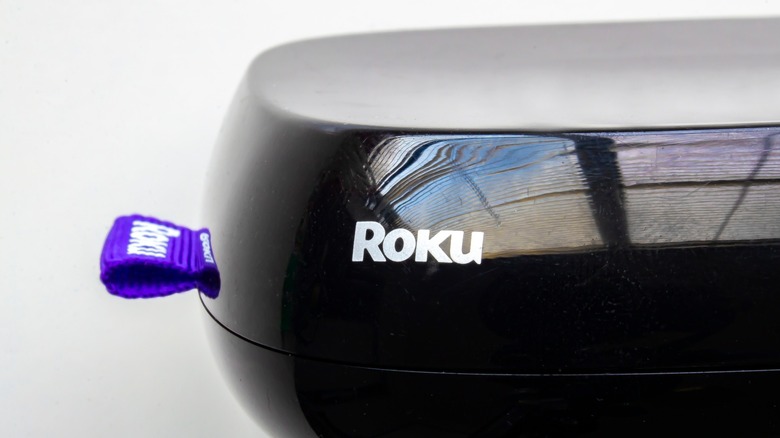
The Roku is a fan favorite for its neutral stance; it supports both Google Cast and AirPlay 2, making it a great best streaming sticks for phone casting in 2026 for households with mixed devices. Because 46% of U.S. internet households already own a streaming media player, there is a high chance you might already have one of these. The Roku stick is particularly useful because it supports dual-band 5GHz Wi-Fi, which is less crowded than the standard 2.4GHz band, leading to fewer drops in quality.
Professional Grade: Low-Latency Wireless Transmitters
For gamers or professionals giving presentations in large rooms, standard Wi-Fi-based casting isn't enough. The lag (latency) between you moving a character on your phone and seeing it on the TV can be frustrating.
6. Low-Latency Wireless HDMI Transmitters
Devices from brands like Llano or Hollyland offer a low latency wireless HDMI transmitter for phone to TV that functions differently than a Roku. These come in two parts: a transmitter that plugs into your phone (via a USB-C to HDMI adapter for streaming) and a receiver for the TV. They create their own dedicated wireless link, usually on the 60GHz frequency. This results in near-zero lag, making it perfect for competitive mobile gaming or high-stakes business presentations where you can't rely on a building's shaky Wi-Fi.
7. High-Range 450ft Transmitters
In specialized scenarios—think outdoor movie nights or large conference halls—you might need extreme range. High-range transmitters can push a 1080p or 4K signal through walls and over distances of several hundred feet. While overkill for a small apartment, these are the ultimate phone to tv accessories for those who need a bulletproof connection in complex environments.
Recent data shows that 63.6% of the 67.2 million global streaming media device shipments are now compact sticks and dongles. This tells us that the market is moving toward portability and "invisible" setups that hide behind the TV.
FAQ
What adapter do I need to connect my phone to the TV?
If you have a modern Android or iPhone 15/16, you likely need a USB-C to HDMI adapter that supports DisplayPort Alt Mode. For older iPhones with a Lightning port, you must use the Apple Lightning Digital AV Adapter. Always ensure the adapter supports the resolution of your TV, preferably 4K at 60Hz for the best experience.
Can I mirror my phone to the TV without a smart TV?
Yes, you can mirror your phone to any TV with an HDMI port by using either a wired adapter or a streaming stick like a Roku or Fire TV. These accessories provide the "smart" functionality to an older "dumb" television, allowing it to receive wireless signals or direct wired inputs from your mobile device.
Does a USB-C to HDMI cable work for all phones?
No, it does not. The phone must support video output via its USB-C port, a feature known as DisplayPort Alt Mode. Many entry-level and mid-range phones only use the USB-C port for charging and slow data transfer. Always check your phone's technical specifications for video out support before purchasing a cable.
Are there accessories that charge my phone while connected to the TV?
Yes, look for USB-C hubs or adapters that feature Power Delivery (PD) pass-through. These adapters have an extra USB-C port where you can plug in your wall charger. This allows power to flow into your phone while the video signal flows out to the TV, preventing your battery from dying during a movie.
Which phone to TV connector has the least lag?
A direct wired connection using a high-quality USB-C to HDMI cable has the least amount of lag, effectively zero. If you must go wireless, a dedicated wireless HDMI transmitter kit (which uses its own point-to-point signal) offers significantly lower latency than Wi-Fi-based solutions like AirPlay or Chromecast.
Conclusion
Choosing the right phone to tv accessories comes down to your specific use case. If you are a movie buff who demands the crispness of 4K UHD resolution, a wired USB-C to HDMI adapter for streaming with Power Delivery is your best bet. It eliminates the variables of Wi-Fi interference and keeps your device charged.
On the other hand, if convenience is your priority, a dedicated streaming stick like the Google TV Streamer or Roku provides a clean, cable-free look that works seamlessly with your existing mobile apps. For the gamers and the pros, don't settle for standard casting—invest in a low latency wireless HDMI transmitter for phone to TV to ensure your inputs remain as fast as your reflexes. Whatever you choose, verify your phone's hardware compatibility first to ensure a smooth transition from the small screen to the big screen.