Quick Facts
- Hardware Winner: Android takes the lead with features like reverse wireless charging and microSD card support, providing more physical utility for the price.
- Productivity Winner: Android remains superior for mobile multitasking thanks to its long-standing native split-screen functionality and open file management.
- Social Winner: Android wins for multi-account users with native app cloning, a feature still absent from the core iOS 26 experience.
- Security Winner: iPhone maintains its edge with industry-leading Visited Places encryption and a more controlled app sandboxing environment.
- Sustainability Winner: Apple dominates long-term viability with an 88% update adoption rate, ensuring devices remain secure and functional for years.
- Ease of Switch: Transitioning is easier than ever, yet 17% of new iPhone buyers coming from Android will face significant workflow adjustments.
iOS 26 lacks several long-standing Android features, including reverse wireless charging for accessories, expandable storage through microSD cards, and native app cloning for dual accounts. These omissions represent a gap for users moving from Android who are accustomed to hardware flexibility and the ability to run multiple instances of apps like WhatsApp or Snapchat natively. While the Apple ecosystem offers unmatched polish, these iPhone limitations for Android users can create friction for those used to the open nature of the competing platform.
Hardware Freedom: Reverse Charging and Storage Limits
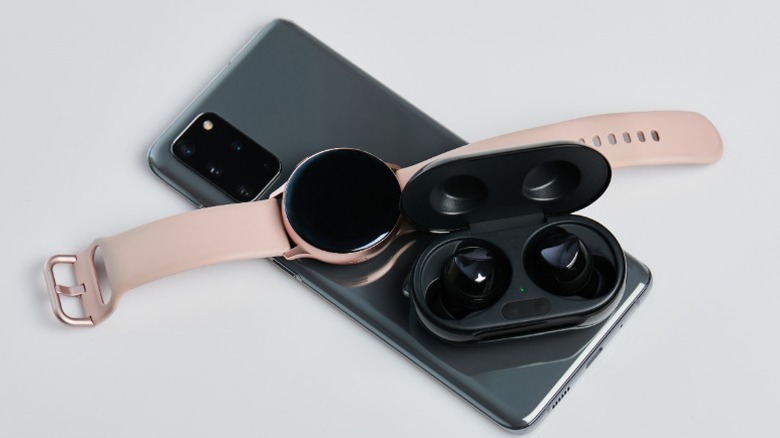
One of the most immediate shocks for users switching from Android to iPhone pros and cons 2026 is the realization that the hardware, while premium, is surprisingly rigid. If you are coming from a Samsung Galaxy or a Google Pixel, you have likely grown accustomed to the convenience of Wireless PowerShare or Battery Share. This feature allows you to place your wireless-charging earbuds or a friend's dying phone on the back of your device to give them a quick boost.
Despite the release of the iPhone 17 Pro Max, Apple has yet to embrace this level of utility. In my testing, the lack of reverse wireless charging remains a major pain point for travelers who want to carry one fewer cable. Instead of charging your Apple Watch on the back of your phone, you are still tethered to a dedicated puck.
Then there is the economic reality of storage. For years, Android flagship hardware has offered either affordable base storage or the ability to expand via a microSD card slot in mid-range and some enthusiast models. Apple continues to utilize high-cost storage tiers that can add hundreds of dollars to the final price of the device. When you consider that Android maintained a 69.88 percent share of the global market as of early 2024, it is clear that many users value this hardware-based storage expansion. On an iPhone, if you run out of space, your only native options are deleting memories or paying for a monthly iCloud subscription.
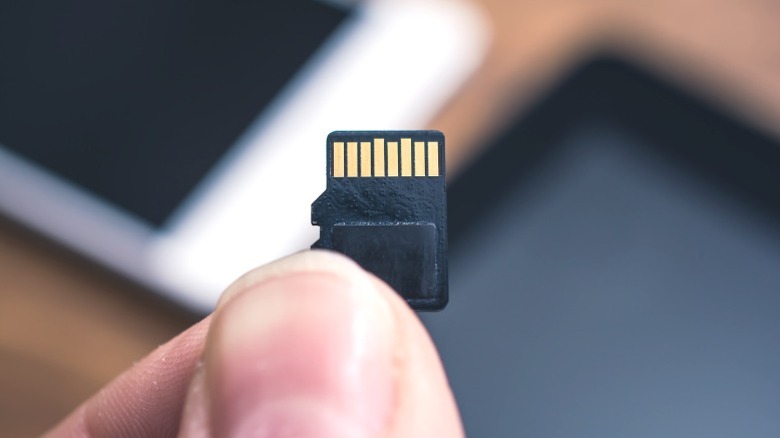
Winner: Android (For Reverse Wireless Charging & SD support)
Productivity Hurdles: Split-Screen vs. PiP
For productivity in 2026, Android excels with its open file system, desktop-like file management, and robust multitasking capabilities. It is genuinely baffling that in iOS 26, the iPhone still does not support a native split-screen multitasking mode. On an Android device, you can have a YouTube video or a Zoom call running on the top half of your screen while taking notes or scrolling through an email on the bottom.
Apple’s solution is Picture-in-Picture (PiP), which works well for video but fails for actual interactive multitasking. If you need to reference a spreadsheet while typing a message, you are forced into a constant dance of swiping between apps. For power user workflows, this is a significant step backward.
Furthermore, the aesthetic philosophy of the two systems has diverged. Android 16 uses Material 3 Expressive themes which allow the entire UI to shift colors based on your wallpaper, creating a cohesive, focused environment. iOS 26 introduces Liquid Glass, a stunningly beautiful interface with deep transparency and blurred layers, but it remains much more restrictive in terms of how much you can actually modify the layout to suit your specific focus needs. While iOS Shortcuts have improved, they still lack the deep system-level automation found in apps like Tasker, which can trigger complex routines based on precise hardware states that Apple keeps locked away.
Winner: Android (For Split-screen native multitasking)
The Social Life: Why App Cloning Still Matters
There is a specific demographic of users—social media managers, entrepreneurs, and those balancing private and professional lives—who rely on the ability to run parallel app instances. Android has offered native app cloning for years, allowing you to have two versions of WhatsApp, Telegram, or Snapchat logged into different accounts on the same device.
According to a 2024 report, 17 percent of new iPhone buyers were former Android users, marking a five-year high. Many of these switchers are immediately met with the frustration of realizing they cannot simply clone an app. To manage two accounts on an iPhone, you often have to rely on the app developer specifically building in a multi-account switcher or use clunky third-party workarounds that often compromise privacy or battery life.
Apple’s strict app sandboxing is great for security, but it prevents the OS from creating these isolated duplicates. For anyone looking for how to clone apps on iphone ios 26 alternatives, the reality is that the experience is never as seamless as the native "Dual Messenger" or "App Twin" features found on Android.
Winner: Android (For Native App Cloning)
Breaking the Walled Garden: File Management and Sideloading
The concept of the walled garden ecosystem is most evident when you try to move a file. Android provides a universal file explorer that feels like a desktop experience. You can plug your phone into a PC or Mac via USB-C and drag-and-drop files directly into specific folders. On iOS 26, the Files app is better than it used to be, but it remains heavily sandboxed.
Managing files on ios 26 vs android open file access reveals a fundamental difference in philosophy. Android treats the user like an administrator; Apple treats the user like a guest. This extends to the world of sideloading apps. While EU regulations have forced Apple to allow alternative app marketplaces, the process is still riddled with warnings and "notarization" hurdles. It is nowhere near the simplicity of downloading an APK on Android and hitting install.
This openness also affects how you interact with your phone daily. Android has an 81% push notification opt-in rate, compared to just 51% on iOS. This suggests that Android users are more engaged with the notification system, perhaps because the OS allows for more granular control over how those notifications appear and behave, including the use of third-party launchers to completely overhaul the notification shade.
Winner: Android (For Open File System & Customization)
Creative Control: Pro-Level Photography Tools
Apple’s approach to photography has always been about the "point-and-shoot" experience. It is designed to produce a great photo 99% of the time with zero effort. However, Android flagship cameras provide native manual modes directly in the default camera app. If you want to manually adjust ISO, shutter speed, or white balance to capture a specific mood or a long-exposure shot of the stars, Android makes those tools accessible out of the box.
On an iPhone, the native app remains intentionally simple. To get pro-level photography tools like manual shutter speed, you typically have to download and often pay for third-party software like Halide. For a professional or a hobbyist, having these controls integrated into the native system—where they can be launched instantly with a double-press of the power button—is a significant advantage for Android.
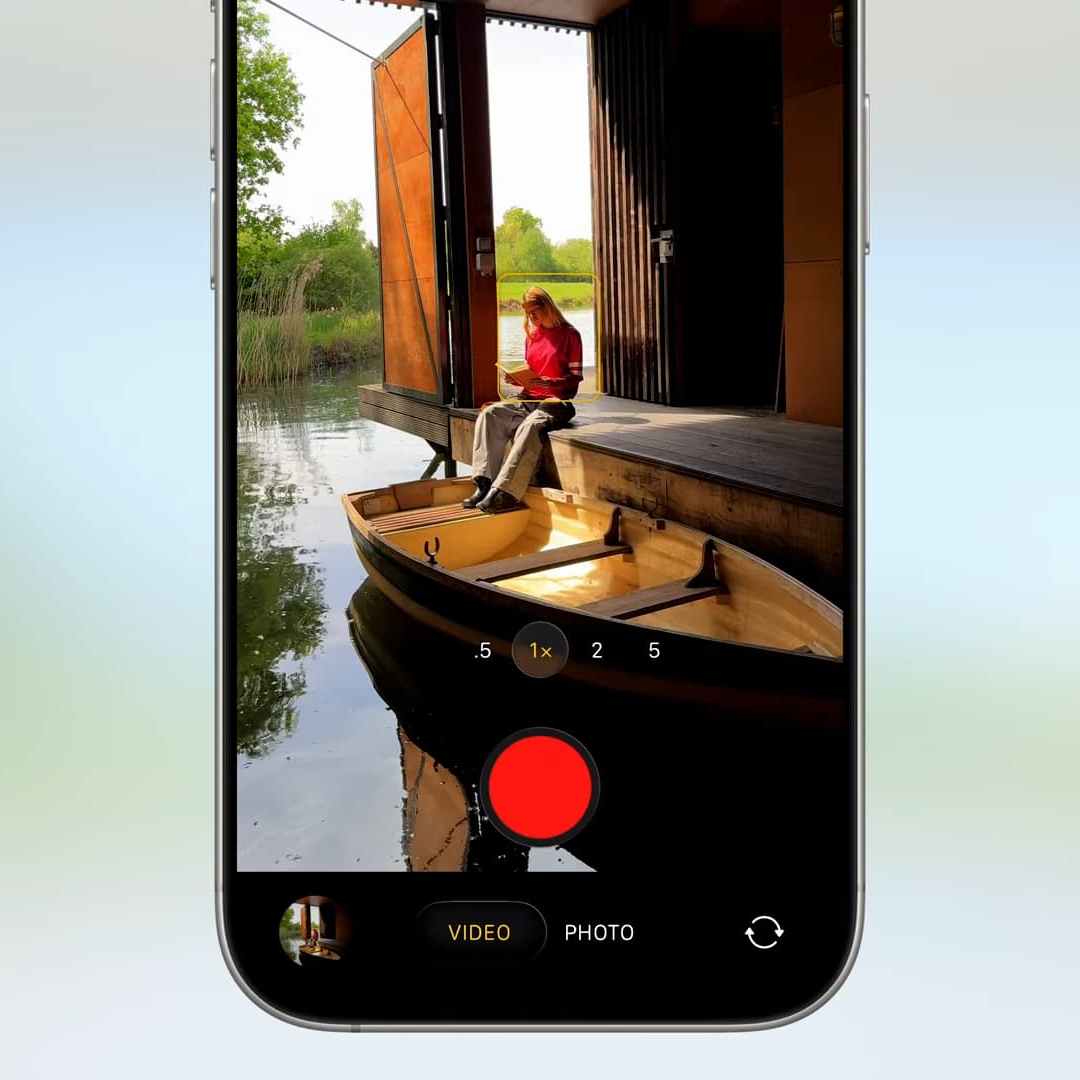
Winner: Android (For Native Manual Controls)
FAQ
What are the main differences between Android and iPhone features?
The primary differences lie in the balance between freedom and curation. Android vs iPhone features generally pit hardware flexibility and deep software customization against a highly optimized, secure, and integrated ecosystem. Android offers things like an open file system and split-screen multitasking, while iPhone offers superior cross-device handoff and consistent app quality.
Is Android more customizable than iPhone?
Yes, Android remains significantly more customizable. While iOS 26 has introduced more lock screen and icon options, Android allows for third-party launchers, deep system-level automation, and the ability to replace almost any default system app, including the entire phone dialer or SMS client.
How do camera features compare between Android and iPhone?
iPhone is widely considered the king of mobile video and consistent point-and-shoot photography. However, Android flagships often lead in hardware-based zoom capabilities and provide native manual controls for professional photographers that are absent in the default iOS camera app.
Is it difficult to switch from Android to iOS?
The technical switch is quite simple thanks to the Move to iOS app, which transfers contacts, photos, and messages. However, the workflow switch can be difficult as users must adapt to a more restrictive file system, the lack of a universal back gesture, and the absence of certain Android exclusive software features.
Which ecosystem offers better integration with other devices?
Apple’s ecosystem is the gold standard for integration. Features like Universal Control, AirDrop, and Handoff allow for a seamless transition between iPhone, iPad, and Mac. While Android has made strides with Google’s "Better Together" initiative and Microsoft’s Phone Link, it often lacks the tight hardware-software synergy found in the Apple garden.
Conclusion: The 2026 Decision Framework
As we look at the landscape of mobile technology in 2026, the choice between Android and iPhone isn't about which one is "better," but rather which one aligns with your personal workflow. If you value a system where 88% of users are on the latest OS version, ensuring your device stays relevant for five to seven years, the iPhone is the clear winner. The Visited Places encryption and the overall "it just works" philosophy of the Apple ecosystem provide a peace of mind that is hard to quantify.
However, if your daily life involves manual file manipulation, running multiple social accounts for business, or using your phone as a primary productivity hub, you will feel the weight of those missing Android perks. The lack of reverse wireless charging on the iPhone 17 Pro Max and the continued absence of split-screen multitasking are more than just missing line items on a spec sheet—they are fundamental limitations for the modern power user.
Switching to iPhone means gaining a world of polish and long-term stability, but it also means leaving behind the hardware-based convenience and software freedom that has defined the Android experience for over a decade.