Our Top Picks
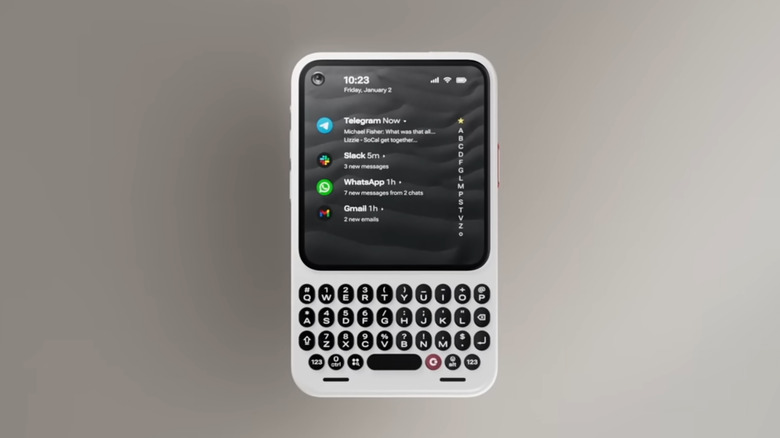
The Clicks Communicator is 2026's most unique Android 16 device, designed as a physical QWERTY keyboard smartphone for minimalist productivity. It serves as a dedicated communication hub or companion handset for those escaping the glass slab distractions of mainstream flagships.
Top Use Case: Dedicated messaging tool for Slack and Signal. Key Feature: Capacitive trackpad keyboard with spacebar fingerprint sensor. Best Value: Guaranteed software support until 2031.
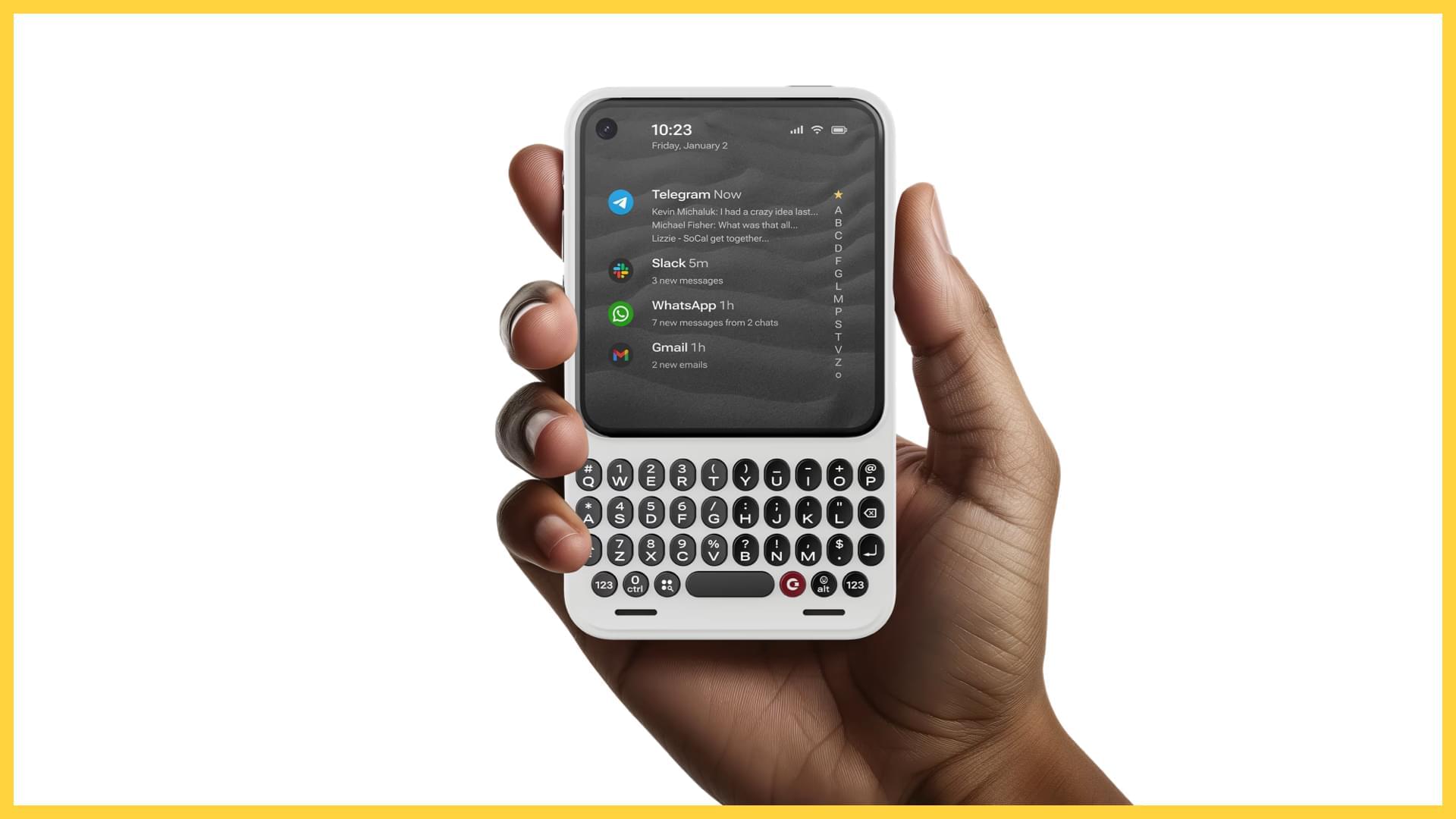
The Clicks Communicator is a unique Android 16 device designed for minimalist productivity, featuring a physical QWERTY keyboard and a 4.03-inch AMOLED display. It uses the Niagara Launcher to prioritize messaging and notifications over social media consumption, acting as a dedicated communication hub or companion handset for users looking to reduce digital distractions. By returning to the tactile typing experience, this phone provides a solution for professionals who need precision and speed without the overwhelming interruptions of a standard modern handset.
The Return of Tactile Typing: More Than a BlackBerry Alternative
For years, those of us who grew up on the clicky response of a physical keyboard have had to settle for glass screens. The Clicks Communicator changes that narrative, offering a modern PDA utility that doesn’t feel like a relic. Its Fastback design ergonomics are carefully balanced, ensuring the device doesn't feel top-heavy when you are typing out a long email in Slack. The keys themselves provide a crisp, tactile typing experience that feels lightyears ahead of the mushy membranes of the early 2010s.
One of the most impressive feats of engineering here is how the keyboard functions beyond just typing. The entire surface of the physical QWERTY keyboard is touch-sensitive for scrolling and includes a fingerprint sensor integrated into the spacebar. This effectively turns the keyboard into a capacitive trackpad, allowing you to navigate through long threads or documents without your thumb ever blocking the screen.
When doing a Clicks Communicator vs BlackBerry Key2 comparison, the improvements in 2026 technology are obvious. While the Key2 was a valiant effort, it suffered from aging internals and a limited ecosystem. The Clicks Communicator, by contrast, launches as a true BlackBerry alternative Android phone built for the current era, blending retro satisfaction with contemporary power.
Technical Specs: Flagship Performance in a Minimalist Body
Don't let the compact size fool you. Inside the chassis sits a modern 4nm MediaTek processor that handles multitasking with ease. While traditional flagships are pushing 7-inch displays that demand your constant attention, this device opts for a 4.03-inch AMOLED display panel with a resolution of 1080 x 1200. This is what designers call intentional design friction. The screen is large enough for crisp text and clear photos but intentionally small enough to discourage hours of mindless video scrolling.
The hardware is rounded out with a Silicon-Carbon battery chemistry that provides high energy density in a small form factor, ensuring that the device can easily last two days of heavy messaging.
| Feature | Clicks Communicator | Generic 2026 Flagship |
|---|---|---|
| Display | 4.03" AMOLED (Portrait) | 6.8" LTPO OLED |
| Primary Input | Physical QWERTY Keyboard | On-screen Virtual Keyboard |
| Processor | 4nm MediaTek | Snapdragon 8 Gen 5 or equivalent |
| Audio | 3.5mm Headphone Jack | USB-C Only |
| Storage | 256GB + MicroSD Expansion | 256GB (Fixed) |
| Software | Android 16 (Niagara UI) | Android 16 (Standard UI) |
These Clicks Communicator specs and features for business users make it clear that this isn't a toy. It is a specialized tool. Prior to the launch of the Communicator at CES 2026, Clicks Technology had shipped over 100,000 physical keyboard units to customers in more than 100 countries, proving there is a massive, underserved market for this form factor.
The Modern Retro Toolkit: 3.5mm Jack and MicroSD Expansion
In an era where manufacturers seem obsessed with removing ports, the Clicks Communicator embraces them as luxury features. The inclusion of a 3.5mm audio jack means you don't have to worry about charging Bluetooth earbuds when you're jumping on a conference call. Similarly, the MicroSD card expansion slot supports up to 2TB of storage, making it an excellent vault for offline documents and media.
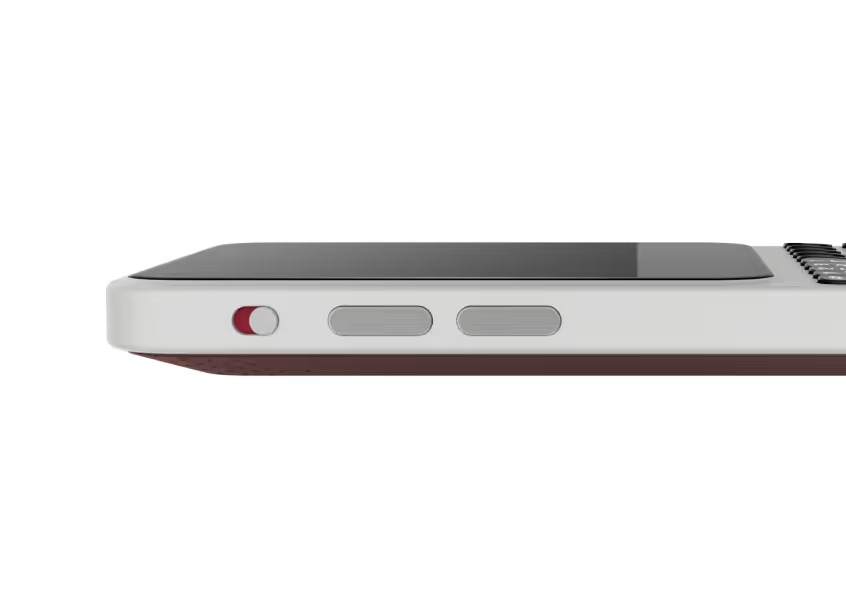
The device also features high-grade physical controls. There is a physical silence toggle that gives you instant, non-visual confirmation that your phone is muted. For the privacy-conscious, a dedicated hardware kill switch can disable the camera and microphone. These features reinforce its identity as a minimalist productivity smartphone that puts the user back in control of their hardware.
Software for Focus: Niagara Launcher and Signal LED
The software experience is where the Clicks Communicator truly differentiates itself from any other Android 16 device. Out of the box, it features a deep Niagara Launcher integration. This interface is notification-centric, presenting your most important apps in a clean, vertical list that is perfectly suited for the portrait-oriented screen.
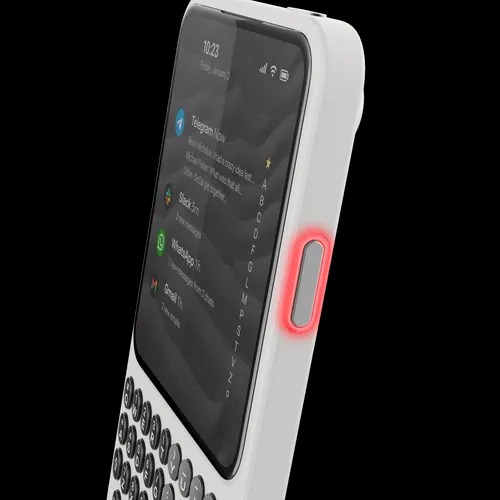
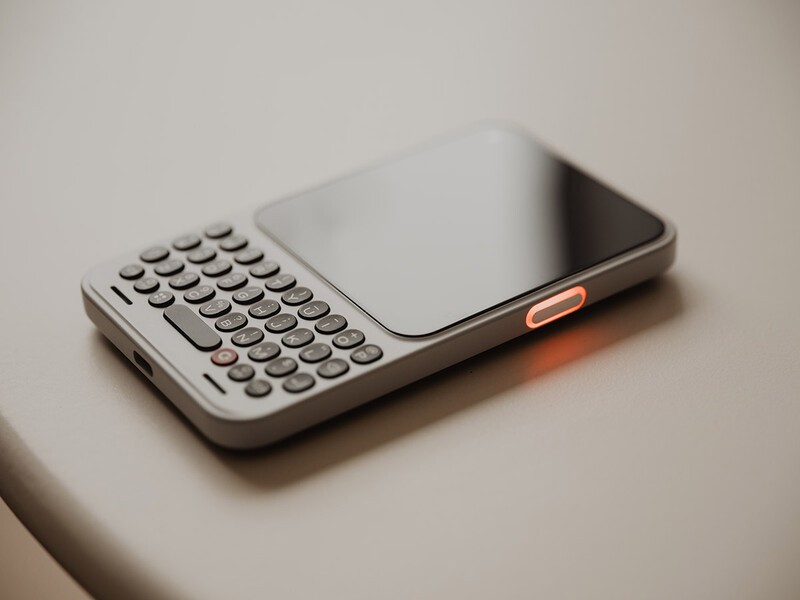
Furthermore, the device includes a customizable Signal LED around its side button that allows users to identify priority notifications from specific apps or contacts by color without turning on the screen. When configuring Niagara Launcher on Clicks Communicator for focus, you can set the RGB ring to glow blue for Slack or green for WhatsApp, allowing you to decide if a buzz in your pocket is worth your attention without ever looking at the display.
Customizing Signal LED notifications on Clicks Communicator becomes a core part of the workflow. This notification-centric interface is designed to keep you out of the "app-switching loop" that leads to digital distraction.
Productivity Workflow: Shortcuts and Secondary Device Strategy
The most powerful part of the physical keyboard is the ability to use A-Z shortcuts. Just like on a desktop computer, you can map the "S" key to open Slack or "C" to open the Calendar. This allows for a level of speed that on-screen gestures simply cannot match. It turns the phone into a digital detox tool that still keeps you connected to your professional responsibilities.
Many users are finding success by using Clicks Communicator as a secondary Android device. In this setup, your giant "glass slab" flagship stays in your bag for photography or watching movies, while the Communicator stays in your pocket as your primary communication hub. This distraction-free mobile usage ensures that when you reach for your phone, you are doing so with intent.
Learning how to use Clicks Communicator as a productivity hub involves leaning into these shortcuts and the capacitive scrolling. It is about moving away from consumption and toward creation and response.
Who This Is For:
- Professionals who manage high-volume messaging in Slack, Discord, or WhatsApp.
- "BlackBerry refugees" who have never felt comfortable on a virtual keyboard.
- Users looking for a digital detox tool that doesn't sacrifice modern app compatibility.
- Tech enthusiasts who value hardware utility like the 3.5mm jack and MicroSD slot.
Extra Power for Long Days
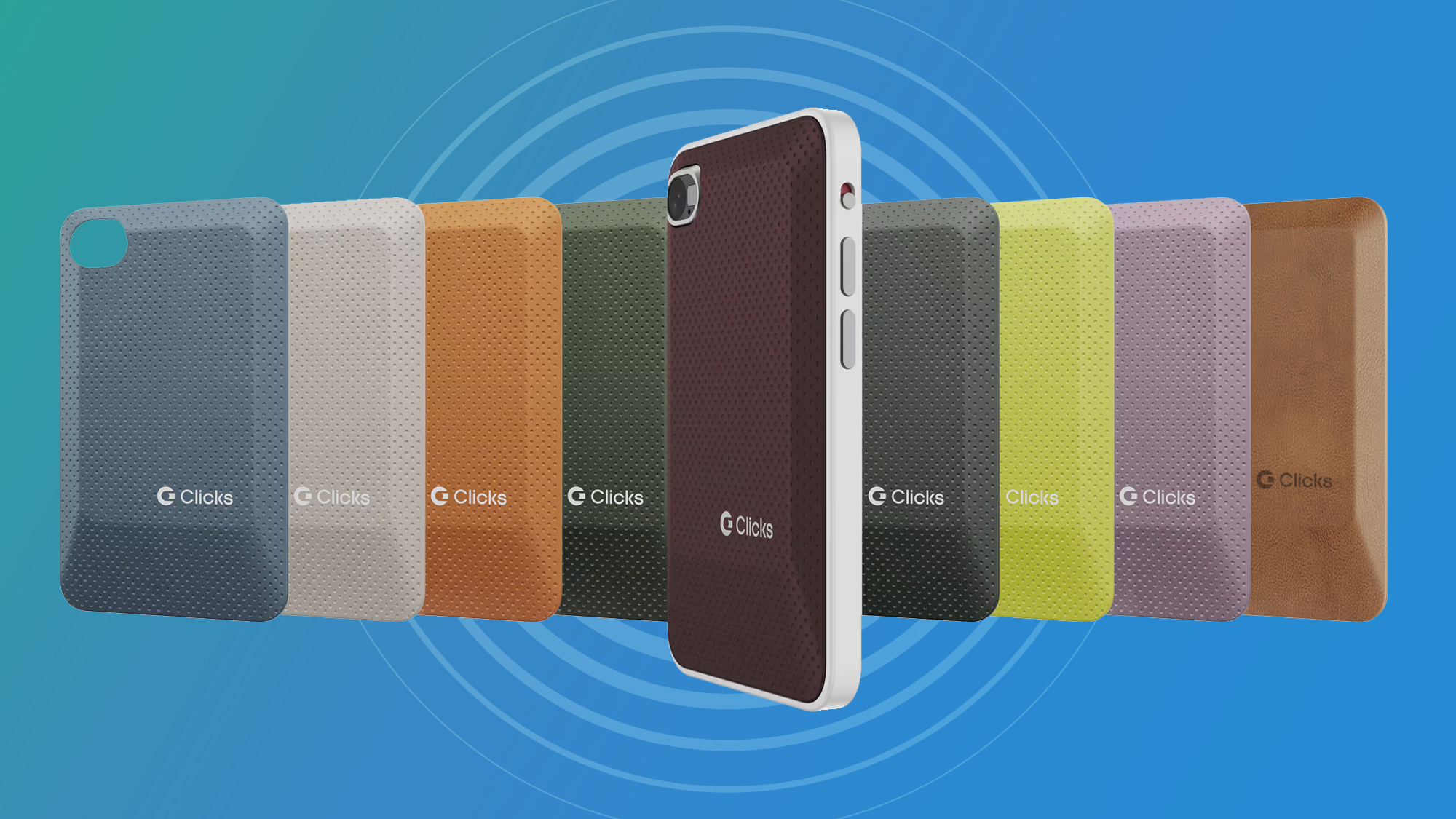
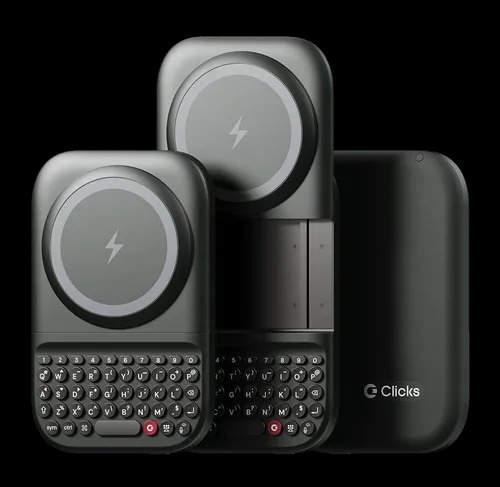
For those who use their device for intensive work, the ecosystem includes the Power Keyboard accessory. This is a swappable backplate that adds a 2,150 mAh backup battery, effectively doubling the runtime of the device for extended travel or long conference days.
FAQ
What is the Clicks Communicator?
The Clicks Communicator is a specialized Android 16 smartphone featuring a physical QWERTY keyboard, a 4.03-inch AMOLED screen, and a 4nm MediaTek processor. It is designed as a minimalist productivity smartphone for users who prioritize messaging and tactile input over traditional social media consumption.
Is the Clicks keyboard compatible with Android devices?
The Clicks Communicator is a standalone smartphone that runs a full version of Android 16. While the company originally started by making keyboard cases for iPhones, the Communicator is their first fully integrated hardware device, offering deep system-level integration between the physical keys and the software.
Does the Clicks keyboard support keyboard shortcuts?
Yes, the keyboard supports a full range of A-Z shortcuts to launch apps and perform system actions. Additionally, the entire keyboard surface is touch-sensitive, allowing it to function as a capacitive trackpad for scrolling through apps and web pages without touching the screen.
How much does the Clicks communicator cost?
The Clicks Communicator launched with a retail price of $500. However, early pre-order benefits offered the device at a reduced cost of $399 for the first wave of customers. It is positioned as a premium, specialized tool for business professionals and keyboard enthusiasts.