Our Top Picks
- Verdict: The Clicks keyboard case is a game-changer for digital nomads and power users who prioritize screen space and tactile feedback. It is an essential productivity tool for those who write long-form content on the go, though it remains a niche luxury for casual social media browsers.
- Best Feature: Reclaiming 50% of the screen allows you to actually see what you are typing in apps like Slack, Gmail, and Notes.
- Price: $139 (Standard) / $159 (Pro Max).
Our Clicks keyboard case review for iPhone 16 Pro shows that this accessory draws minimal power, typically between 0.5% and 1% per hour, via a stable HID connection. While users may notice the Clicks keyboard case battery impact appearing higher in iOS settings due to how the system logs USB-C accessories, the actual consumption is negligible compared to the massive boost in mobile productivity provided by the physical QWERTY layout.
Design and Ergonomics: The Physical QWERTY Experience
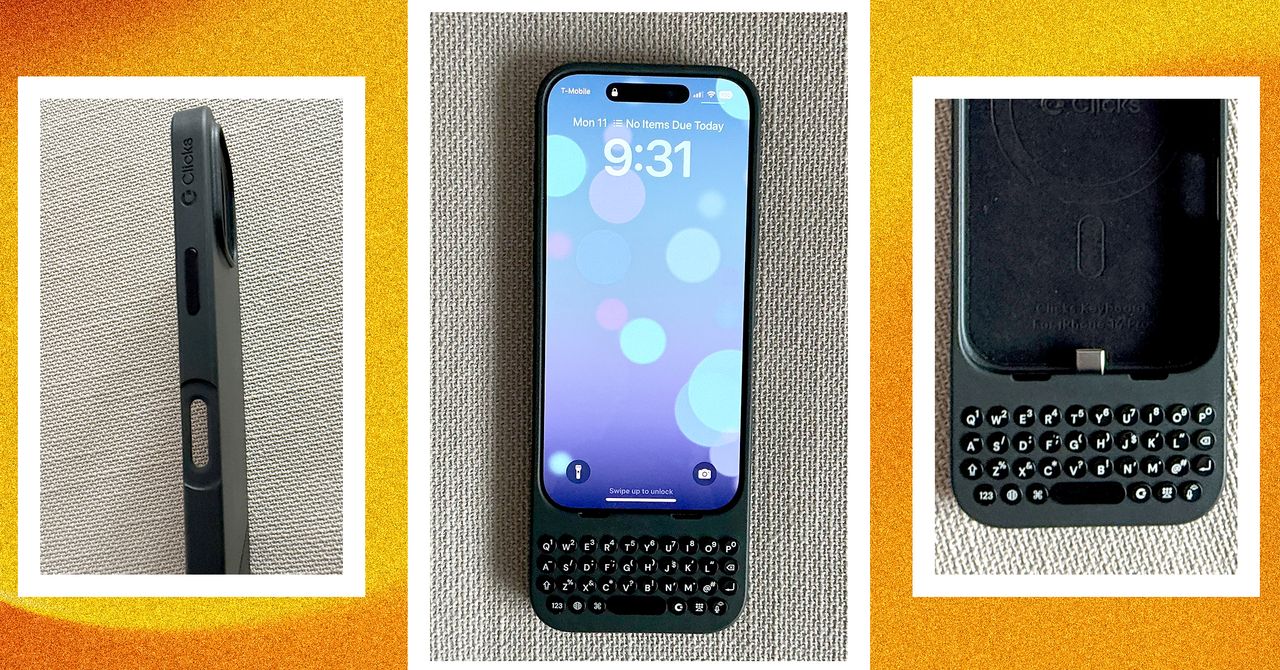
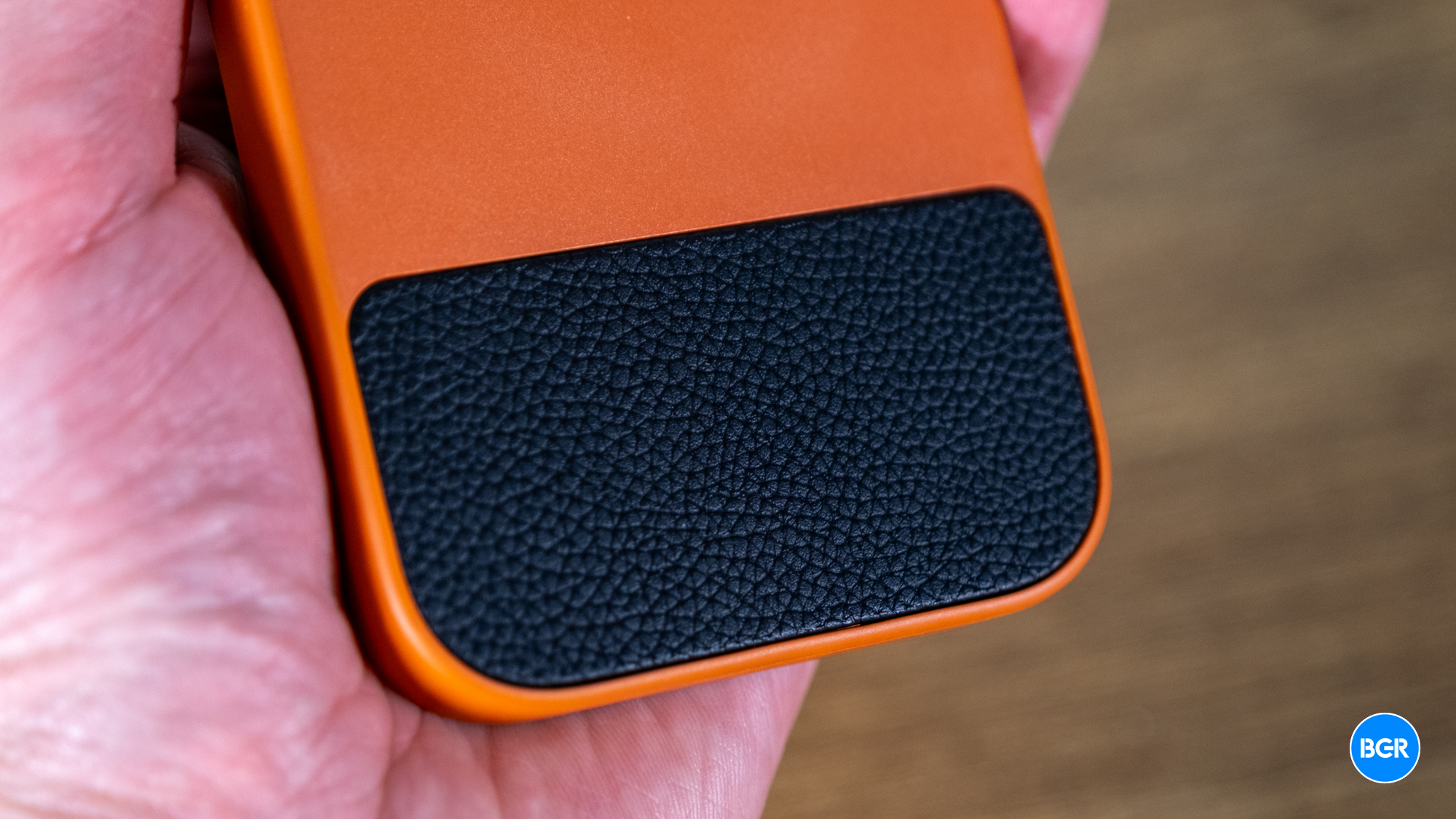
The first thing you notice when unboxing the Clicks keyboard case is the sheer length it adds to your device. It feels like a throwback to the era of the BlackBerry Priv or the Nokia E7, yet the materials are modern. The back is finished in a high-quality vegan leather that provides excellent grip, while the frame is a sturdy polycarbonate that feels like it could survive a standard drop. For those who snagged the Founders Edition in Bumblebee yellow or Royal Blue, the aesthetics are unapologetically bold.
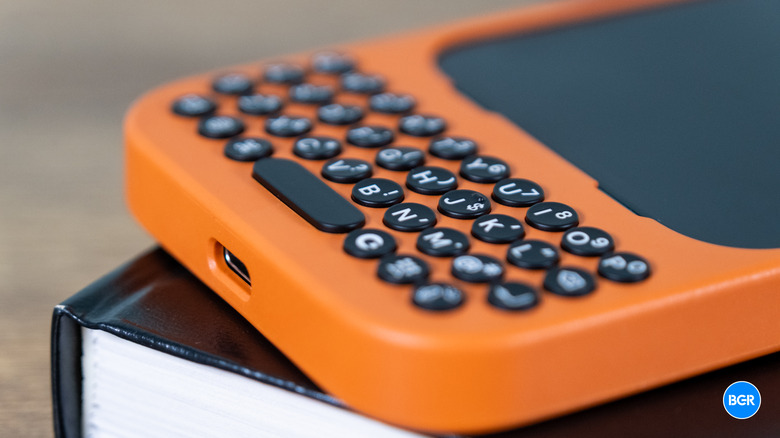
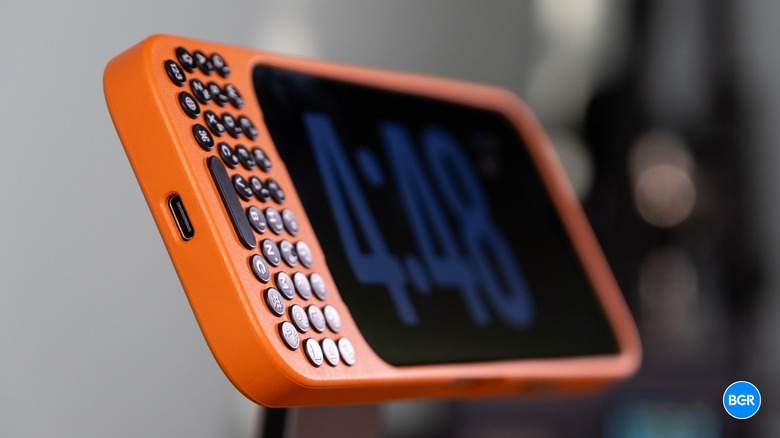
One question I frequently hear from my readers is: is the Clicks keyboard case too bulky for daily use? It is undeniably tall. Because the keyboard sits below the phone’s chin, it extends the vertical footprint by about an inch and a half. This makes it slightly top-heavy, and you will certainly feel it in your pocket. However, the ergonomic height actually makes the phone easier to hold with two hands while typing. The circular keycaps are spaced perfectly to prevent accidental presses, providing a level of tactile feedback that no glass screen can ever replicate.

Typing Performance: Mastering the 0.22mm Travel
Typing on the Clicks keyboard case is an exercise in muscle memory. If you have spent the last decade tapping on glass, there is a learning curve. I follow the 2-hour/2-day/2-week rule: you will find it weird for two hours, get comfortable in two days, and feel like you have superpowers after two weeks. The keys feature 0.22mm travel, which provides a satisfying click without requiring too much force.
On the newer iPhone 16 models, the company has increased the key surface area by 35%, making it even more accessible for those with larger hands. When comparing Clicks keyboard case vs touchscreen typing speed, the physical buttons initially feel slower. However, once your muscle memory kicks in, the error rate drops significantly. The absence of an auto-correct battle allows for a "flow state" during emails or article drafts that simply is not possible when your thumbs are obscuring half the virtual interface.
Power and Connectivity: Solving the Battery Mystery
One of the most debated topics in any Clicks keyboard case review is the Clicks keyboard case battery impact. Because the case connects directly via USB-C or Lightning, it does not require an internal battery or a Bluetooth pairing process. It uses the HID protocol, which is incredibly power-efficient. In my testing, the standby draw is roughly 4.4 mAh.
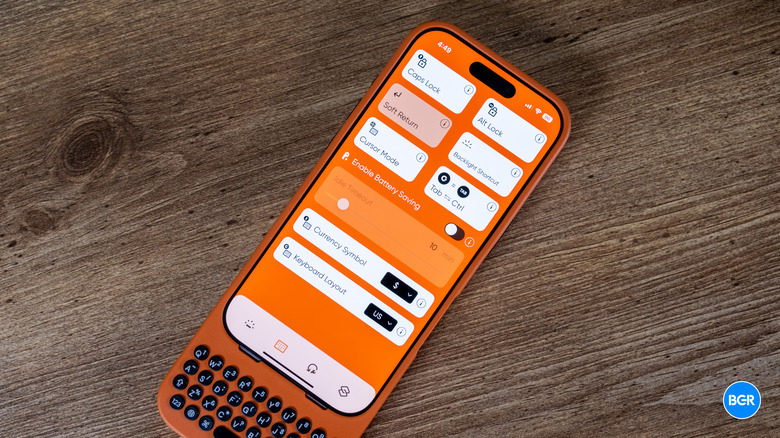
If you look at your iOS battery settings and see a high percentage for the keyboard, do not panic. This is often a reporting bug where iOS marks all USB-C accessories as active even when they are idling. To mitigate this, you can learn how to fix Clicks keyboard case battery reporting on iOS by using the companion Clicks app to toggle the battery-saving mode. This dims the backlit buttons when they are not in use. Additionally, the case supports pass-through charging, meaning you can plug your cable into the bottom of the case to charge your phone at full speed without removing the keyboard.
Productivity Unlocked: Shortcuts and Cursor Mode
The real magic of the Clicks keyboard case isn't just the buttons—it is the software integration. Having a physical keyboard unlocks a massive library of iOS command shortcuts that most iPhone users never get to see.
Essential Shortcut Cheat Sheet
- CMD + Space: Opens Spotlight search from anywhere.
- CMD + H: Takes you back to the Home screen instantly.
- CMD + N: Starts a new email in Mail or a new note in Notes.
- CMD + T: Opens a new tab in Safari.
- Spacebar: Scrolls down through web pages or emails.
For those navigating long documents, knowing how to use Clicks keyboard case Cursor Mode is a game-changer. By holding down specific keys, you can use WASD cursor navigation to move the text insertion point with precision, eliminating the frustration of trying to tap between two small letters with your finger. Furthermore, the dedicated Clicks button (the one with the logo) is fully mappable. I highly recommend setting up Siri shortcuts with Clicks keyboard button to trigger "Work Mode" or open your favorite task manager with a single press. This level of mobile productivity turns the iPhone into a legitimate micro-laptop.
Compatibility: From iPhone 16 Pro to Android
When Clicks first launched, it was an iPhone-only affair. However, the ecosystem has expanded rapidly. There is now broad Clicks keyboard case Android compatibility, with official versions supporting the Google Pixel 9, Pixel 9 Pro, Samsung Galaxy S25, and the 2024 Motorola Razr+. The Android versions maintain the same circular keycaps and backlit buttons but adapt the layout for Android-specific navigation.
Another major hardware improvement in the Gen 2 models is the inclusion of MagSafe. While the original version for the iPhone 14 Pro lacked strong magnetic support, the newest versions for the iPhone 15 and 16 series allow for using MagSafe accessories with Clicks keyboard case. You can snap on a MagSafe battery pack or mount it to a car charger without any issues.
Comparison: iPhone 15 vs. iPhone 16 Clicks Case
| Feature | iPhone 15 Series | iPhone 16 Series |
|---|---|---|
| MagSafe Support | Standard | Enhanced / Stronger Magnets |
| Key Surface Area | Standard | 35% Larger |
| Pass-through Port | USB-C | USB-C |
| Key Travel | 0.22mm | 0.22mm |
| Weight | ~62g | ~65g |
The company states that moving the virtual keyboard to a physical interface nearly doubles the usable screen real estate on an iPhone's display. Currently, the Clicks keyboard case is $139 for standard iPhone models and $159 for the larger Pro Max versions.
FAQ
Is the Clicks keyboard case worth it?
If you are a writer, journalist, or someone who manages a business from your phone, the $139 investment is worth it for the reclaimed screen space alone. If you mainly use your phone for video consumption, the added length might feel unnecessary.
Does the Clicks keyboard case need to be charged?
No, the Clicks keyboard case does not have an internal battery. it draws power directly from your phone's USB-C or Lightning port, so it is always ready to type as long as your phone has power.
How does the Clicks keyboard case feel to type on?
It feels clicky and responsive. The 0.22mm travel provides a clear tactile bump that lets you know a key has been registered. The circular buttons help your thumbs distinguish between keys without looking down.
Does the Clicks keyboard case support MagSafe?
Yes, the newer models designed for the iPhone 15 and iPhone 16 series include MagSafe magnets built into the back, allowing you to use chargers, wallets, and mounts seamlessly.
How does the Clicks keyboard case affect battery life?
The impact is very low, generally estimated at 0.5% to 1% of battery life per hour of active use. The keys are backlit, but this feature can be managed in the Clicks app to further save power.
Are there keyboard shortcuts for the Clicks case?
Yes, it supports a wide array of iOS command shortcuts like CMD+Space for search and CMD+H for home. It also features a dedicated Clicks button for custom Siri Shortcuts and a Cursor Mode for precise text editing.
The Clicks keyboard case is a bold statement against the "all-glass" era of smartphones. It isn't for everyone, but for those of us who miss the tactile click of a real QWERTY layout, it is the most exciting accessory to hit the market in years. Does it make your phone a bit of a "banana" in terms of length? Yes. But the trade-off—a massive, unobstructed screen and lightning-fast shortcut navigation—is one I'm willing to make every single day.
How fast can you type on a physical keyboard compared to glass? Drop your WPM (Words Per Minute) in the comments below!