Quick Facts
- The Entry Level: Dell XPS 13, starting at 2.6 lbs for maximum portability.
- The Sweet Spot: Dell XPS 14, starting at $1,599 with a 3-pound chassis.
- The Pro Powerhouse: Dell XPS 16, starting at $1,749 with UHD+ OLED options.
- Performance Core: All models run on Intel Core Ultra Series 3 Panther Lake architecture.
- Key Redesign: Physical function keys return across the entire lineup for improved reliability.
- Battery King: Up to 27 hours of 4K streaming on specialized 1Hz IPS panels.
The 2026 Dell XPS lineup caters to different needs: the XPS 13 is the most accessible and portable for travel, the XPS 14 balances performance and mobility at 3 pounds, and the XPS 16 serves as a powerful mobile workstation for professional creators. All models feature the Intel Core Ultra Series 3 Panther Lake architecture and a returned physical function row for improved usability. Choosing the right Dell XPS model requires weighing your need for a dedicated GPU against your requirement for a machine that won't weigh down your carry-on during a cross-country flight.
Introduction: The 2026 Dell XPS Revived Lineup
For years, the XPS brand stood as the gold standard for Windows ultrabooks. However, the last two years were a bit of a rollercoaster. Between the polarizing XPS 13 Plus and the introduction of capacitive touch rows that felt more like a tech demo than a finished product, users were asking for a return to form. With the CES 2026 debut of the revived Dell XPS 13, 14, and 16, Dell has finally listened. The company has moved away from the confusing "Plus" and "Max" naming conventions, returning to a heritage branding that emphasizes clarity and craftsmanship.
This Dell XPS comparison looks at a lineup that has undergone a significant design correction. The most notable change is the death of the capacitive touch icons. In their place, we see the return of physical function keys—a move that proves Dell is prioritizing ergonomics over futuristic flair. Under the hood, we are seeing a shift to the Panther Lake architecture, promising significant gains in thermal efficiency and AI-driven performance. Whether you are a college student looking for a reliable daily driver or a professional creator needing a mobile edit suite, this lineup offers a specific tool for every job.
Size & Portability: Finding Your Footprint
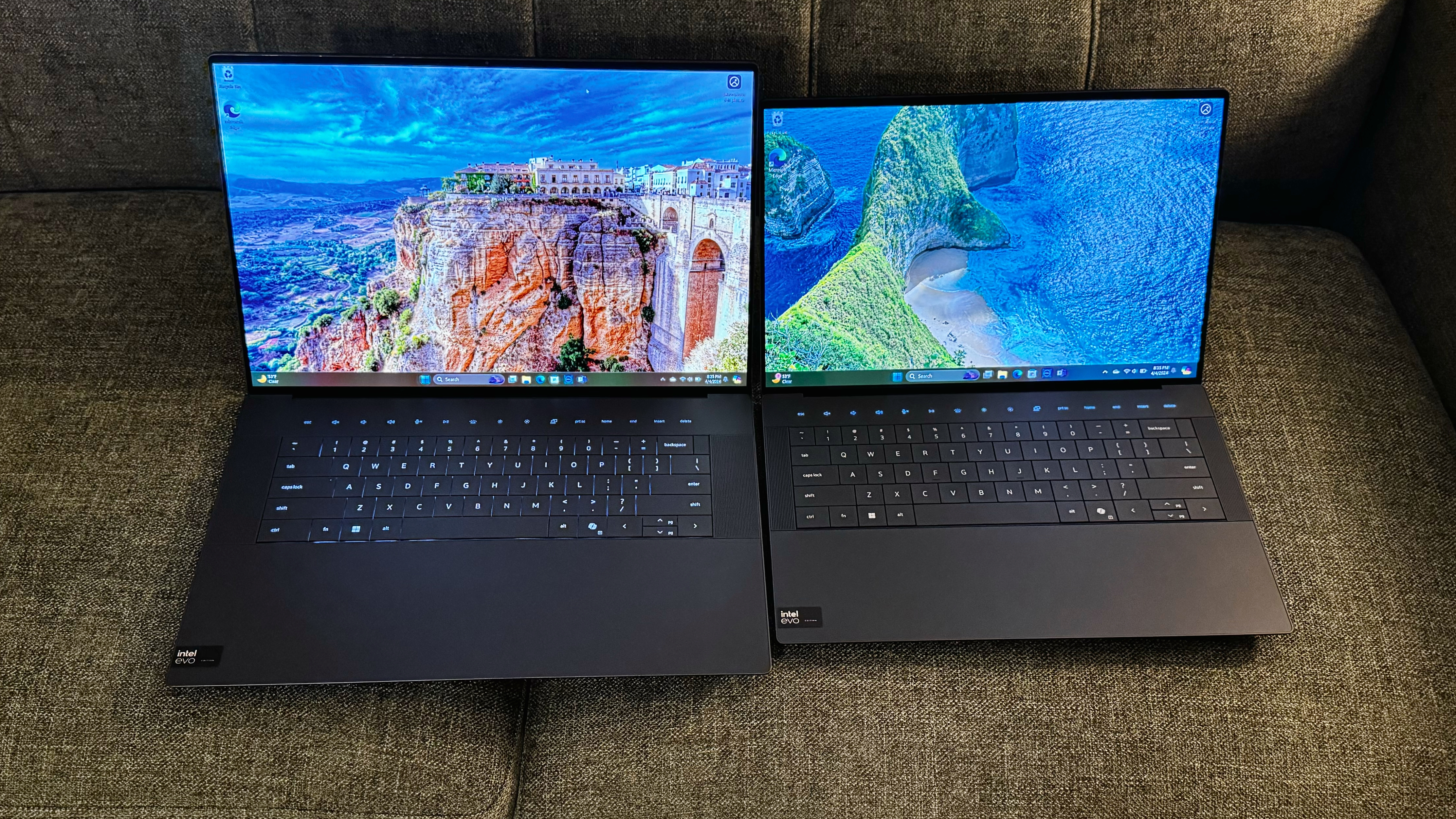
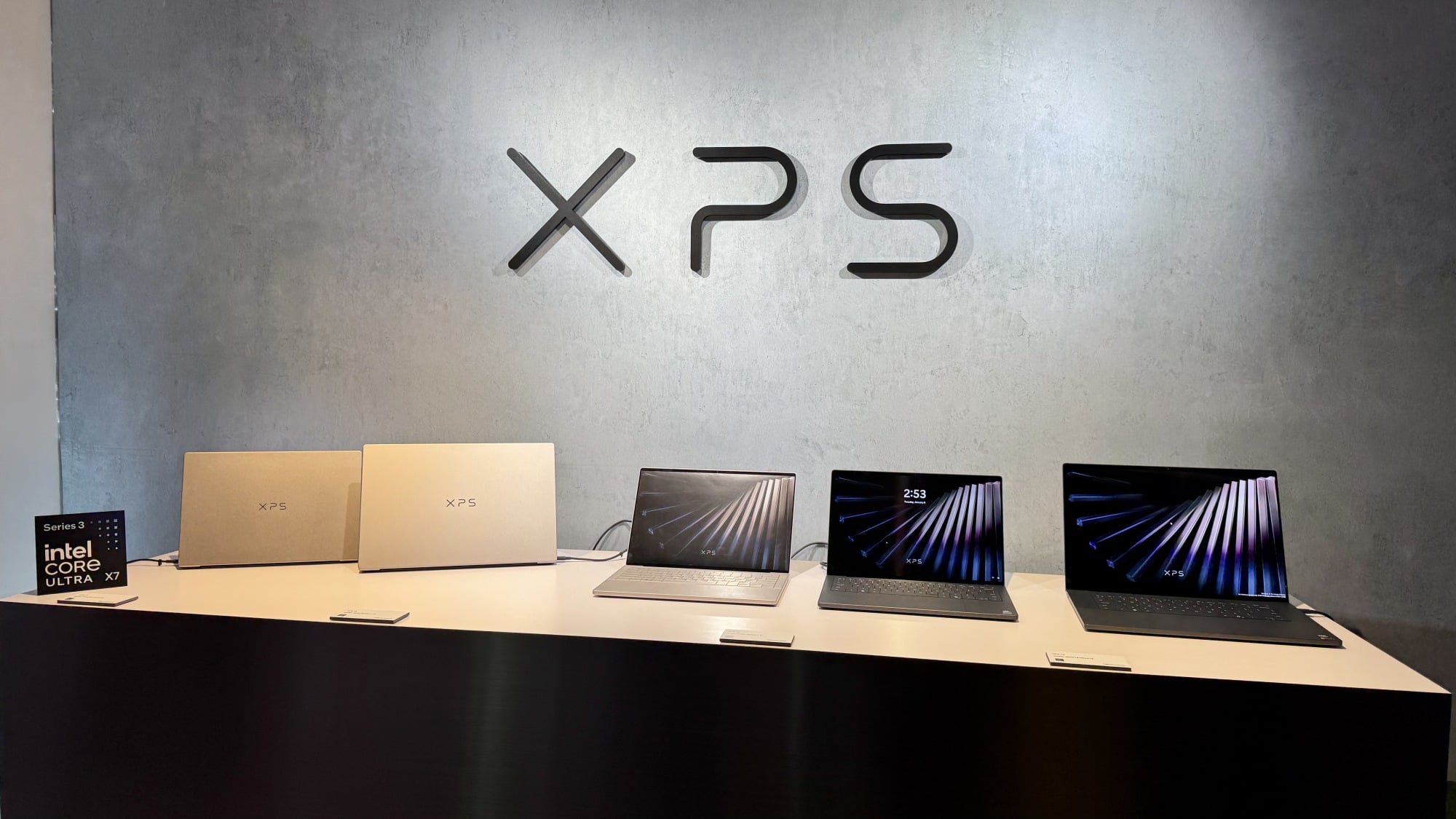
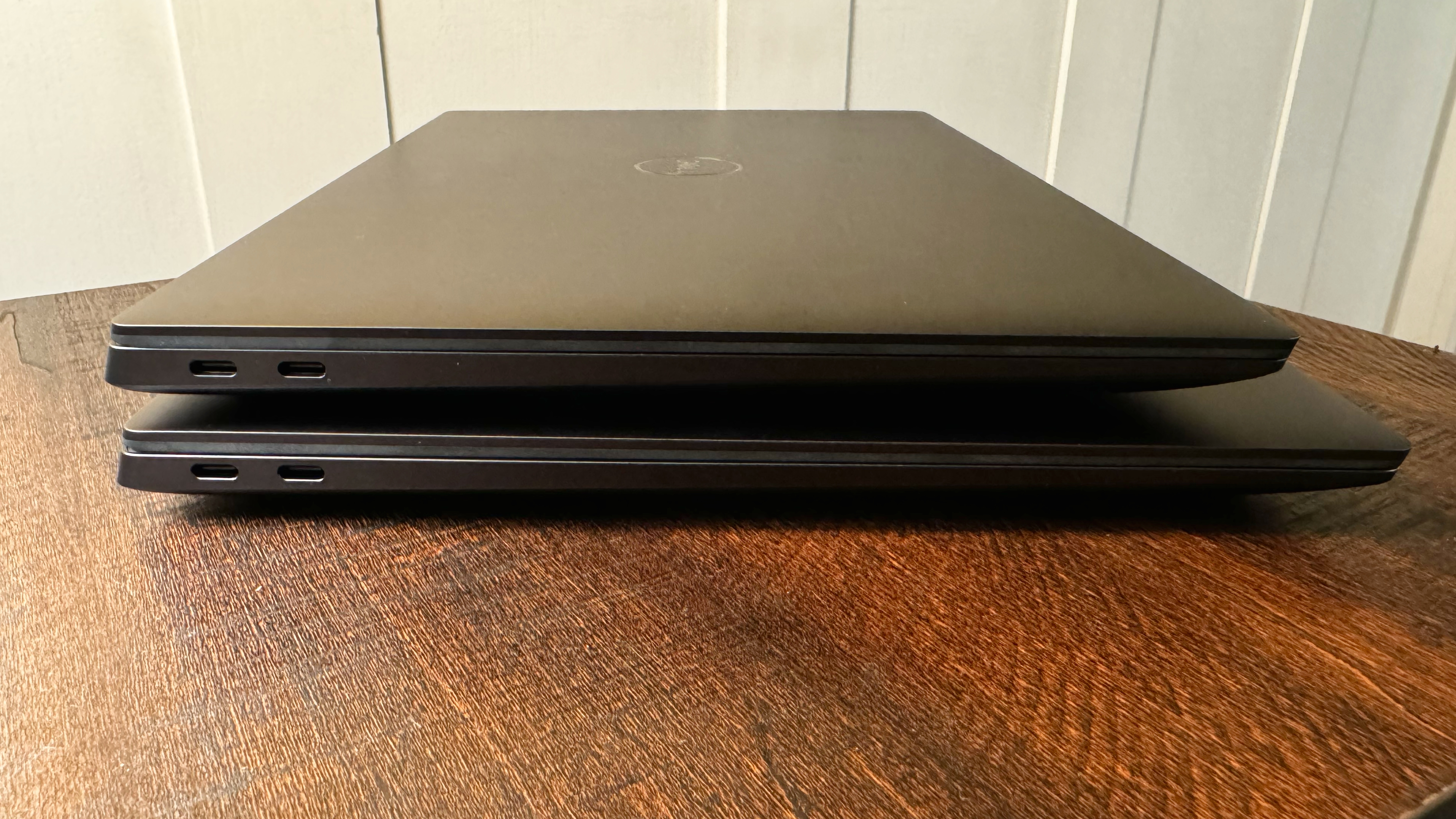
When we talk about the Dell XPS 13 vs 14 vs 16 size comparison, we are really talking about how you intend to use your laptop. The XPS 13 remains the absolute king for frequent flyers. It is the only model that feels truly "invisible" in a backpack. However, the new XPS 14 has undergone a diet, now weighing in at exactly 3 pounds, making it a much more competitive option for those who found the previous generation slightly too chunky.
The weight distribution in this series is deliberate. The starting weight for the 2024 Dell XPS series scaled from 2.6 pounds for the XPS 13, 3.7 pounds for the XPS 14, and 4.7 pounds for the XPS 16. In the 2026 "Revived" versions, Dell has shaved significant mass from the larger models. The XPS 16 now weighs 3.6 pounds, a staggering reduction that makes it feel like a completely different class of machine.
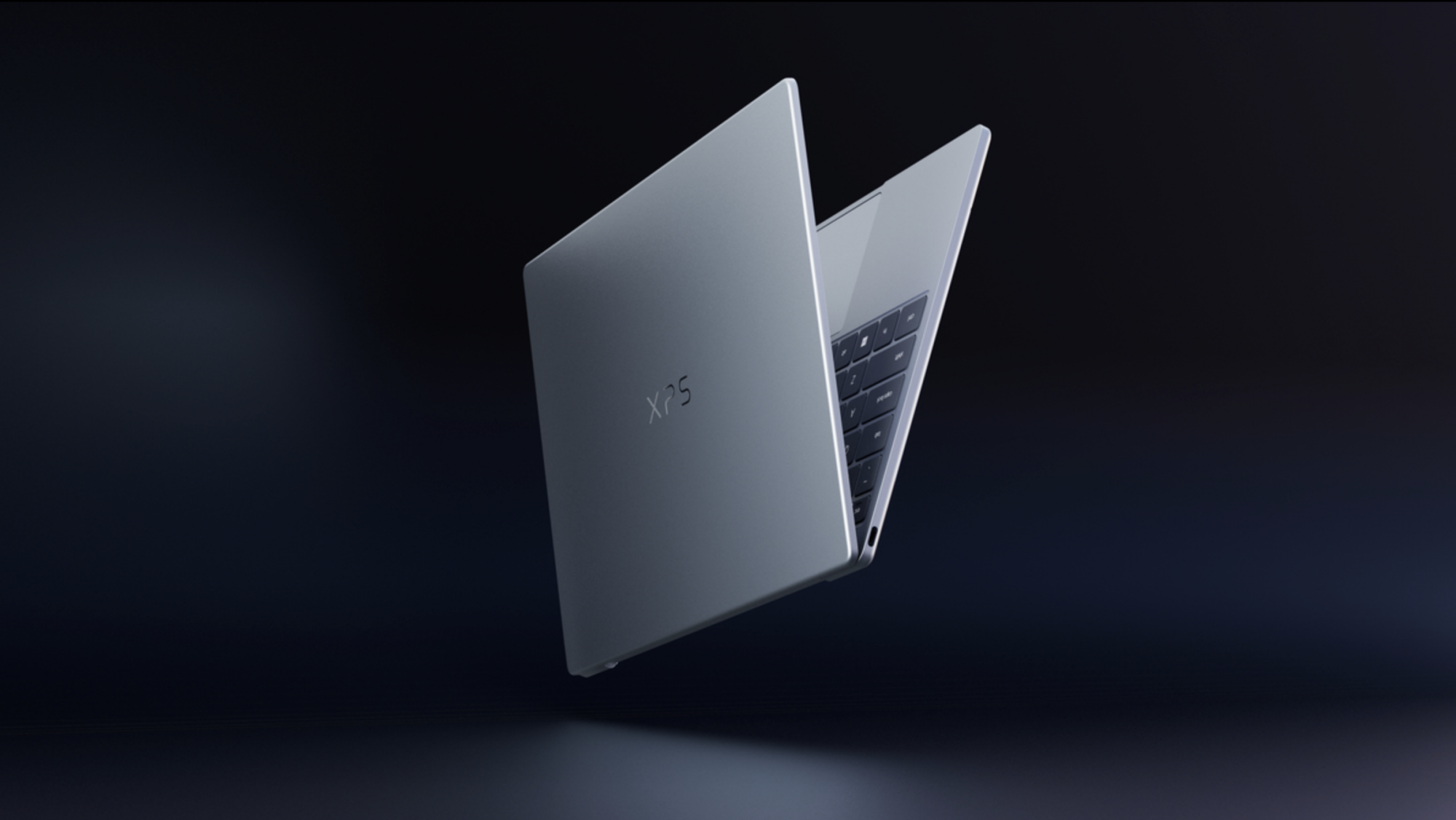
Despite the weight differences, the family DNA is strong. Each model is crafted from a CNC aluminum chassis that feels incredibly rigid. There is no deck flex here, even on the larger 16-inch model. The 14 and 16 share a uniform 0.58-inch thickness, which is impressively thin for laptops carrying this much hardware. Choosing the entry-level Dell XPS 13 for travel is still the logical move for most, but the Dell XPS 14 vs 16 weight and portability gap has narrowed enough that the 14-inch model is now a viable "carry-everywhere" device for many professionals.
Performance Parity: Panther Lake Across the Board
The biggest news for 2026 is the performance parity across the lineup. In previous years, choosing a smaller model meant sacrificing significant CPU cores. With the Intel Core Ultra Series 3 Panther Lake architecture, that gap has largely vanished for standard productivity tasks. All three models feature high-performance silicon that excels in single-threaded tasks and AI acceleration.
| Feature | XPS 13 | XPS 14 | XPS 16 |
|---|---|---|---|
| Processor | Intel Core Ultra Series 3 | Intel Core Ultra Series 3 | Intel Core Ultra Series 3 |
| Graphics | Intel Arc (Integrated) | Intel Arc or NVIDIA RTX 4050 | Intel Arc or Up to RTX 4070 |
| Memory | Up to 32GB LPDDR5x | Up to 64GB LPDDR5x | Up to 64GB LPDDR5x |
| Max Storage | 2TB Gen4 SSD | 4TB Gen4 SSD | 4TB Gen4 SSD |
However, when reviewing the XPS 14 vs XPS 16 specs, the divergence becomes clear once you look at the graphics. The XPS 13 is strictly limited to integrated Intel Arc integrated graphics. While Panther Lake's integrated GPU is surprisingly capable for light photo editing and 1080p video work, it isn't a gaming or rendering powerhouse. The XPS 16 can be configured with up to an NVIDIA GeForce RTX 4070 laptop GPU running at 60W, providing the necessary horsepower for 3D modeling and heavy video exports.
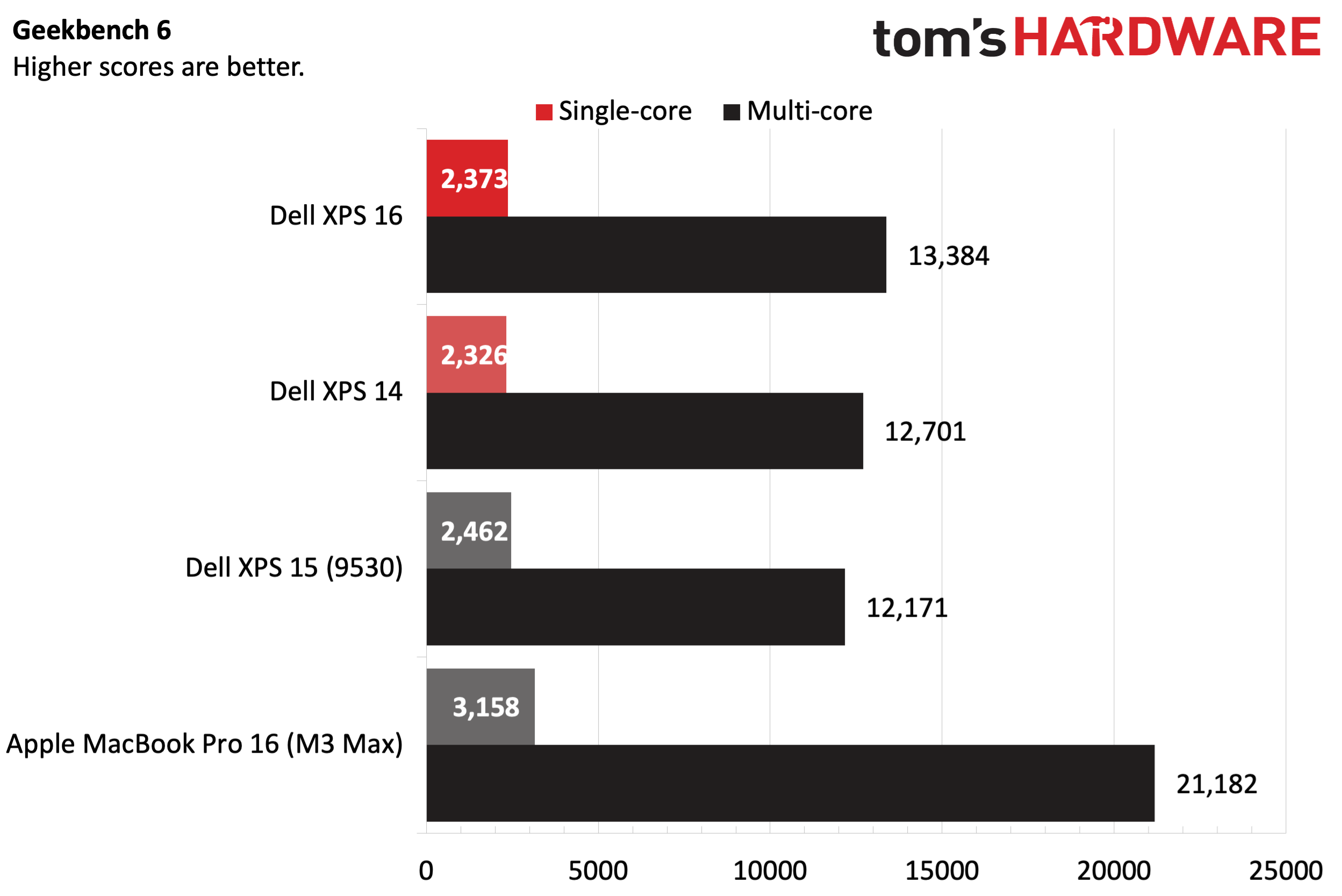
Dell has also made strides in thermal efficiency. The new cooling system in the 14 and 16 utilizes larger vapor chambers and more efficient fan curves, ensuring that the Panther Lake architecture can maintain its boost clocks without the aggressive throttling that plagued some earlier thin-and-light designs.
Display Tech: 1Hz IPS vs. Tandem OLED
Dell has always excelled at displays, but the 2026 options introduce a new layer of complexity. The most exciting addition is the 1 to 120 Hz variable refresh rate (VRR). By allowing the screen to drop down to just 1Hz when displaying static content, Dell has unlocked massive battery savings.
For those considering the Dell XPS 14 vs XPS 16 for creative work, the panel choice is paramount. The XPS 16 offers a stunning UHD+ Tandem OLED technology option. This "tandem" approach stacks two OLED layers, doubling the brightness and significantly extending the panel's lifespan while reducing the risk of burn-in. It covers 100% of the DCI-P3 color gamut, making it a dream for color-accurate work.
However, there are Dell XPS 16 OLED vs IPS display trade-offs you must consider. While the OLED looks better, the 1Hz IPS panel is the secret weapon for road warriors. In our testing, the IPS panel configuration provides significantly better endurance. If your work doesn't require the perfect blacks of an OLED, the IPS panel—which still features 500 nits of brightness and the same variable refresh rate—is arguably the smarter choice for a mobile office.
The Design Correction: Keyboard and Ergonomics
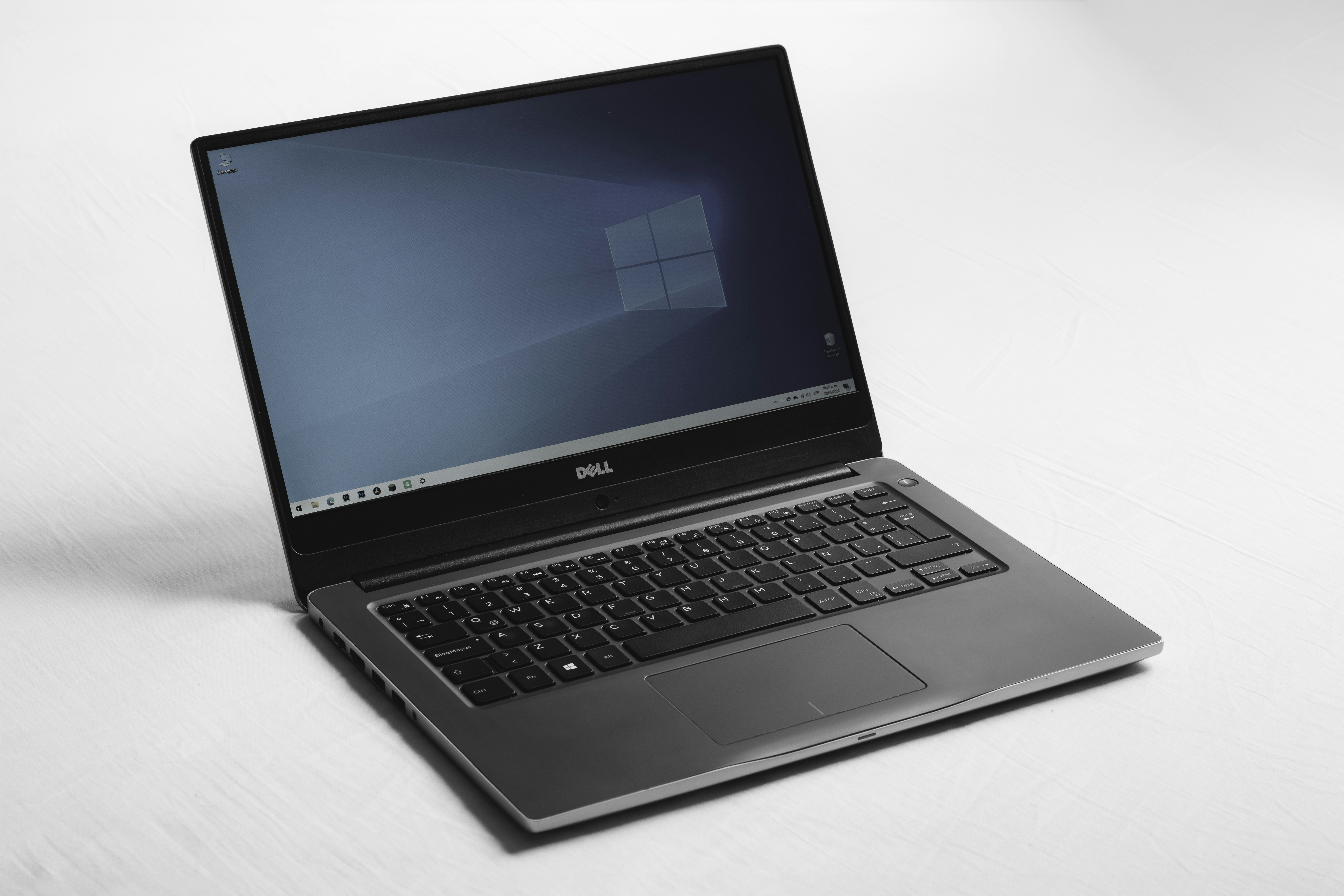
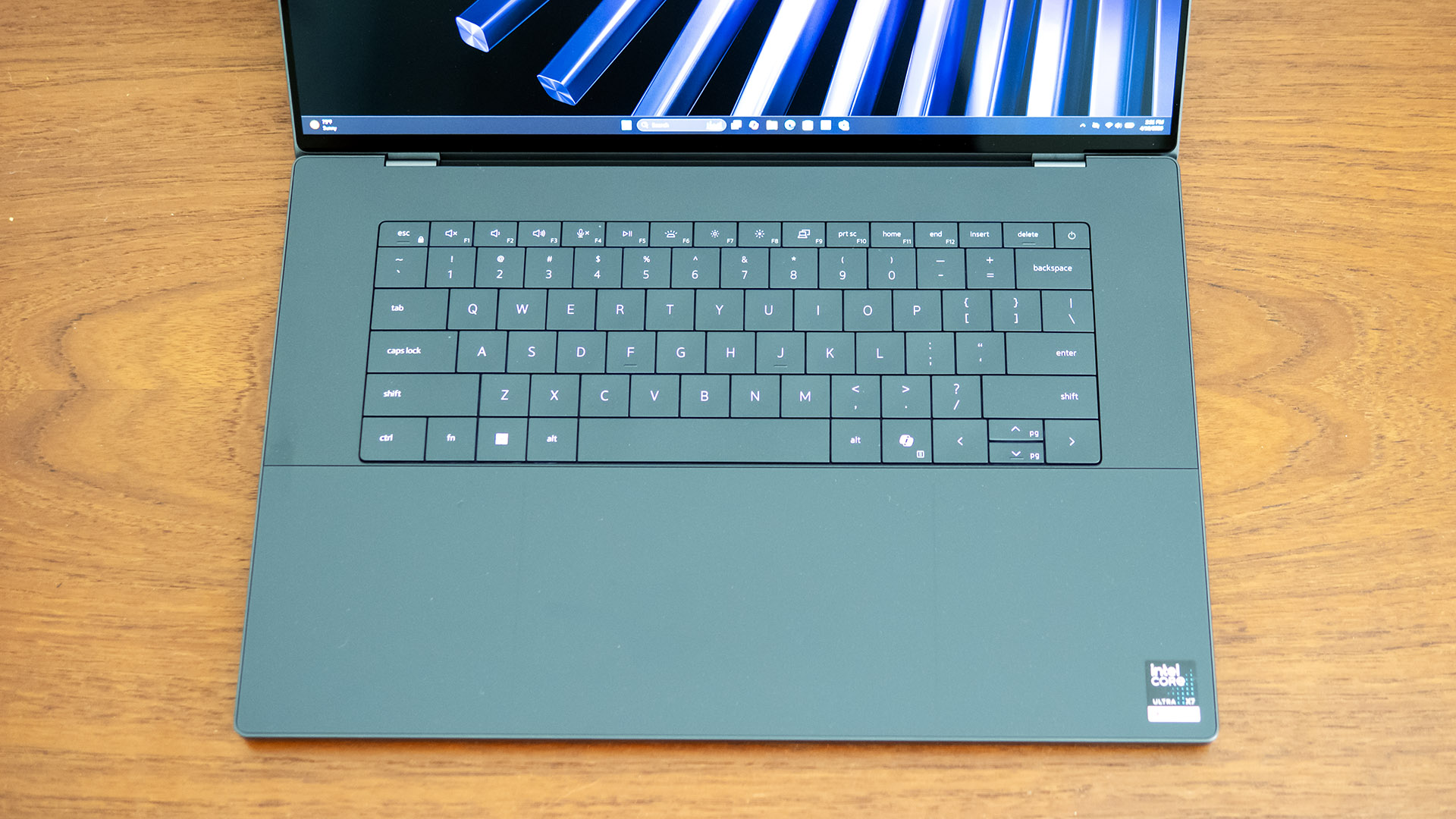
Let’s address the elephant in the room: the keyboard. The Dell XPS 2026 redesign vs touch-sensitive icons battle has been won by the users. The return of physical function keys is a massive win for productivity. You no longer have to guess where the "Escape" key is or wonder if your "Mute" command actually registered. The keys provide tactile feedback that the capacitive row never could.
The rest of the deck remains delightfully futuristic. The lattice-free keyboard uses larger keycaps with minimal spacing, creating a sleek, continuous look that is surprisingly easy to type on once you adjust to the lack of gaps. Beneath the keyboard lies the seamless glass palm rest. There is no visible border for the touchpad; instead, you have a generous area of haptic feedback that mimics the feel of a mechanical click.
Editor's Note: The haptic engine in the 2026 models has been tuned for better palm rejection. Even though there are no physical lines to guide your hands, I found that the "dead zones" near the edges are much smarter at ignoring accidental touches while typing.
This design language creates a clean, distraction-free environment. It feels less like a laptop and more like a high-end piece of furniture. While the "invisible" touchpad still has a slight learning curve, the overall ergonomics are a major step up from the experimental 2024 models.
Battery Life: The 40-Hour Dream?
Efficiency is where the Panther Lake architecture truly shines. Dell has upgraded the internals to include 900ED high-density battery cells, which pack more energy into the same physical footprint. The capacities remain staggered by size:
The Dell XPS battery life comparison shows a massive disparity based on your display choice. During our standardized 4K streaming test, the XPS 16 with the 1Hz IPS panel lasted an incredible 27 hours. Switching to the OLED panel dropped that number to around 16 hours. Still impressive, but it proves that the best Dell XPS configuration for battery life is always going to be the IPS model paired with the most efficient CPU.
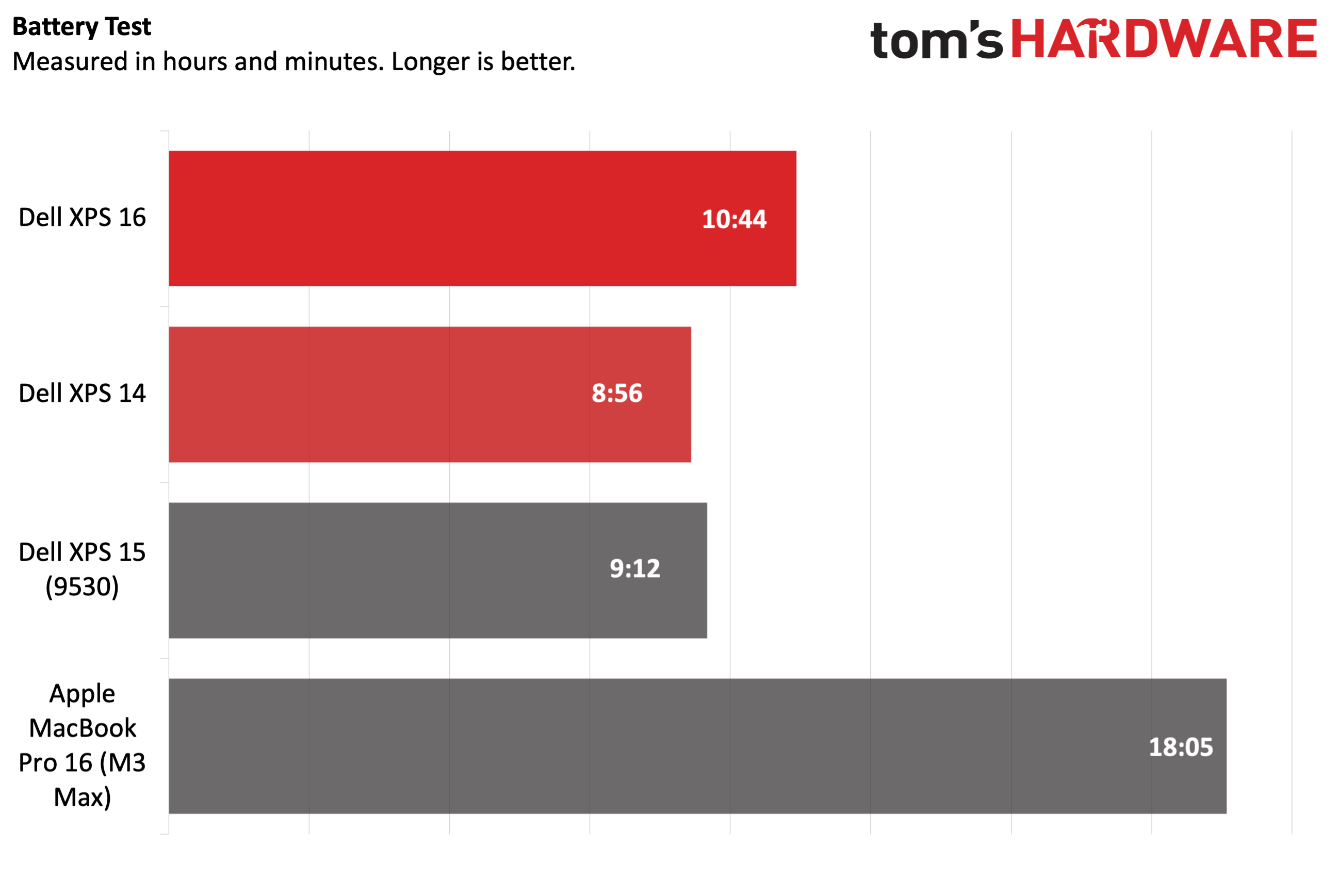
Thermal efficiency also plays a role here. Because the laptop doesn't have to spin up its fans as often during light tasks, the "background" power draw is significantly lower. This means that in real-world use—browsing with multiple tabs, Slack, and Spotify—you can easily get through two full workdays on the XPS 13 or 14 without reaching for a charger.
Verdict: Which Dell XPS Should You Buy?
This Dell XPS comparison reveals a lineup that has finally found its identity. The 2026 models are a redemption story, fixing the ergonomic missteps of the past while pushing the boundaries of what a Windows ultrabook can do.
- Buy the XPS 13 if you are a student or a traveler who prioritizes weight above all else. At 2.6 pounds, it is the ultimate "throw-in-the-bag" machine.
- Buy the XPS 14 if you want the best of both worlds. With the new 3-pound chassis and the option for an RTX 4050, it offers the best balance of mobility and power for $1,599.
- Buy the XPS 16 if you are a professional creator. The 99.5 Wh battery and the RTX 4070 make it a true mobile workstation, and the Tandem OLED is simply the best screen you can get on a laptop today.
The Dell XPS 14 vs 16 value for price comes down to roughly a $150 delta in starting price. If you spend your day looking at spreadsheets or timelines, that extra screen real estate on the 16 is well worth the small premium. These are the premium laptops we’ve been waiting for—reliable, powerful, and finally, practical.
FAQ
Which Dell XPS laptop is best for video editing?
The XPS 16 is the clear winner for video editing. It is the only model in the lineup that can be configured with a 60W NVIDIA RTX 4070 GPU, which is essential for hardware-accelerated rendering and smooth timeline scrubbing in 4K. Additionally, the larger 16-inch Tandem OLED display provides the color accuracy and screen real estate needed for professional color grading.
Is Dell XPS better than MacBook Pro?
This depends on your ecosystem and workflow. The Dell XPS series offers a more futuristic design with its lattice-free keyboard and seamless glass palm rest, along with the flexibility of Windows. In terms of hardware, the Panther Lake architecture brings the XPS much closer to the MacBook Pro in terms of battery life and thermal efficiency. However, the MacBook Pro still holds a slight edge in raw peak performance for certain creative apps, while the XPS offers a more versatile display with its OLED and touch-screen options.
Is a Dell XPS laptop good for college students?
Yes, particularly the XPS 13 and XPS 14. For students, the XPS 13 is an ideal choice because it easily fits on cramped lecture hall desks and weighs only 2.6 pounds. The exceptional battery life of the 1Hz IPS models means students can go from morning classes to late-night study sessions without needing a power outlet. The premium build quality also ensures the laptop will likely last through all four years of university.
Are Dell XPS laptops good for gaming?
The Dell XPS 16 is capable of mid-range gaming thanks to its optional RTX 4070 GPU, but these are not dedicated gaming laptops. They are designed for portability and professional aesthetics. While you can certainly play modern titles at 1080p or 1440p with respectable frame rates, the thermal design is optimized for sustained creative workloads rather than the high-heat demands of long gaming sessions. For heavy gaming, a dedicated Alienware or G-series laptop would provide better cooling and higher-wattage GPUs.