Quick Facts
- Market Share: Approximately 65% of new smartphones launched in 2024 support eSIM technology, reflecting rapid integration by device manufacturers.
- Storage Capacity: Modern flagship smartphones can store 8 or more digital profiles, though only one or two can be active simultaneously.
- Travel Savings: Using a travel eSIM can reduce data costs to as little as $1.10/GB, compared to $10+ per day for traditional roaming.
- Industry Growth: The GSMA forecasts that global eSIM smartphone connections will reach 1 billion by 2025, representing a major milestone toward mainstream adoption.
- Security: Digital profiles provide enhanced anti-theft protection because they cannot be physically removed to disable tracking if a device is lost.
- Transfer Ease: Android 13+ and iOS 16+ now support native tools for transferring eSIM between devices without calling a carrier.
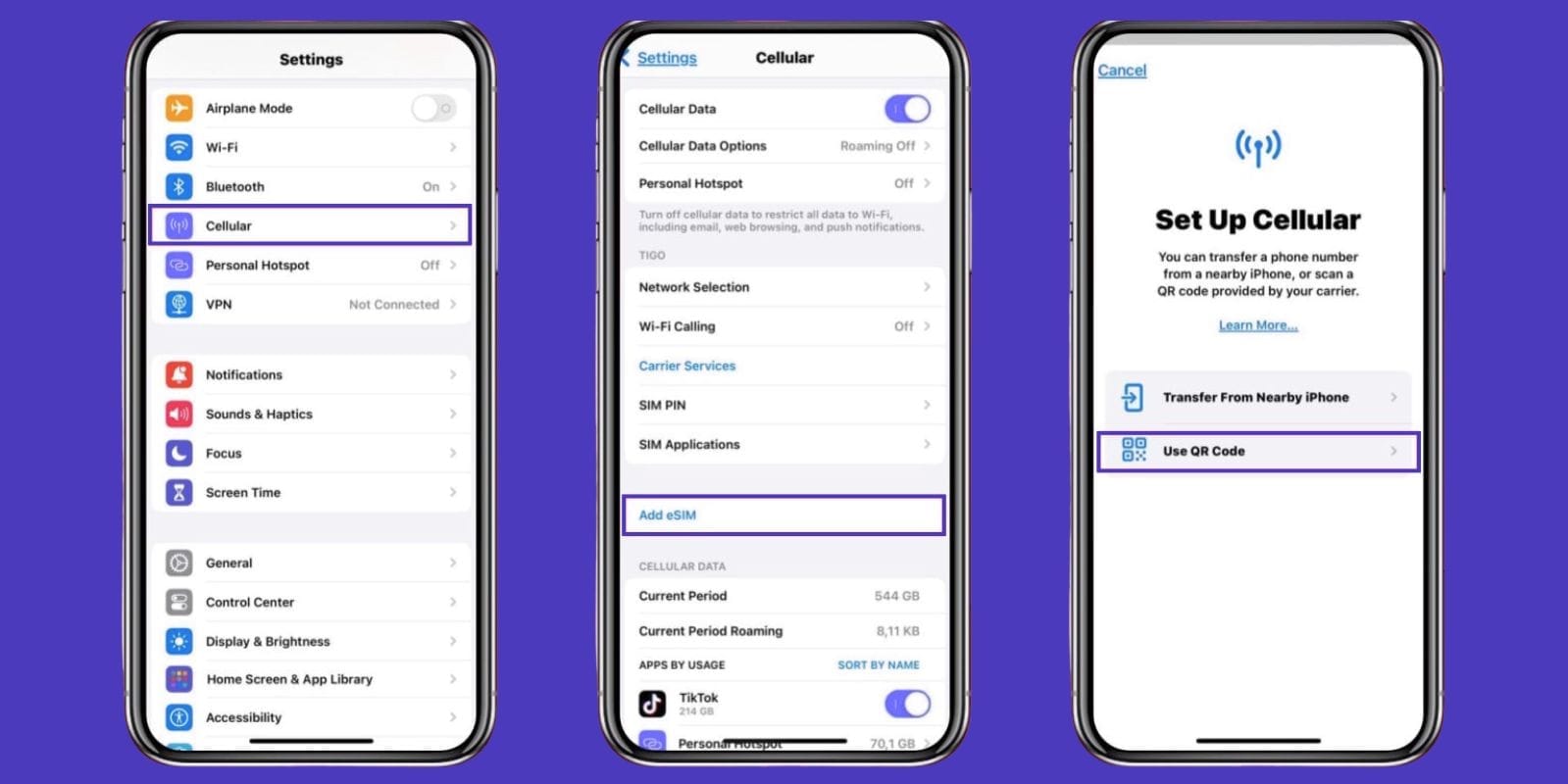
To verify if a smartphone supports eSIM, check the device settings menu under Network or Cellular options for a Download a SIM or Add eSIM feature. You can also look for an EID number in the device information or check the manufacturer's specifications for eUICC technology. Most flagship smartphones released after 2018 include eSIM support, though carrier compatibility varies by region and model. This eSIM phone guide will walk you through the technical nuances and real-world advantages of making the switch.
The Compatibility Check: What to Look for Before You Buy
The most frustrating experience for any tech buyer is unboxing a brand-new device only to realize it doesn't support the specific feature you need. While 400 mobile network operators worldwide provided commercial eSIM services as of late 2023, the hardware in your hand must be ready to receive those network profiles.
Before you tap "buy," the first step in your eSIM phone guide checklist is to verify the EID, or Embedded Identity Document. This is a 32-digit number unique to the eUICC technology chip inside your phone. If a phone has an EID, it is eSIM-capable. You can usually find this by navigating to Settings > General > About on an iPhone, or Settings > About Phone > Status on most Android devices.
However, hardware compatibility is only half the battle. You must also consider regional differences. For instance, Apple produces specific iPhone models for the Chinese and Hong Kong markets that feature two physical SIM slots but no eSIM support at all. Conversely, the US-market iPhone 14 and newer models are eSIM only phones, lacking a physical tray entirely. Checking carrier compatibility for eSIM only phones is vital because some smaller regional carriers or prepaid MVNOs still struggle with remote provisioning for devices that don't have a backup physical slot.
Another critical factor is the carrier unlocking status. Even if a phone has the right hardware, a carrier-locked device will refuse to install an eSIM profile from a different provider. If you are buying a used device, always confirm it is fully unlocked, or you might find yourself stuck with your domestic carrier's expensive roaming charges when you try to install a travel profile. Knowing how to check if your phone supports eSIM before buying involves looking at both the internal settings and the original purchase region.
eSIM vs Physical SIM: Hardware & Security Benefits
As a mobile editor, I often get asked why manufacturers are so eager to kill off the physical SIM card. It isn't just about making things digital; it is about the precious real estate inside your device. By replacing a bulky plastic tray and its mechanical reader with a tiny embedded chip, engineers gain significant design freedom.
One of the most touted eSIM vs physical SIM benefits is the improvement in internal space optimization. Removing the SIM tray assembly allows manufacturers to allocate more internal space for larger batteries or improved cooling systems. In some flagship designs, this reclaimed space has contributed to nearly 2 hours of additional battery life compared to older generations.

Pro Tip: If you are an outdoor enthusiast, eSIM technology is your best friend. Every port or tray in a phone is a potential point of failure for water and dust resistance. Devices that rely solely on an embedded chip can achieve more robust waterproofing ratings because there is one less hole in the chassis to seal.
Beyond the physical hardware, there are massive security advantages. If a thief steals your phone, their first move is usually to pop out the physical SIM card to prevent you from tracking the device via GPS or calling it. With an eSIM, the digital profile is locked behind your passcode or biometric security. The thief cannot "remove" the SIM to take the phone offline. This makes the device much easier to locate through services like Find My iPhone or Google Find My Device. Furthermore, eSIM technology helps prevent SIM swap attacks, where hackers physically steal a SIM card to gain access to your two-factor authentication codes.

Travel & Hybrid Use: The Ultimate Setup for Digital Nomads
If you have ever landed in a foreign airport and spent an hour hunting for a kiosk to buy a local SIM card—only to realize you don't have a paperclip to open your SIM tray—you already understand the pain of physical cards. The benefits of dual SIM phones with both physical and eSIM slots are most apparent during international travel.
Modern smartphones use Dual SIM Dual Standby (DSDS) technology. This allows you to keep your primary physical SIM active for receiving important text messages or 2FA codes from home, while simultaneously using an eSIM for cheap, local data. The cost difference is staggering.
| Service Type | Estimated Cost | Flexibility |
|---|---|---|
| Traditional Roaming | $10 - $15 per day | Low (locked to home carrier) |
| Local Physical SIM | $20 - $40 per trip | Medium (requires physical swap) |
| Travel eSIM | $1.10 - $5.00 per GB | High (instant activation via app) |
For digital nomads, the ability to store multiple profiles is a game-changer. Most modern flagships can hold a maximum number of eSIM profiles reaching 8 or more. This means you can have a profile ready for the UK, another for the EU, and another for Japan, switching between them in the settings menu as you cross borders. This avoids the risk of losing those tiny pieces of plastic in your luggage.
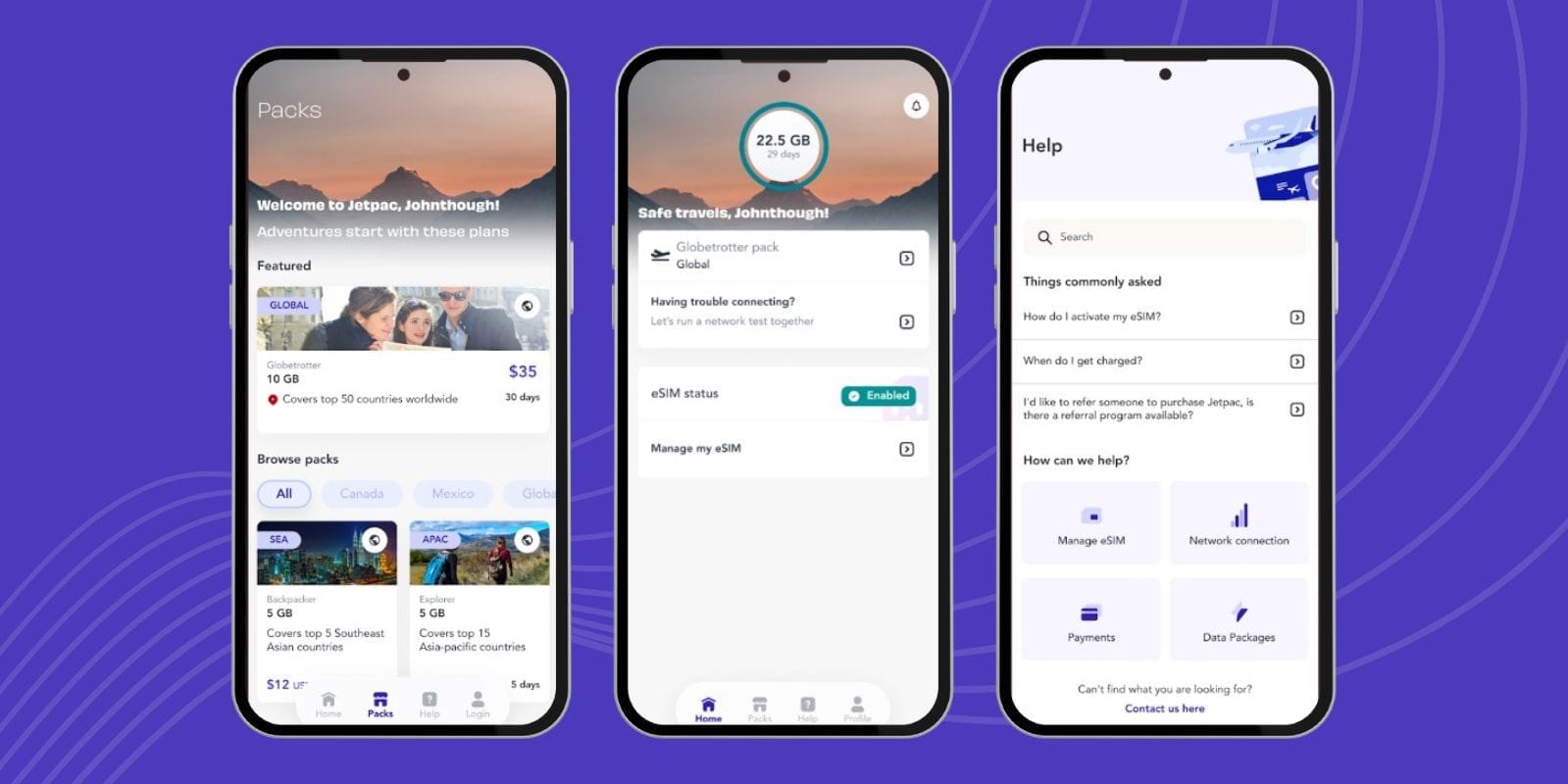
One often overlooked aspect of eSIM vs physical SIM benefits for international travel is the ability to "shop around" for data before you even leave your house. You can download an app, scan a QR code, and have your data plan ready to activate the moment your plane touches the tarmac. No more expensive airport Wi-Fi or overpriced tourist SIMs.
Managing Your Profiles: Activation & Migration
Once you have the hardware, you need to understand the lifecycle of a digital SIM. Unlike a physical card that you just "plug and play," eSIMs require remote provisioning. This is the process where your carrier sends the network credentials to the embedded chip over the air.
The most common method is QR code activation. When you sign up for a plan, the carrier provides a code that you scan with your phone's camera. This tells the device to reach out to the carrier's server and download the profile. Some modern carriers have streamlined this even further by using their own mobile apps to push the profile directly to your device without a code.
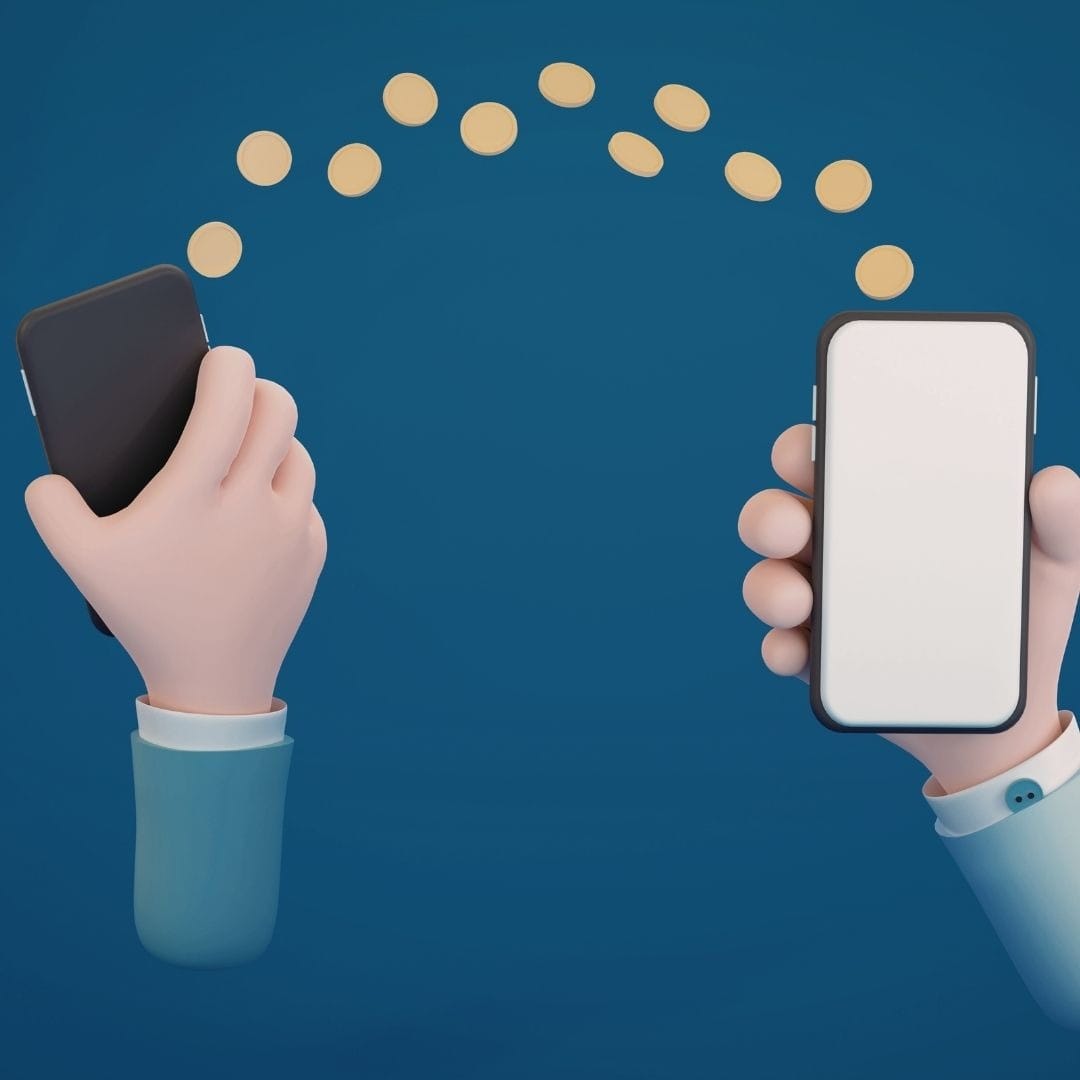
However, the real test comes when you upgrade your phone. Transferring eSIM between devices used to be a headache involving phone calls to customer support, but that is changing. If you are moving between iPhones, iOS offers a built-in "eSIM Quick Transfer" tool that moves your number via Bluetooth and iCloud. For Android users, Google introduced a similar tool in Android 13 and 14 for specific carriers.
If your carrier doesn't support these native tools, you will need to learn how to transfer eSIM from old phone to new device manually. Usually, this involves deleting the profile from the old phone and scanning a new QR code on the new one. A word of warning: many carrier QR codes are single-use. Do not delete your profile until you have the new activation code ready, or you might find yourself without any cellular service.
FAQ
How do I check if my phone is eSIM compatible?
The fastest way is to look for an EID number in your settings. On an iPhone, go to Settings > General > About and scroll down. On Android, go to Settings > About Phone > Status. If you see a 32-digit EID, your phone supports eSIM. You can also look for an Add eSIM or Download a SIM button in your cellular settings.
What are the main advantages of using an eSIM?
The primary benefits include better security (it can't be physically removed if stolen), more internal space for hardware like larger batteries, and the convenience of switching carriers without needing a physical card. It also allows for easier travel by letting you download local data plans instantly.
How do I transfer an eSIM to a new phone?
If you are on iOS, you can use the built-in eSIM Quick Transfer during the initial setup. On Android, look for the transfer option in your network settings if your carrier supports it. Otherwise, you will need to get a new activation QR code from your carrier, delete the profile from the old phone, and scan the new code on the new device.
Do eSIMs work for international travel?
Yes, they are arguably the best tool for travelers. You can purchase travel-specific data plans from providers like Airalo or Holafly and activate them via a QR code. This allows you to avoid expensive roaming fees and stay connected as soon as you land.
Can I have multiple eSIMs on one device?
Most modern flagship phones can store 8 or more eSIM profiles. While you can usually only have one or two active at the same time (Dual SIM mode), you can store many others in your settings and toggle between them whenever you need to change networks.