Our Top Picks
- Deal Alert: Current price is $29.99, which is a 40% discount off the regular $49.99 MSRP.
- Best For: Achieving the best 4k streaming device value for budget-conscious home theaters and console-less gaming.
- Key Included Extra: An HDMI extender accessory is included in the box to help with tight port clearance behind wall-mounted TVs.
- Smart Home Edge: Deep integration with Alexa allows for a unified smart home dashboard and voice-controlled automation.
- Future-Proofing: Support for Wi-Fi 6 ensures smoother playback and better stability in homes with multiple connected devices.
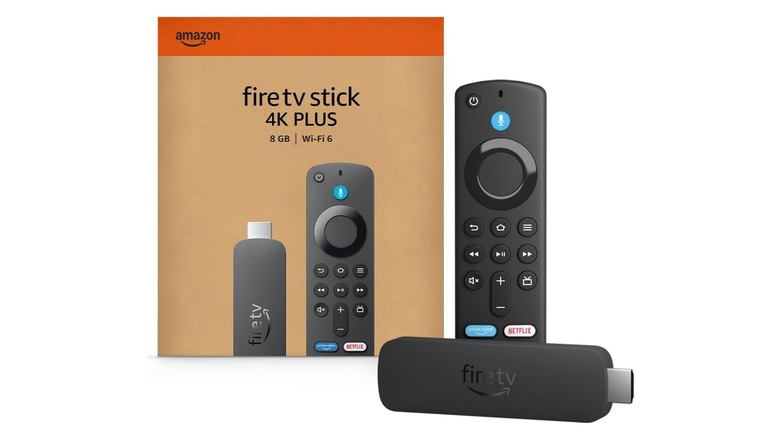
The search for the best 4k streaming device value ends here. Amazon has slashed the price of the Fire TV Stick 4K Plus to just $29.99, a massive 40% discount. This compact power player offers premium home cinema streaming device features like Dolby Vision and Wi-Fi 6 without the premium price tag. The Fire TV Stick 4K Plus is a high-value streaming device that offers 4K Ultra HD resolution and support for premium standards like Dolby Atmos, making it the top choice for budget-conscious home theaters.
Whether you are looking to revitalize an aging smart TV or building a dedicated media room from scratch, this device hits the sweet spot between performance and price. As of early 2025, Amazon Fire TV holds approximately 36% to 40% of the U.S. connected TV user market share, ranking it firmly as a dominant force in the industry. This popularity is largely driven by aggressive pricing, and this current 40% discount for $29.99 makes the upgrade almost a no-brainer for anyone still streaming in standard high definition.
Cinematic Performance: Dolby Vision and Wi-Fi 6
When we talk about the best 4k streaming device value for under $30, we usually expect to compromise on picture quality or speed. However, the Fire TV Stick 4K Plus breaks that mold by including high-end HDR10+ support and Dolby Vision. These standards are crucial for home cinema enthusiasts because they allow your TV to adjust brightness and color levels on a frame-by-frame basis, resulting in deeper blacks and more vibrant highlights.
One of the primary benefits of Wi-Fi 6 for 4K streaming on Fire TV Stick is the significant reduction in buffering. Even if your home network is crowded with smartphones, tablets, and smart lights, the Wi-Fi 6 protocol manages data more efficiently. This means you can maintain a consistent 4K Ultra HD resolution stream even during peak evening hours. If you find your current setup stuttering when the kids start their gaming sessions in the other room, this hardware upgrade might be the simplest fix.
For those wondering how to set up Fire TV Stick 4K Plus for home cinema, the process is straightforward but benefits from a few expert tweaks. First, ensure you are plugging the stick into an HDMI 2.0 or 2.1 port to fully enable 4K Ultra HD resolution. If your TV ports are hard to reach, use the included HDMI extender accessory to prevent the stick from blocking adjacent ports. To truly maximize the experience, follow these Fire TV Stick 4K Plus Dolby Atmos and Vision setup tips: navigate to the audio settings and set the output to "Best Available" to ensure your soundbar or receiver picks up the immersive Atmos metadata.
Beyond Streaming: A Console-Less Gaming Hub
The most surprising evolution in the smart home space recently is the rise of cloud gaming on streaming sticks. You no longer need a bulky $500 console sitting under your TV to enjoy Triple-A titles. The Fire TV Stick 4K Plus serves as a powerful gateway to several major gaming services, effectively turning your TV into a console-less gaming machine.
By utilizing the Amazon Luna integration, you can stream a rotating library of games directly over the internet. But for many, the real draw is the ability to handle streaming Xbox games on Fire TV Stick 4K Plus without console hardware. With an Xbox Game Pass Ultimate membership and a compatible Bluetooth controller, you can play titles like Halo or Forza directly through the app. The 2026 software ecosystem has even expanded to include GeForce Now 4K support, allowing for high-end PC gaming performance on a device that fits in the palm of your hand.
Editor's Tip: To get the most out of cloud gaming, I highly recommend using a 5GHz Wi-Fi band or a Wi-Fi 6 router. Even with the best hardware, cloud gaming depends heavily on your local network latency. If you are serious about gaming, consider the optional Ethernet adapter for a hardwired connection.
The 2026 User Experience: Fire TV OS and Alexa
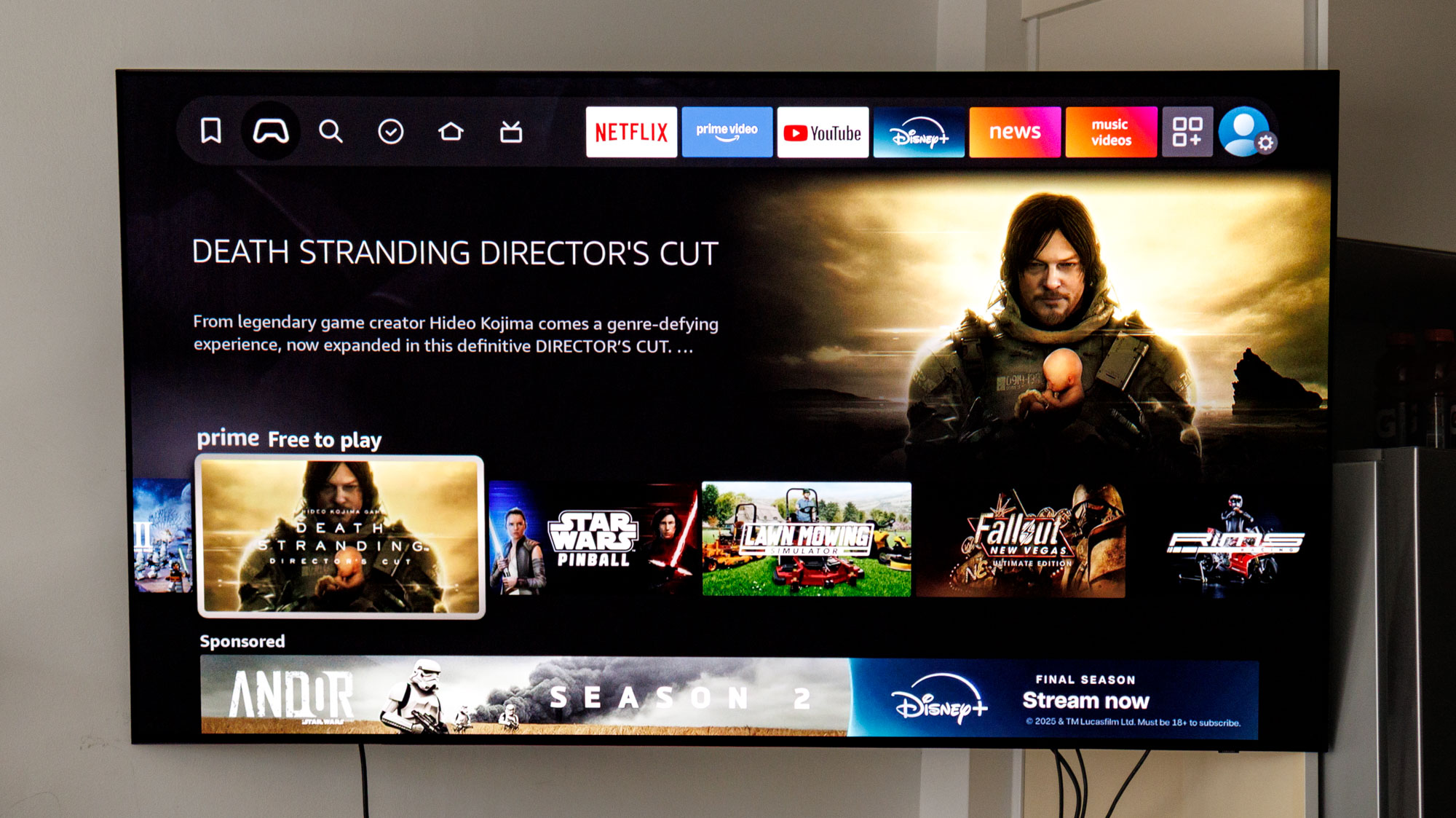
Amazon has recently overhauled the Fire TV OS interface, moving toward a more modern aesthetic with rounded tiles and a more intuitive navigation bar. The home screen now acts as a centralized hub for all your entertainment. While some users find the interface a bit ad-heavy, the latest updates have made it much faster to jump back into the shows you were recently watching across different apps like Netflix, Disney+, and Prime Video.
Integration is where this device truly shines in a smart home. By using Alexa voice control for Fire TV Stick 4K Plus smart home integration, you can treat your TV as a giant command center. You can ask Alexa to show your front door camera in a picture-in-picture window while you watch a movie, or use the dedicated Smart home dashboard to dim the lights and close the smart blinds without leaving the couch.
The included Voice Remote with Alexa makes searching for content effortless. Instead of typing out long titles with an on-screen keyboard, you can simply hold the microphone button and say, "Find 4K action movies." This ease of use is one reason why Amazon has sold more than 250 million Fire TV devices globally as of late 2024.
Buying Advice: Fire TV Stick 4K Plus vs. The Field
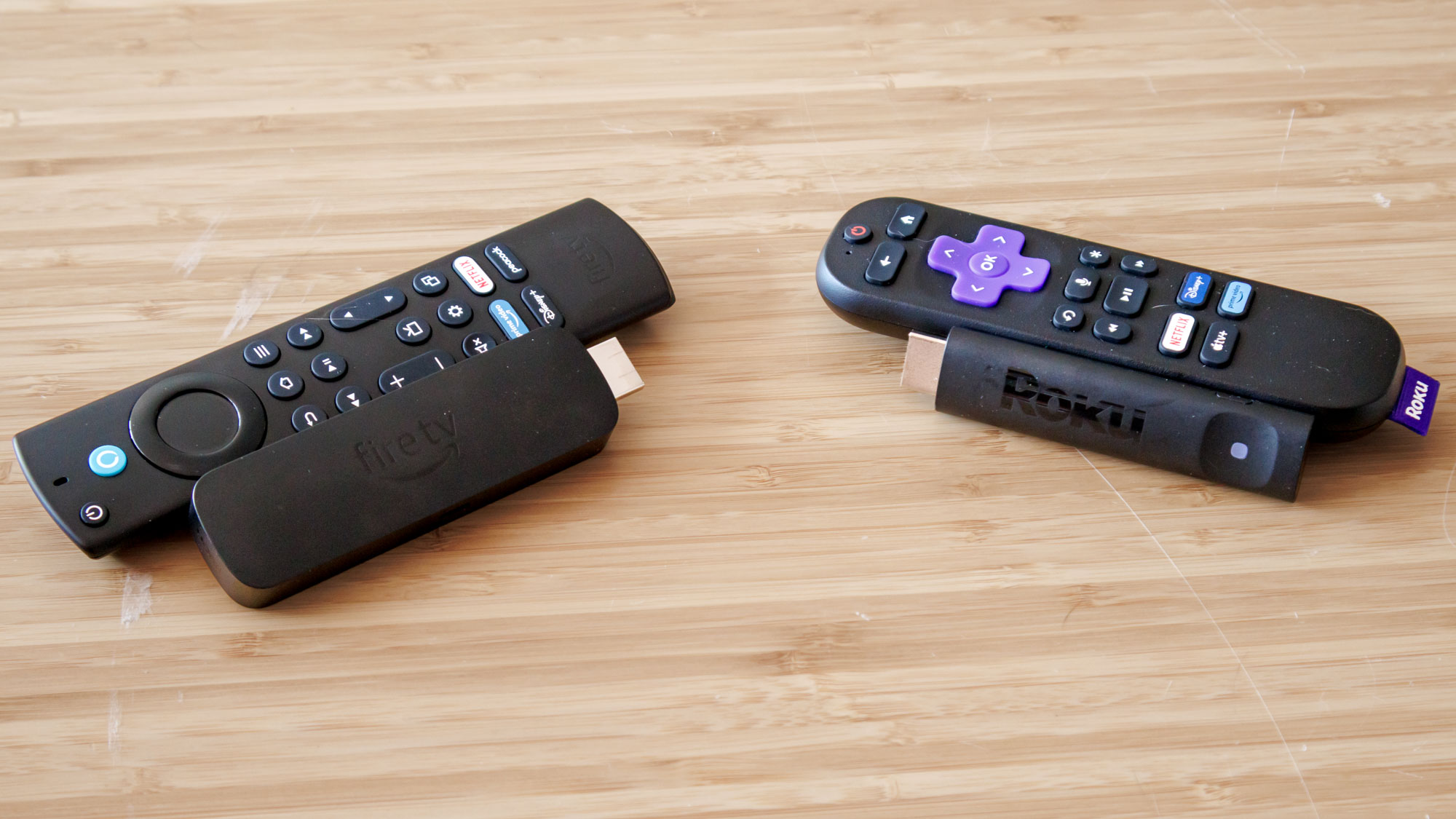
When choosing between the Fire TV Stick 4K Plus and its rivals, it often comes down to which ecosystem you are already invested in. If you use Alexa to control your lights and thermostat, the Fire TV is the obvious choice. However, if you prefer a simpler, less commercialized interface, you might consider Roku.
Here is a quick look at how the Fire TV Stick 4K Plus stacks up against its closest competitor, the Roku Streaming Stick 4K:
| Feature | Fire TV Stick 4K Plus | Roku Streaming Stick 4K |
|---|---|---|
| Current Price | $29.99 (on sale) | ~$39.00 - $49.00 |
| HDR Standards | Dolby Vision, HDR10+, HLG | Dolby Vision, HDR10+, HLG |
| Audio | Dolby Atmos | Dolby Atmos (pass-through) |
| Connectivity | Wi-Fi 6 | Wi-Fi 5 |
| Gaming | Xbox Cloud, Amazon Luna | Very limited |
| Smart Home | Deep Alexa Integration | Basic Google/Alexa support |
While the Fire TV Stick 4K Plus is an incredible cord-cutting solution, I must mention one minor legacy hardware choice: it still uses a Micro-USB power port. In a world moving rapidly toward USB-C, this feels a bit dated. However, given that you likely won't be unplugging it often, this is a small price to pay for the advanced internal specs.
If you already own the 4K Max model, there isn't a compelling reason to "upgrade" to the Plus unless you need an extra device for another room. But for those on older "Lite" sticks or built-in TV software that has become sluggish over time, this $29.99 deal represents the best media streamer hardware value currently on the market.

FAQ
Is the Fire TV Stick 4K Plus worth the upgrade?
If you are currently using a standard HD streaming stick or an older 4K model without Wi-Fi 6, the upgrade is definitely worth it at the $29.99 price point. The increased processing speed makes the interface feel much snappier, and the addition of Wi-Fi 6 significantly improves streaming stability in busy households.
Does the Fire TV Stick 4K Plus work on any TV?
The device will work on any television that has an available HDMI port. To take full advantage of the 4K Ultra HD resolution and HDR features, you will need a 4K HDR-compatible television. However, even on older 1080p TVs, the stick will function perfectly, providing a faster interface and access to all modern streaming apps.
Do you have to pay a monthly fee for Fire TV Stick?
There is no required monthly fee to use the Fire TV Stick hardware itself. Once you purchase the device, you have access to free ad-supported channels and the Fire TV OS. However, you will still need to pay for individual subscriptions to services like Netflix, Hulu, or Disney+ if you wish to access their premium content.
What are the main features of the Fire TV Stick 4K Plus?
The standout features include 4K Ultra HD resolution, Wi-Fi 6 connectivity, and support for high-end cinematic standards like Dolby Vision, HDR10+, and Dolby Atmos. It also features a Voice Remote with Alexa and robust cloud gaming capabilities through services like Amazon Luna and Xbox Game Pass.
Does the Fire TV Stick 4K Plus support 4K streaming?
Yes, the device is specifically designed for 4K streaming. It supports a wide range of 4K content from all major platforms, provided you have a 4K television and a stable internet connection with at least 25 Mbps download speed.