Quick Facts
- Failure Rate: A staggering 31% of units fail within the first three years of use.
- Hardware Impact: Malfunctions in physical components account for over 20% of total system failures.
- Thermal Reality: Constant thermal cycling is the primary killer of high-performance portable silicon.
- Repairability Gap: Soldered components mean a single chip failure usually requires a total motherboard replacement.
- Software Strain: Modern firmware bloat and AI-driven background tasks maintain high thermal floors even at idle.
- Lifespan Hack: Capping battery charge to 80% and regular thermal compound replacement can double hardware longevity.
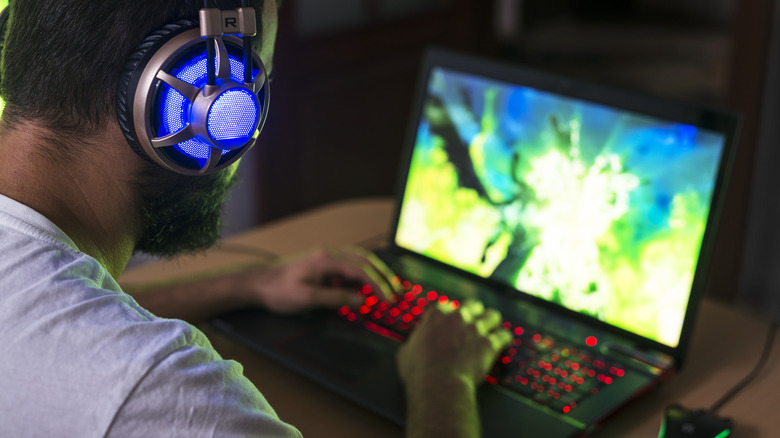
Gaming laptop reliability is primarily compromised by the engineering trade-off between portability and thermal management. High-performance components generate intense heat in cramped spaces, causing thermal cycling that eventually degrades soldered joints and internal circuitry.
The Physics of Failure: Heat vs. Portability
As an editor who has torn down hundreds of machines, I can tell you that the "thin and light" trend is the natural enemy of gaming laptop reliability. In the desktop world, we have the luxury of massive heat sinks and 140mm fans. In the laptop world, we are trying to dissipate 150 watts or more of heat from an RTX 50-series GPU through a copper plate no thicker than a credit card.
The core issue is heat dissipation efficiency. When you push a high-end processor to its limits in a 15-inch chassis, the heat has nowhere to go. This leads to what engineers call thermal cycling. Every time you launch a game, your internal components jump from 40 degrees Celsius to 90 degrees Celsius in seconds. When you close the game, they cool back down. This constant expansion and contraction puts immense physical stress on the BGA solder joints that connect the GPU and CPU to the motherboard.
Over time, these microscopic connections can crack. According to a blog by Box.co.uk, sustained thermal stress in gaming laptops can lead to the degradation of internal components and solder points, which is a common cause of motherboard and GPU failure in high-performance portable systems. While vapor chamber cooling helps spread the load, it cannot bypass the laws of physics; eventually, the concentrated thermal density takes its toll.
Gaming Laptop vs Desktop Reliability Comparison
| Feature | Gaming Laptop | Desktop PC |
|---|---|---|
| Thermal Overhead | Minimal; relies on high-speed small fans | Massive; supports large air/liquid coolers |
| Component Access | Cramped; difficult to clean or repaste | Open; easy maintenance and airflow |
| Upgradeability | Very limited (usually just RAM/SSD) | Fully modular |
| Typical Lifespan | 3–5 years (performance degradation starts at 2) | 7–10 years (with part swaps) |
| Failure Point | Soldered GPU/CPU or power delivery | Individual modular components (PSU/GPU) |

The Soldered Component Crisis
In the early days of computing, many components were socketed. If a part broke, you swapped it. Today, almost every modern gaming laptop uses soldered components for the CPU, GPU, and often the VRAM. This is a nightmare for gaming laptop reliability because it turns a minor hardware failure into a catastrophic financial loss.
When one of the voltage regulator modules (VRMs) on your motherboard fails due to heat, you cannot simply replace that $5 chip. Because everything is integrated, a repair technician often has to replace the entire motherboard, which can cost 60% to 80% of the laptop's original price. This design philosophy prioritizes a slim profile over long-term survival.
We also see significant signs of gaming laptop hardware failure originating from power delivery stability. These machines pull massive amounts of current through very thin traces on the PCB. If the cooling system for the VRMs is subpar—a common cost-cutting measure in budget-friendly models—the power delivery system will eventually cook itself. If you notice your laptop suddenly shutting down during heavy loads or if you smell a faint ozone scent, your power delivery system is likely on its last legs.

Software Aging: The 2026 Digital Killer
While heat is the physical cause of death, software is often the accomplice. We are entering an era of software aging where background processes and unoptimized code keep hardware running hotter than necessary. In 2026, we see a massive influx of AI-driven background services and complex firmware bloat that puts a constant "idle" load on the NPU and GPU.
This creates a hardware-software misalignment. Even when you are just browsing the web, your RTX 50-series laptop might be drawing 30-40 watts just to manage background AI tasks or poorly optimized system telemetry. This prevents the laptop from ever truly "resting," leading to accelerated component degradation.

Preventing gaming laptop software aging and firmware bloat requires a proactive approach. Many users assume that if the Windows UI is smooth, the hardware is fine. However, a reliability study by SquareTrade found that 31% of laptops fail within the first three years of ownership, with hardware malfunctions accounting for 20.4% of those failures. Much of this is driven by the fact that laptops are run at "near-peak" temperatures for much longer than they were designed for, thanks to modern software demands.

Maintenance Strategies to Extend Lifespan
If you want to beat the statistics, you cannot treat a gaming laptop like a console. It requires an active gaming laptop maintenance tips routine to survive beyond the three-year mark. Use the following gaming laptop thermal maintenance checklist to keep your system in the green:
- Manage Airflow: Use a laptop stand or cooling pad. Never play on a bed or carpet. Implementing best practices for gaming laptop airflow management can drop internal temperatures by 5-10 degrees Celsius instantly.
- Clean the Fans: Dust is the silent killer. Use compressed air every three months to clear the cooling fins and fan blades. This prevents fan bearing wear caused by the fan having to spin at max RPM to push air through dust-clogged vents.
- Repaste Every Two Years: Factory thermal paste often dries out after 18-24 months of heavy gaming. Repasting thermal compound with a high-quality non-conductive paste can drastically improve heat transfer.
- Limit Battery Charge: Heat kills lithium-ion batteries. Most modern laptops allow you to cap the charge at 80%. This prevents the battery from sitting at a high-stress voltage while it is being baked by the nearby GPU.
- Monitor RAM Usage: Ensure you have at least 16GB of RAM. If your system runs out of memory, it uses the SSD as "virtual memory." This creates extra heat and wear on the storage drive, further impacting long-term gaming laptop reliability.
FAQ
How long do gaming laptops typically last?
Most gaming laptops have a peak performance window of about 2 to 3 years. After this, thermal degradation and increasing software demands often lead to performance dips. With meticulous maintenance, you can push a high-end unit to 5 or 6 years, but hardware failure becomes increasingly likely after the third year.
Do gaming laptops have a high failure rate?
Yes, compared to standard office laptops and desktops, gaming laptops fail significantly more often. Data suggests roughly one in three gaming laptops will experience a hardware issue within the first three years. This is almost entirely due to the extreme heat generated by high-wattage components in a small space.
Is it common for gaming laptops to overheat?
It is very common for gaming laptops to reach their thermal throttling limits (usually 90-100 degrees Celsius) during demanding tasks. While manufacturers design them to handle these temperatures briefly, sustained heat at these levels accelerates the aging of the motherboard and internal silicon.
What are the most common problems with gaming laptops?
The most frequent issues include GPU failure due to solder cracks, battery swelling caused by heat exposure, and fan failure. Software-wise, driver conflicts and firmware bloat often lead to "blue screen" errors that users mistake for hardware failure, though the heat caused by that software often leads to physical damage eventually.
How can I make my gaming laptop last longer?
The best way to extend your device's life is to control the thermals. Use a cooling pad, undervolt your CPU if the BIOS allows it, and perform a deep clean of the internal fans twice a year. Additionally, avoiding "Always-On" AI features and capping your battery charge can significantly reduce the wear and tear on your internal components.

Ultimately, extending gaming laptop lifespan is about understanding that your machine is a race car, not a commuter sedan. It requires high-octane maintenance and a careful eye on the "engine" temperature. By respecting the physical limits of your hardware, you can enjoy high-end gaming for years without becoming another 31% statistic.