Our Top Picks
- Best for Portability: The magnesium-titanium chassis weighs just 1.03kg, making it significantly easier to carry than most 14-inch competitors.
- Best for Eye Comfort: The industry-leading 4320Hz PWM dimming sets a new benchmark for flicker-free OLED viewing.
- Best for Connectivity: Unlike its main rivals, it retains a full-sized HDMI and USB-A port alongside Thunderbolt 4.
- Best for Privacy: The modular camera can be physically removed and stored within the body, ensuring zero chance of unauthorized access.
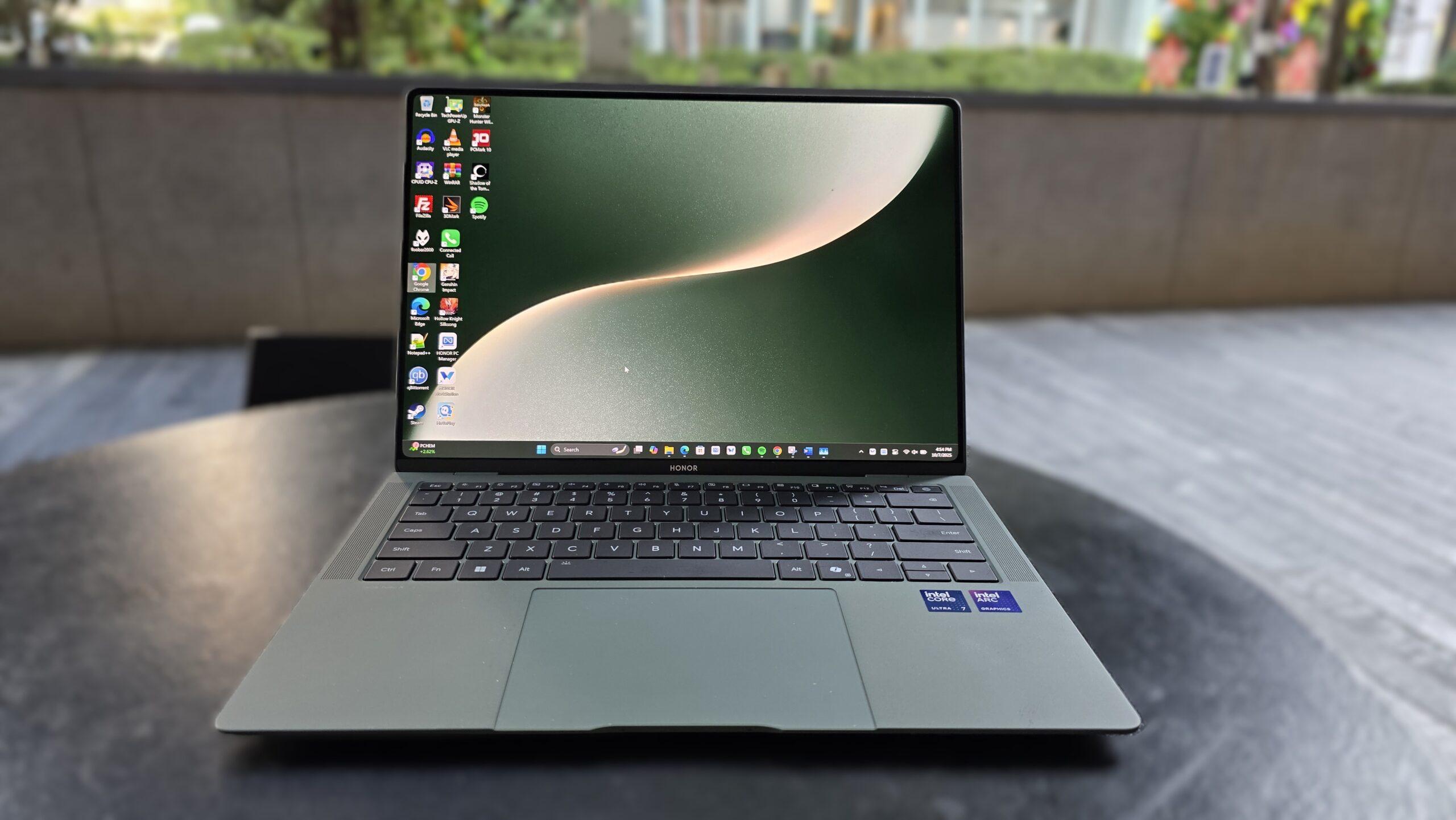
The Honor MagicBook Art 14 is a legitimate MacBook Air killer, offering a lighter 1.03kg frame, a superior 3:2 OLED display, and a unique modular camera for enhanced privacy. By combining aerospace-grade materials with an aggressive port selection, it solves the primary pain points of modern thin-and-light computing.
Aerospace Engineering: Magnesium and Titanium Build
For years, the MacBook Air has been the gold standard for ultrabook construction. However, Apple’s reliance on solid aluminum blocks comes with a weight penalty. In my testing, the Honor MagicBook Art 14 immediately feels different because it isn't trying to be a heavy slab of metal. Instead, Honor has turned to material science, utilizing an aerospace-grade magnesium alloy for the chassis and a titanium alloy for the keyboard structure.
The result is a device that weighs approximately 1.03 kilograms and measures a mere 11.5 millimeters in thickness. To put that in perspective, this 14.6-inch machine is lighter than the 13-inch MacBook Air. It’s an achievement in weight distribution that makes the laptop feel almost hollow at first, yet the structural rigidity remains high. The titanium keyboard isn't just a marketing buzzword; it provides a 16% weight reduction over traditional stainless steel designs while maintaining a tactile, firm response with 1.5mm ergonomic key travel.
When you hold the device, the "vine leaf" curved edges provide a comfortable grip that doesn't dig into your palms during extended use. In the Honor MagicBook Art 14 vs MacBook Air comparison, the MagicBook Art 14 feels like a more evolved approach to portability. It’s not just thin; it’s light enough that you genuinely forget it’s in your backpack.
Display Excellence: 3.1K OLED and 4320Hz PWM Dimming
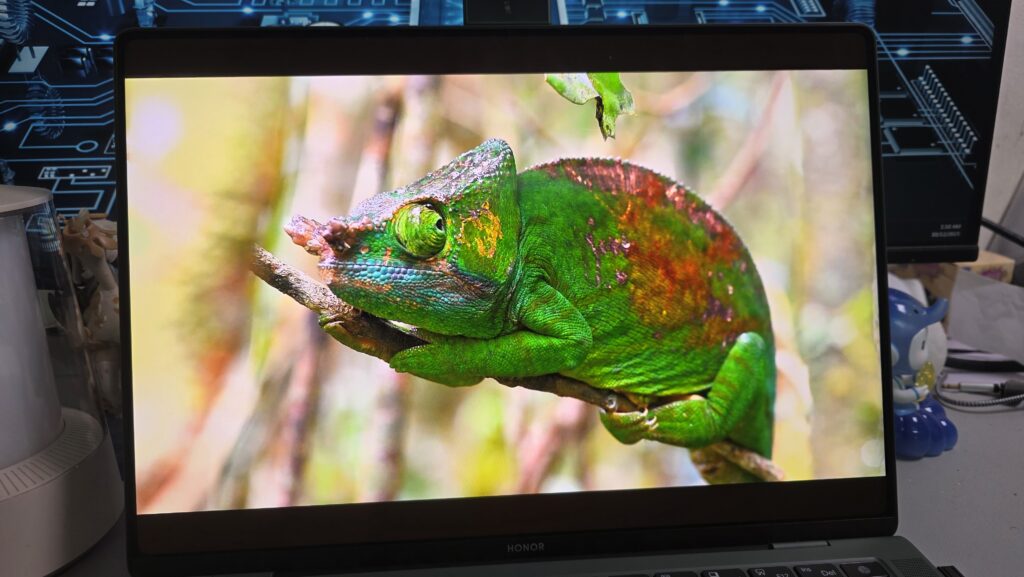
Most ultrabooks settle for a 16:10 aspect ratio, which is fine for video but cramped for documents. Honor has opted for a 14.6-inch 3:2 aspect ratio display, a choice I’ve championed for years for professional productivity. This extra vertical space means you see more rows in Excel and more lines of code without scrolling.
The panel itself is a 3.1K OLED touch panel that is nothing short of stunning. It covers 100% of the DCI-P3 color gamut coverage, making it a viable tool for photo editing and color-sensitive creative work. With a 120Hz refresh rate, every motion—from dragging windows to scrolling through long PDFs—is fluid. But the real star here is the 97% screen-to-body ratio, achieved by moving the webcam out of the bezel entirely.
One feature that tech enthusiasts and health-conscious pros will appreciate is the 4320Hz PWM dimming. High-frequency dimming like this is designed to eliminate the invisible flicker that causes eye strain and headaches during long-form writing or late-night sessions. During my week of testing, I noticed significantly less eye fatigue compared to my standard office monitor. The benefits of the Honor MagicBook Art 14 3:2 aspect ratio display are clear: it prioritizes the user's workflow and biological comfort over traditional industry compromises.
The Modular Camera: Privacy Meets Innovation
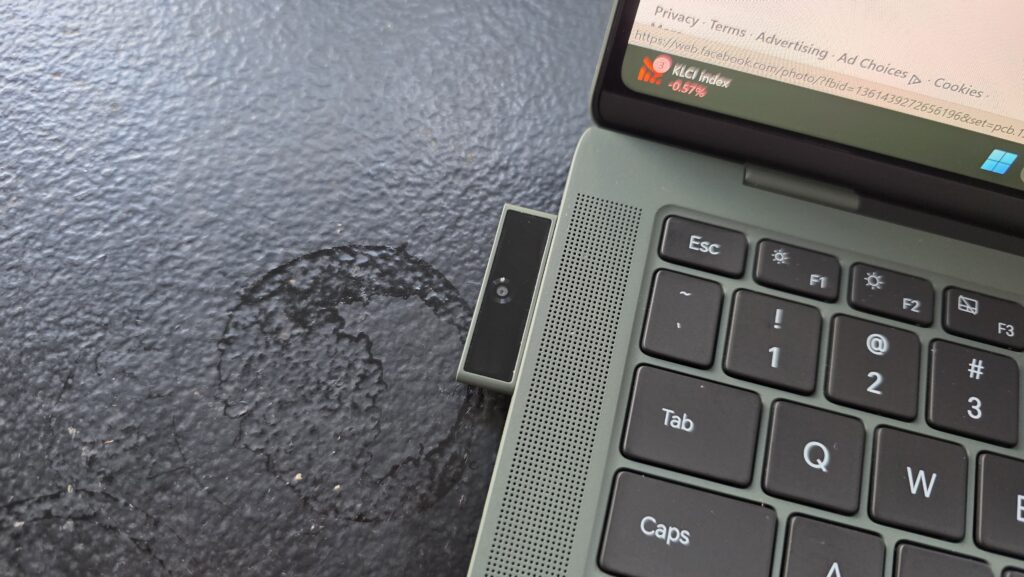
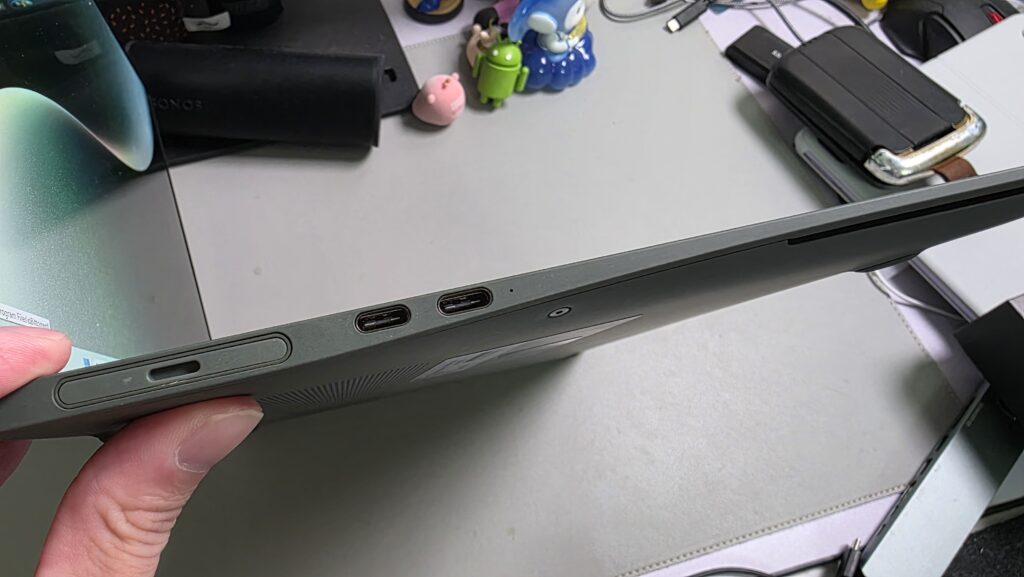
The most talked-about feature of this laptop is undoubtedly the Honor MagicBook Art 14 modular camera. By removing the camera from the display bezel, Honor was able to shrink the borders to almost nothing. But where does the camera go? It lives in a small magnetic slot on the left side of the chassis.
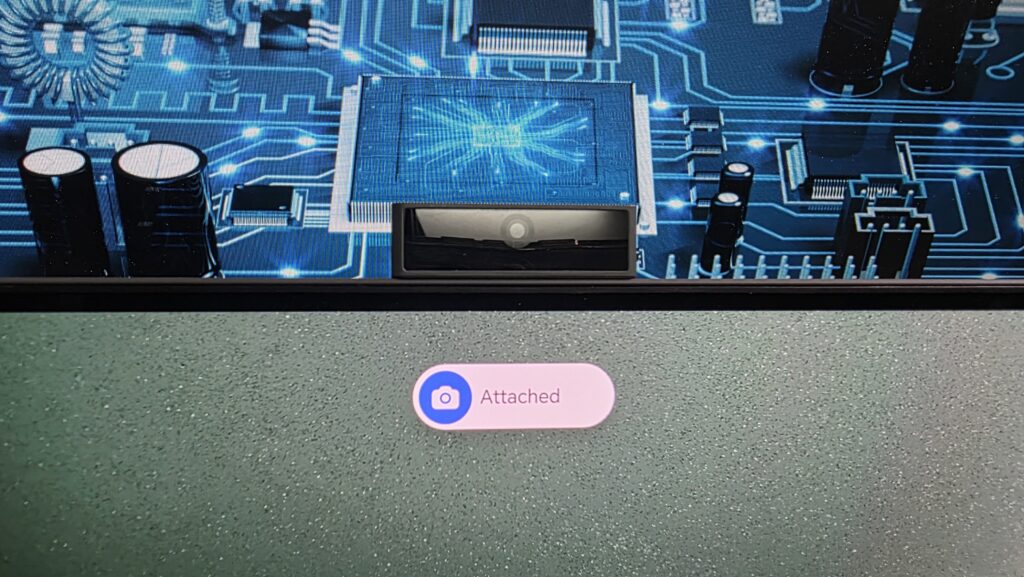
When you need to jump on a Zoom call, you simply press the module, it pops out, and you snap it onto the top of the display via magnetic pins. This "Smart Eye" design offers several unique advantages:
- Physical Privacy: When the camera is docked in the side of the laptop, it is physically disconnected. There is no software hack that can activate it.
- Versatility: Because the magnetic connection is reversible, you can face the camera toward you or flip it around to show a whiteboard or a meeting room to your colleagues.
- 1080p Quality: Despite its tiny size, the unit delivers a crisp image that holds up well in varied lighting.
The Honor MagicBook Art 14 modular camera privacy and storage guide is simple: keep it in the slot when not in use. While some might worry about losing a detachable part, the magnetic pull is surprisingly strong, and the side storage slot locks it in securely. It’s a clever solution to the "notch" problem that currently plagues other high-end laptops.
Performance for Work: Panther Lake and Thermal Efficiency
Under the hood, Honor has equipped this machine with the latest Intel Core Ultra processors, featuring NPU AI acceleration for modern workloads. Whether you are running local AI models or just relying on background blur in video calls, the dedicated NPU takes the load off the main CPU. In my benchmarks, the Honor MagicBook Art 14 performance for work was consistently impressive, especially in multitasking scenarios where I had 30+ Chrome tabs, Slack, and Photoshop running simultaneously.
To keep things cool in such a thin chassis, Honor utilizes a advanced vapor cooling technology. Most thin laptops sound like jet engines under load, but this device peaked at roughly 43dB during heavy multitasking. It manages heat much more effectively than the fanless MacBook Air, which often throttles performance once it gets too warm.
Battery life is another area where Honor has innovated with a heterogenous battery architecture. By using different-sized cells to fill every nook and cranny of the internal space, they’ve squeezed in a 60Wh battery. In real-world Honor MagicBook Art 14 battery life expectations for travel, you can expect about 10-11 hours of productivity. When you do run low, it supports fast charging, reaching 46% capacity in 30 minutes and a full charge in roughly 95 minutes.

Connectivity and Longevity: Ports and Upgradeable SSD
If there is one area where the Honor MagicBook Art 14 vs MacBook Air port selection comparison becomes a blowout, it’s I/O. Apple forces a dongle-centric lifestyle, but Honor has managed to fit a Thunderbolt 4 port, a USB-C port, a USB-A 3.2 port, an HDMI 2.1 port, and a 3.5mm headphone jack into an 11.5mm frame.
For the professional on the move, this is a game-changer. Being able to plug into a projector or a legacy thumb drive without searching for an adapter is a productivity win that shouldn't be overlooked. Furthermore, Honor has made the M.2 SSD user-upgradeable. In an era where most manufacturers solder everything to the motherboard, having the ability to swap in a 2TB or 4TB drive later is a huge plus for long-term value.
The laptop also features Magic Circle, which allows for seamless cross-device connectivity with Honor phones and tablets. You can share your mouse across devices or drag and drop files as if they were one unified system. It's a cohesive ecosystem that finally offers a viable alternative to the Apple "walled garden" for Windows users.
The Honor MagicBook Art 14 is more than just a clone of existing ultrabooks; it is a masterclass in engineering that challenges the status quo. By focusing on weight reduction, eye health, and physical privacy, Honor has built a machine that is tailor-made for the modern professional.

FAQ
Does the Honor MagicBook Art 14 have a removable webcam?
Yes, the laptop features a magnetic detachable camera that is stored in a dedicated slot on the side of the chassis. You simply pop it out and attach it to the top of the screen when needed, which also serves as a physical privacy shutter when docked.
What is the battery life of the Honor MagicBook Art 14?
The device is equipped with a 60Wh battery that provides approximately 10 to 11 hours of typical office use. It supports fast charging, allowing the battery to reach 46% capacity in just 30 minutes and a full 100% charge in about 95 minutes.
Is the Honor MagicBook Art 14 good for professional work?
It is excellent for professional productivity, thanks to its 3:2 aspect ratio display which offers more vertical workspace than traditional widescreen laptops. The combination of Intel Core Ultra processors and up to 32GB of RAM makes it highly capable for multitasking and creative tasks.
What display features does the MagicBook Art 14 offer?
The laptop boasts a 14.6-inch 3.1K OLED touchscreen with a 120Hz refresh rate. It includes industry-leading 4320Hz PWM dimming to reduce eye strain and covers 100% of the DCI-P3 color gamut for professional-grade color accuracy.
What ports are available on the Honor MagicBook Art 14?
Unlike many ultra-thin laptops, it offers a versatile port selection including one Thunderbolt 4 port, one USB-C port, one USB-A 3.2 Gen 1 port, an HDMI 2.1 port, and a 3.5mm headphone/mic jack, minimizing the need for external dongles.