Quick Facts
- Average Lifecycle: Most users now wait 3 to 6 years between purchases, a sharp increase from the 24-month cycles of the 2010s.
- The 80% Rule: If your battery health is above 80% and the device still receives iOS updates, a phone replacement is likely unnecessary.
- Software Longevity: Modern iPhones typically receive 5 to 7 years of major iOS updates, followed by several years of critical security patches.
- Economic Sweet Spot: Keeping a device for 6 years and performing one battery replacement reduces the total cost of ownership by roughly 40% compared to upgrading every 3 years.
- Hardware Anchors: A minimum of 4GB RAM is the current baseline for smooth performance through 2026, while 8GB is becoming the standard for long-term artificial intelligence features.
- Resale Window: To maximize trade-in valuation, the 3-year mark is the ultimate "exit point" before market depreciation accelerates.
Modern iPhones are designed for a 3 to 6-year iphone upgrade cycle, which is significantly longer than the historical 2-year norm. With iOS support now reaching 7 years for flagship models, the primary reason to upgrade has shifted from "new features" to hardware degradation indicators like the 80% battery health threshold.
Hardware Durability: Why Modern iPhones Last Longer
In my years testing devices, the physical resilience of the iPhone has undergone a quiet revolution. We used to worry about cracked screens or water damage ending a device's life prematurely. Today, hardware durability is a pillar of the modern smartphone lifecycle. Features like Ceramic Shield glass and IP68 ratings for water and dust resistance mean that the physical build of a phone from 2021 or 2022 is often still in near-perfect condition today.
The shift toward longevity is also driven by the silicon under the hood. The A-series chip performance has reached a point where even a three-year-old processor outperforms mid-range competitors. We are no longer seeing the massive year-over-year speed jumps that used to make a two-year-old phone feel like a relic. Instead, we see incremental gains in efficiency and neural processing.
However, technical obsolescence eventually creeps in through the "memory ceiling." While the processor might be fast, the amount of RAM determines how well a phone handles the increasingly heavy app ecosystem compatibility requirements. For devices to feel snappy in 2026, those with 4GB RAM or less are starting to show their age. If you find your apps reloading constantly when you switch between them, these are clear signs your iphone is due for an upgrade.

Software Support: The 5-7 Year iOS Window
The most compelling reason to stick with Apple is the ios support timeframe. Historically, Apple has been the gold standard for keeping older hardware relevant. Currently, we see a trend where major iOS updates are provided for 5 to 7 years. This means if you bought an iPhone 15 today, you could reasonably expect it to run the latest software until at least 2030.
Beyond the major feature updates, the security patch window often extends even further. Apple frequently releases critical security updates for versions of iOS that are two or three generations old. This allows users to safely reach the how to extend iphone life past 5 years milestone without being exposed to major vulnerabilities.
When asking how many years do iphones last with software updates, the answer often depends on the specific model's hardware. For example, the iPhone 13 is projected to remain fully supported for major updates through late 2026 or early 2027. Once a device loses support for the latest iOS, you will notice a decline in app stability, as developers begin to require newer APIs that your phone simply cannot handle.
Decision Framework: iPhone Battery Replacement vs Upgrade
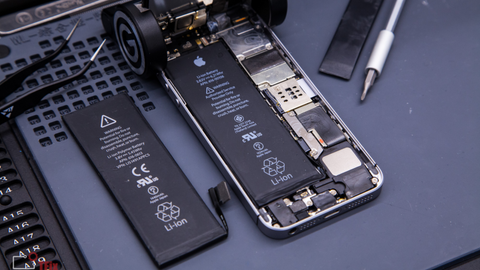
The single most common question I receive is whether to fix an old phone or buy a new one. The pivot point is almost always the battery. Lithium-ion batteries are consumable components; they will fail regardless of how well you treat the phone. Battery degradation typically becomes noticeable after 500 to 800 full charge cycles, which usually takes about two years for a heavy user.
In the current market, an iphone battery replacement vs upgrade debate comes down to the 80% rule. If your maximum capacity has dropped below 80%, your iPhone may begin "throttling" its speed to prevent unexpected shutdowns. This makes the phone feel slow, but it is a power issue, not a processor issue.
Expert Tip: Check your battery health by navigating to Settings > Battery > Battery Health & Charging. If the number is above 80% and your software is up to date, your hardware is likely still very capable.
To help you decide, consider this cost matrix for a device that is 3 or 4 years old:
| Factor | Battery Replacement | Full Upgrade (New Model) |
|---|---|---|
| Typical Cost | $99 — $119 | $799 — $1,199 |
| Performance Boost | Restoration of peak speed | New processor + hardware features |
| Lifespan Added | 2 — 3 additional years | 5 — 7 additional years |
| Best For | Users happy with their current camera/screen | Users whose current phone is no longer supported |
If you are satisfied with the camera and the screen, spending $119 to restore your phone to "like-new" performance is the smartest financial move. However, if the screen is cracked, the charging port is loose, and the battery is failing, the cumulative repair costs often exceed the trade-in valuation of the device, making an upgrade the more logical path.
Financing and Resale: The Math of the 6-Year Cycle
The way we pay for iPhones has shifted. With the discontinuation of many traditional leasing programs, many users are looking at Apple Card Monthly Installments (ACMI) or carrier-specific financing. On platforms like iphone upgrade program reddit, the community has debated the shift from frequent upgrades to longer ownership. The consensus is that the highest total cost of ownership occurs when upgrading every 12 to 24 months.
If you are looking for the iphone upgrade cycle for best resale value, the sweet spot is 3 years. At this point, the device still has high demand on the secondary market because it typically has 3 to 4 years of software support remaining. After the fourth year, market depreciation accelerates significantly.
However, many users find that keeping a phone for its full 6-year software lifecycle provides the best return on investment. While the final trade-in value may be low (perhaps $100 compared to $400 at the three-year mark), the three years of "missed" payments on a new device far outweigh the lost resale value.
When comparing iphone trade in vs upgrade program options, remember that carrier deals often require you to stay on a high-priced unlimited plan. If you are a budget-conscious user, buying an unlocked phone and using it for 5+ years on a cheaper prepaid plan is almost always the cheaper route.
Signs Your iPhone is Due for an Upgrade: The Checklist
Before you hit the "Buy" button, go through this symptom checklist. If you check more than three boxes, it is time to move on to the next generation.
- [ ] The Battery Threshold: Your maximum capacity is under 75% and a replacement isn't viable.
- [ ] Software Ceiling: Your model will not support the next version of iOS coming this fall.
- [ ] Physical Failure: Important hardware like FaceID, the speakers, or the microphone are malfunctioning.
- [ ] Storage Nightmare: You are constantly deleting photos and apps to make room for basic operations.
- [ ] The 5G Gap: You are using an older LTE-only device and experiencing slow data in crowded areas.
- [ ] Security Risk: Your phone is no longer receiving security patches, leaving your data vulnerable.
FAQ
How often is it recommended to upgrade your iPhone?
For most users, an upgrade every 3 to 4 years provides the best balance between enjoying new technology and maintaining a reasonable trade-in value. However, if you prioritize financial value, keeping the device for 5 to 6 years is optimal.
Which iPhones will no longer work in 2027?
By 2027, it is likely that the iPhone 11 and iPhone 12 series will have reached the end of their major iOS support cycles. While they may still receive occasional security fixes, they will lack many modern features and app compatibility will begin to suffer.
Is charging to 90 better than 100?
Yes, modern iPhones feature a setting to limit charging to 80% or 90% specifically to slow down battery degradation. Keeping the battery between 20% and 80% is the most effective way to improve physical longevity over several years.
Final Verdict from Sarah Zhang
The average iphone upgrade cycle has stretched out for a reason: the phones have simply become too good to replace every two years. If your device is currently serving your needs and the battery health is manageable, there is no technical reason to rush into a new purchase.
My advice is to plan your upgrade around two specific events: when your phone stops receiving iOS updates or when the cost of necessary repairs (battery + screen + port) exceeds 30% of the cost of a new device. Until then, enjoy the hardware you have. The most sustainable and cost-effective phone is the one that stays in your pocket for five years or more.