Our Top Picks
- Best Overall Longevity: Pixel 10 Pro (anticipated) - Designed for maximum Tensor chip efficiency and long-term thermal management.
- Most Balanced Value: Pixel 9 Pro - Offers a refined modem and cooling system to protect battery health during its seven-year support window.
- Best Budget Longevity: Pixel 8a - The most affordable entry into the seven-year update cycle, though it requires more diligent power management.
Google Pixel longevity typically ranges from three to five years for most users, though Google now provides seven years of software and security updates for models starting with the Pixel 8. While the extended software policy significantly increases the theoretical lifespan of the device, the physical hardware—specifically the lithium-ion battery—often remains the primary limiting factor for long-term daily use.
The 7-Year Update Promise: Marketing vs. Reality
When Google announced that the Pixel 8 series would receive seven years of OS, security, and feature updates, it sent shockwaves through the industry. For years, the Android ecosystem was criticized for its "disposable" nature, where hardware often outlived its official software support. By flipping the script, Google made a bold claim about the total cost of ownership and smartphone e-waste.
Google officially guarantees seven years of operating system, security, and feature updates for the Pixel 8 series and all subsequent models. This means a Pixel 9 purchased today will still be receiving official Android patches in 2031. This digital lifespan is unprecedented, but we must distinguish between a phone that is "supported" and a phone that is "pleasant to use."
In my years testing mobile devices, I’ve seen how firmware optimization can only go so far. As Android evolves, it demands more from the Tensor chip. While Google Feature Drops keep the experience fresh, the heavy lifting required for modern AI tasks puts a strain on older silicon. Is google pixel 7 year update policy worth it for the average consumer? From a security standpoint, absolutely. Having current Android security patches for the better part of a decade protects your data far better than a phone that stops at year three. However, the question of google pixel software update longevity is ultimately a race between the software's ambition and the hardware's physical decay.
Battery Degradation: The Pixel's Achilles' Heel
While the software might be ready for a marathon, the battery is often running a sprint. The inescapable reality of lithium-ion technology is that it has a chemical expiration date. Every time you charge your phone, you are essentially "consuming" a tiny bit of its total life.
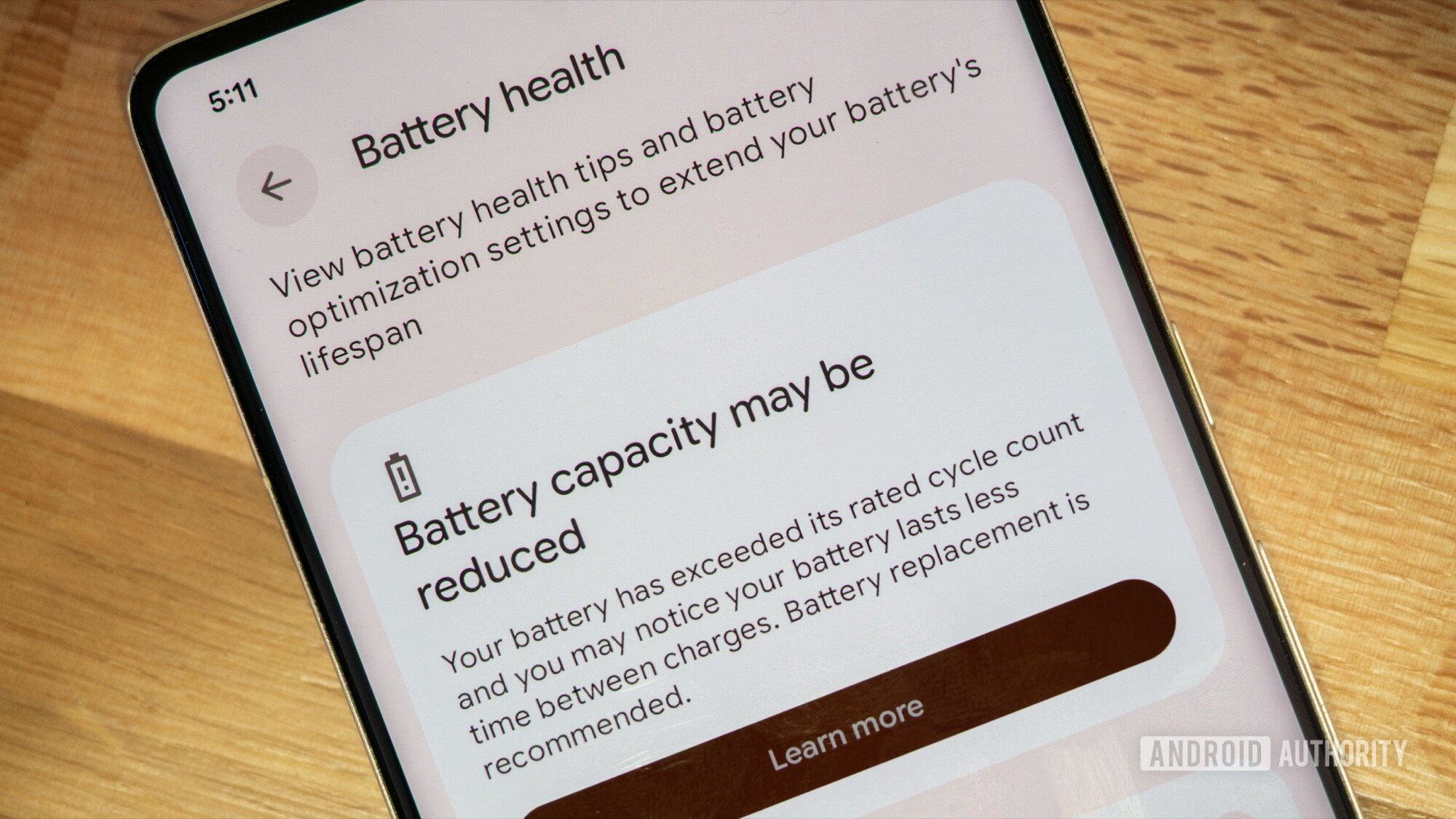
Google states that batteries in the Pixel 8a and newer models are designed to retain up to 80% of their original capacity after 1,000 full charge cycles. To put that in perspective, for a heavy user who charges their phone once a day, 1,000 cycles is roughly two years and nine months. By that point, the battery health 80 percent limit tips into territory where you will notice a significant drop in Screen-On Time (SOT).
There is also the issue of heat. Pixel battery degradation issues are often exacerbated by the thermal profile of Google’s Tensor chips. While the newer G3 and G4 chips are much more efficient than the original Tensor G1, they still run warmer than some competitors during heavy tasks like 4K video recording or 5G navigation. High thermal cycles can cause battery swelling or accelerated chemical aging. In fact, in a survey of approximately 3,000 readers, 46% of respondents indicated that battery safety concerns would deter them from purchasing a Google Pixel device.
When we look at google pixel 8 longevity after three years, we expect to see a device that still feels snappy in its UI but struggles to make it through a full workday. This gap between the OS lifespan and the power source is the primary challenge for users hoping to reach that 2031 finish line.
Longevity Truth Table: Software vs. Hardware
To help visualize this journey, I’ve broken down the estimated health of a Pixel device over its official support window.
| Milestone | Software Status | Estimated Battery Health | Real-World Impact |
|---|---|---|---|
| Year 1 | Fully Current | 96% - 100% | Peak performance, maximum SOT. |
| Year 3 | OS Upgrade #3 | 80% - 85% | Noticeable decline; phone may need mid-day top-ups. |
| Year 5 | OS Upgrade #5 | 70% - 75% | Significant throttling; battery replacement highly recommended. |
| Year 7 | Final Support Year | <65% | Device likely requires constant tethering or a second battery swap. |
Maintenance Guide: Bridging the 4-Year Gap
If you are committed to making your Pixel last, you cannot treat it with the "charge and forget" mentality of the past. Extending pixel phone life requires an active approach to power management.
Google has integrated several AI-driven features to assist with this, primarily under the "Adaptive" suite. Adaptive Charging AI is your best friend here. It learns your alarm and sleep patterns, keeping the battery at 80% through most of the night and only topping it off to 100% just before you wake up. This prevents the battery from sitting at high voltage for hours, which is a major cause of chemical aging.
Maintenance Checklist for Pixel Users
- Enable Adaptive Battery: This limits background power usage for apps you rarely use, reducing unnecessary discharge cycles.
- Practice the 80/20 Rule: Avoid letting your phone die completely (0%) or staying at 100% for long periods. Keeping it between 20% and 80% is the sweet spot for hardware durability.
- Monitor Thermal Throttling: If your phone feels hot to the touch during a long video call, remove the case for a few minutes. High heat is the fastest way to kill battery cells.
- Adjust Diagnostic Settings: Regularly check your health by navigating to Settings > Battery > Battery health to see if your capacity has dipped significantly.
How to prevent pixel battery degradation is as much about your environment as your settings. Using a high-quality Power Delivery (PD) charger that doesn't push more wattage than the phone can handle safely is essential to managing fast charging heat.
Hardware Replacement vs. Upgrading
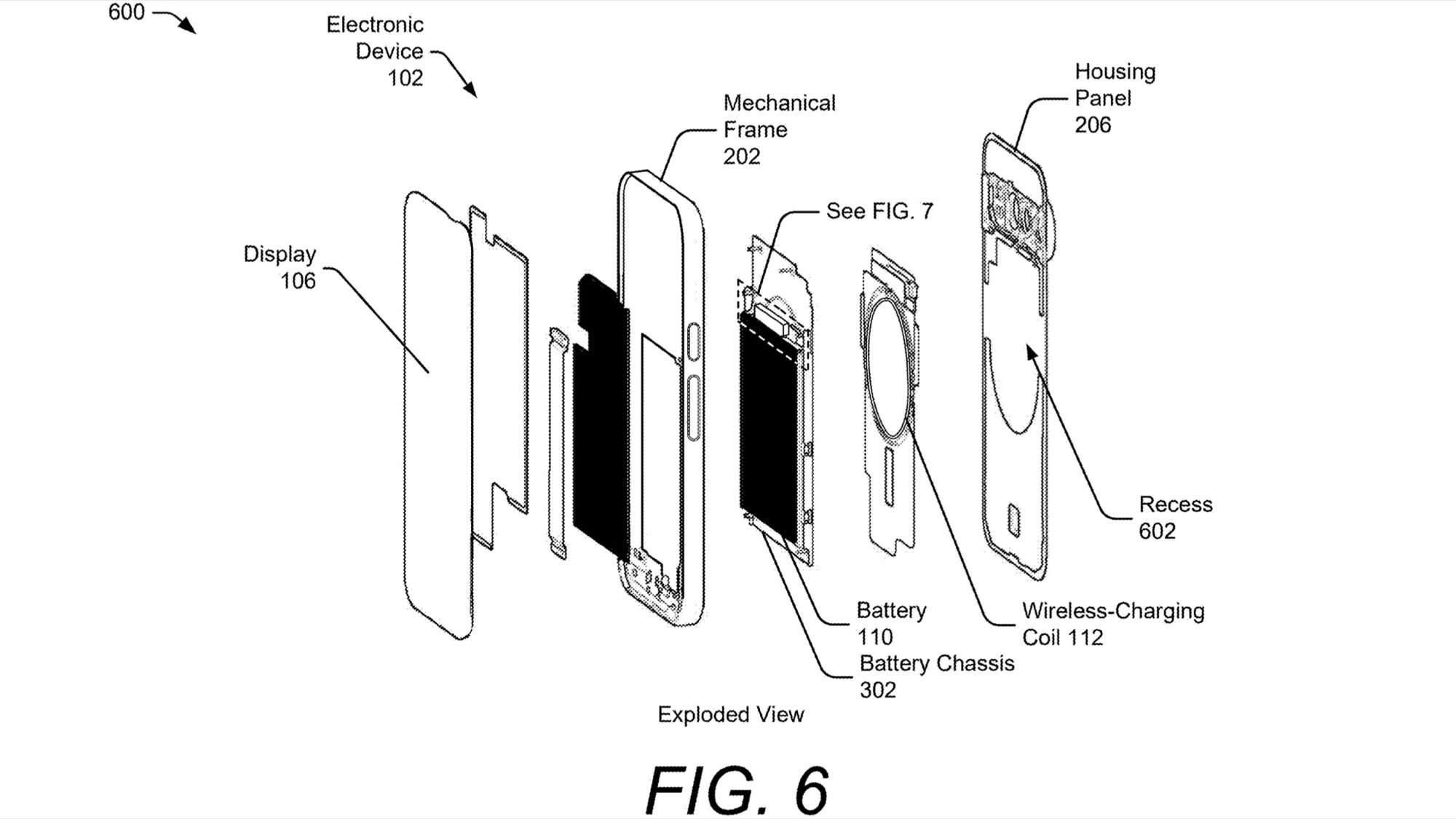
Eventually, you will hit a wall where even the best software optimization cannot save a failing battery. When this happens around year four or five, you face a choice: spend roughly $100 on a professional battery replacement or spend $800+ on a new device.
Google has made significant strides in third-party repairability, notably through a partnership with iFixit. This makes the answer to should i replace pixel battery or upgrade phone fairly straightforward for the Pixel 8 and 9 series. Because the software is guaranteed to stay fresh for seven years, a battery swap mid-lifecycle is an incredibly cost-effective way to get another three years of use out of your phone.
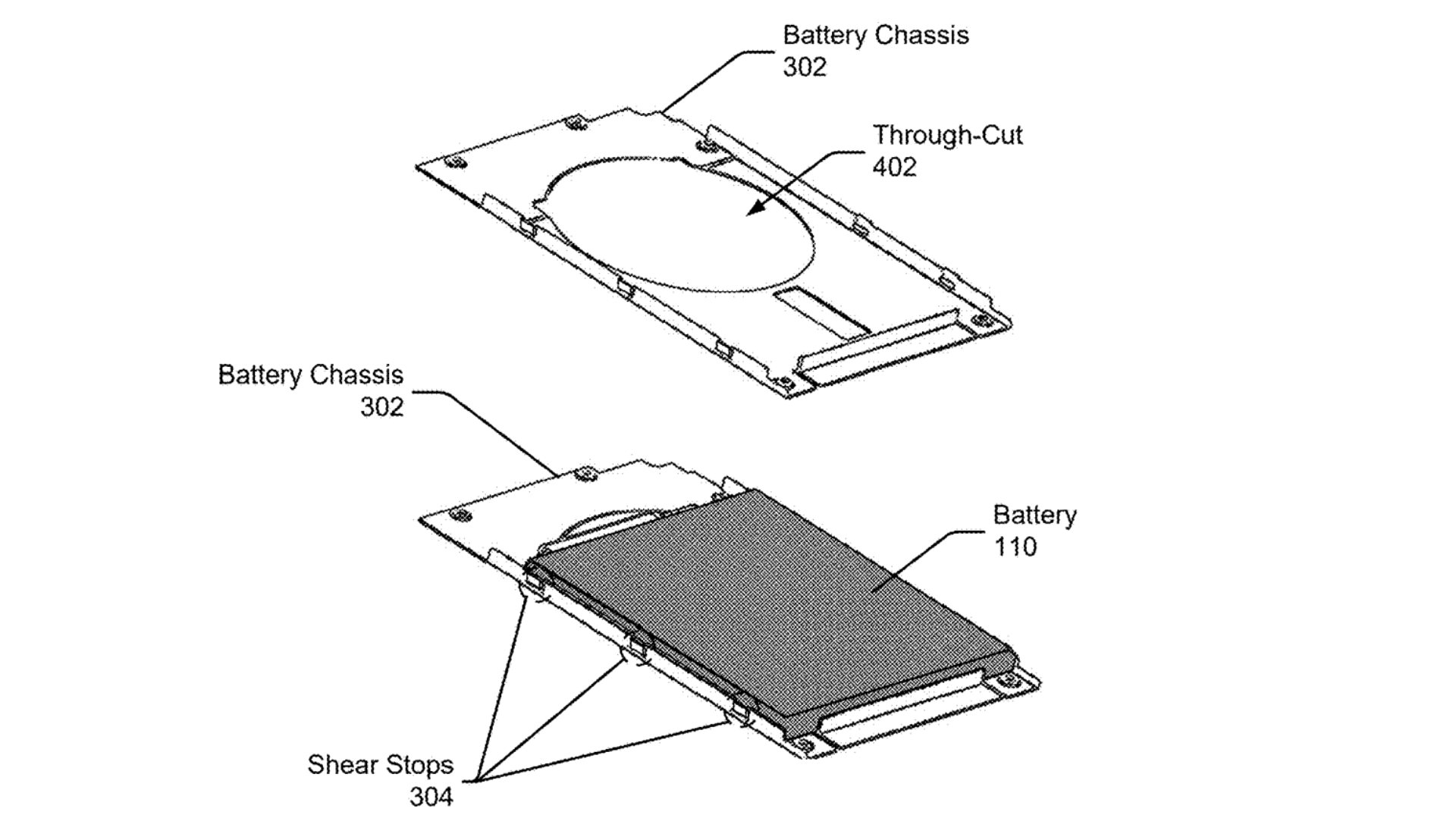
However, you must watch out for the "Empty Update" syndrome. This occurs when an older Tensor chip, such as the one in the Pixel 6, receives a new version of Android but lacks the modern NPU (Neural Processing Unit) power to run the best new features. In these cases, extending google pixel battery life after software update might help the phone stay alive, but the experience might feel sluggish regardless. For those on the Pixel 8 or newer, the silicon is likely robust enough to handle the majority of the seven-year window, making hardware maintenance a smart investment.
Summary of Pixel Longevity
The shift toward longer support cycles is the right move for the planet and our wallets. While google pixel longevity is no longer limited by the whim of a software developer's schedule, it is still governed by the laws of chemistry. To truly benefit from the seven-year promise, you must treat your phone as a long-term asset rather than a disposable commodity. By utilizing Adaptive Charging, managing heat, and budgeting for a battery replacement around year four, your Pixel can easily remain a reliable companion until the turn of the decade.
FAQ
What is the lifespan of a Google Pixel phone?
The technical lifespan of a modern Google Pixel is seven years for software updates and security patches. However, the hardware lifespan typically lasts between three and five years before the battery requires replacement or the processor begins to struggle with newer, more demanding features.
Are Google Pixel phones good long term?
Yes, Google Pixel phones are excellent for long-term use because they provide the longest security and OS support in the Android market. Their focus on AI-driven efficiency also helps the software adapt to your usage patterns over time.
Which smartphone has the longest lifespan?
Currently, the Google Pixel 8 series (and newer) and the Samsung Galaxy S24 series share the crown for the longest official support lifespan at seven years of guaranteed updates. Between the two, the Pixel often feels modern longer due to the frequent influx of new features via Google Feature Drops.
Is 7 years too long for a phone?
For the hardware, seven years is a significant challenge. While the software will stay secure, the physical components like the battery, OLED display, and charging port are likely to show significant wear. Most users will find seven years achievable only with at least one battery replacement.
What is the weakness of Google Pixel?
The most common weakness of the Google Pixel line is thermal management and peak battery life compared to some competitors. The Tensor chips can run warm during intensive tasks, which can negatively impact long-term battery health and lead to earlier degradation without proper care.