Our Top Picks
- Extreme Performance: Llano V12 High-Pressure Turbo-Fan (2800 RPM, Sealed Foam Gasket)
- Best Value Gaming: IETS GT300 (Single-Turbine, Integrated Dust Filter)
- Best for Professional Use: Klim Wind (Multi-fan Mesh Surface, Quiet Operation)
- Best Ergonomics: Thermaltake Massive 20 RGB (Large 17-inch Support, Height Adjustable)
Laptop cooling pads reduce internal temperatures by improving airflow around the device's chassis. Active cooling pads use USB-powered fans or turbo-fans to blow cool air against the base or draw hot air away from vents, while passive pads rely on elevation and heat-conductive materials like metal mesh to encourage natural heat dissipation.
The Science: Active vs Passive Laptop Cooling
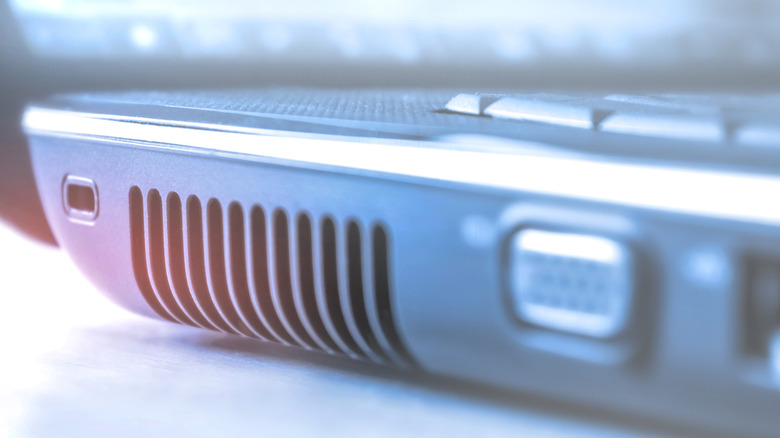
When we talk about laptop overheating solutions, we have to look at the physics of how a modern chassis handles heat. Most laptops pull air in from the bottom and exhaust it out the back or sides. The problem arises when the intake is restricted by a desk surface or when the internal thermal solution is pushed beyond its TDP (Thermal Design Power) limits. This leads to thermal throttling, where the CPU and GPU downclock themselves to prevent permanent hardware damage.
There are two primary ways to combat this: active vs passive laptop cooling. A passive pad is essentially a stand made of materials like aluminum or steel mesh. These improve heat dissipation by providing a clear path for air and acting as a secondary heat sink. For a lightweight Ultrabook used for spreadsheets, a passive stand is often enough.
However, for gaming or video rendering, an active cooling pad is mandatory. These utilize mechanical fans to force air through the intake vents. The choice between active and passive cooling depends on your usage. Active cooling pads use mechanical fans and require power, making them ideal for high-performance gaming laptops prone to thermal throttling. Passive cooling pads are silent, power-free stands that improve ergonomics and airflow, suitable for lightweight laptops or basic office tasks.
Research reflects the growing necessity of these tools. The global laptop cooling pad market is valued at approximately $380 million in 2024 and is projected to reach $660 million by 2034, growing at a compound annual growth rate of 5.7%. This growth is driven by the increasing heat density of modern components. Independent performance testing of popular active cooling pads has demonstrated potential temperature reductions of up to 12°C for the CPU and 6°C for the GPU during intensive gaming loads. This thermal headroom isn't just about component longevity; it directly translates to higher sustained clock speeds.
Best for Extreme Performance: Sealed Vacuum Turbo-Fans
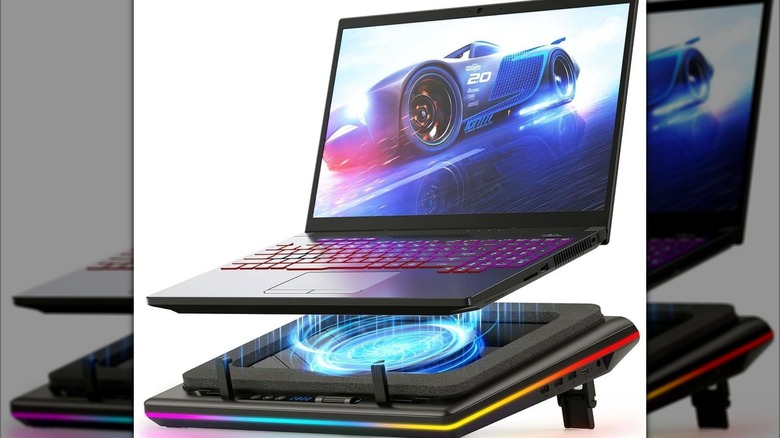
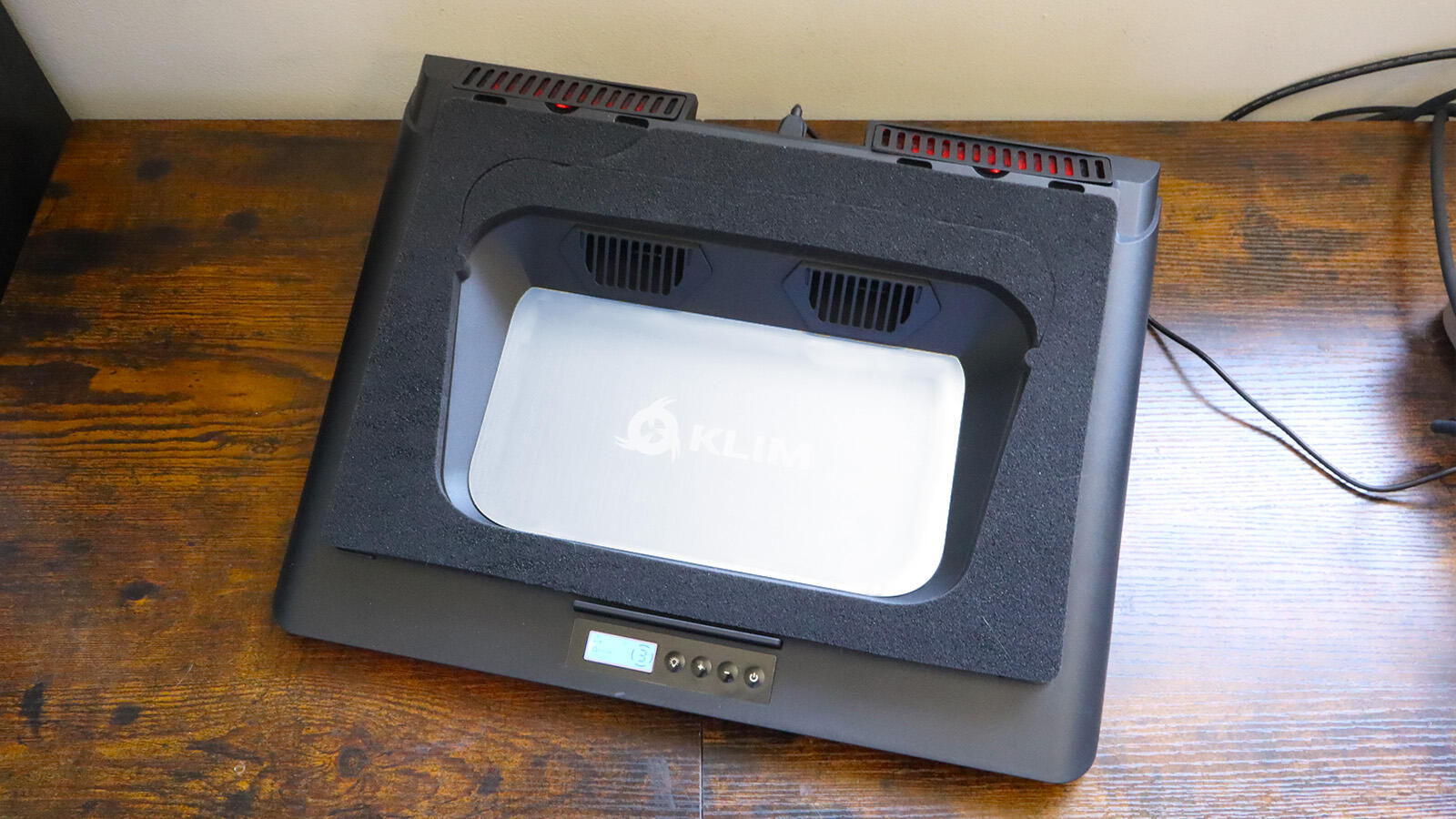
For the enthusiast who refuses to compromise, we have seen a shift in technology toward sealed vacuum systems. Unlike a traditional laptop cooling pad that simply blows air broadly against the bottom plate, these high-end models use a foam gasket to create an airtight seal between the pad and the laptop chassis.
This design philosophy prioritizes static pressure over simple CFM airflow rating. By sealing the connection, a high rpm cooling pad forces every cubic foot of air directly into the laptop's intake vents. This is essentially an external cooling fan for laptop systems that acts as a supercharger. Units like the Llano V12 or IETS GT600 utilize industrial-grade turbo-fans that can reach 2800 RPM or higher.
In my testing, these sealed units are the only ones that consistently prevent thermal throttling on high-TDP machines. However, there is a trade-off. The decibel output on a high-pressure turbo-fan can be significant—often exceeding 55 dB at max speed. It sounds like a miniature jet engine on your desk. For the gaming enthusiast, this is usually acceptable since most play with noise-canceling headsets. These models often double as an rgb laptop cooling pad with adjustable heights, allowing you to align the screen with your eye level while keeping the internals chilled.
Best for Office & Professional Use: Quiet & Ergonomic
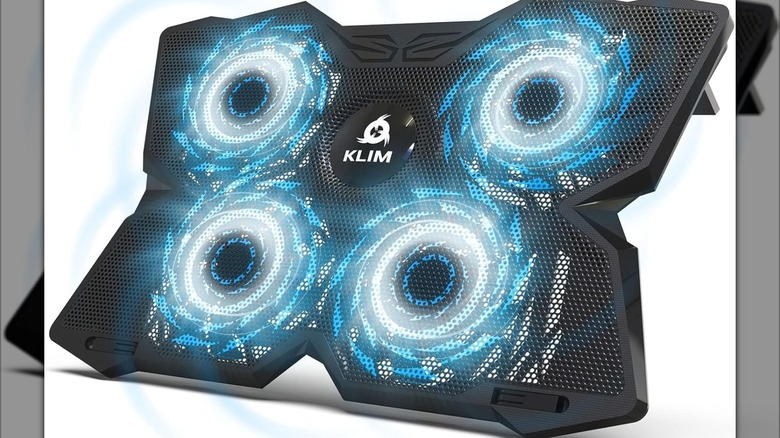
If you are working in a shared office or a quiet studio, you don't need a turbo-fan. You need the quietest laptop cooling fans for professional use. Professional-grade pads prioritize a low decibel output and refined aesthetics. Most of these models use a large metal mesh surface combined with multiple 120mm or 140mm fans spinning at lower speeds (around 800 to 1200 RPM).
The goal here isn't just heat dissipation; it is ergonomic incline. Typing on a flat laptop for eight hours is a recipe for wrist strain. A quality professional cooling pad provides multiple levels of height adjustment to ensure your wrists remain in a neutral position. Because these pads take up a USB port on your machine, look for models that include USB passthrough or even dedicated laptop cooling pads with extra usb ports to act as a mini-hub for your mouse and keyboard.
Many professional models utilize a brushless motor design. This technology reduces friction and mechanical noise, ensuring that the pad remains a whisper-quiet companion during Zoom calls. While they may only drop temperatures by 3-5°C, that is often enough to keep the internal fans from ramping up to their highest, most annoying pitch.
Buyer’s Guide: Size and Compatibility Warnings
When selecting a cooling pad, consider factors like fan RPM, noise levels, and ergonomic height adjustments. For gaming, high-RPM turbo-fan models with foam seals provide maximum air pressure to combat high heat. For professional use, quiet brushless motor fans with USB passthrough ports offer a balance of performance and convenience without distracting noise.
One of the biggest mistakes buyers make is ignoring the physical dimensions. If you have a massive workstation, you need specific large 17 inch laptop cooling pad recommendations. If the pad is too small, the rubber feet of your laptop might not even touch the surface, leading to instability or blocked vents.
Furthermore, we are seeing a shift in product dominance. Active cooling pads, which utilize integrated fans to force airflow, are the dominant product type in the market and are expected to hold a 62.4% share of global market value by 2025. This is because passive solutions simply cannot keep up with the 100W+ power draws of modern mobile GPUs.
Compatibility Warning: Check Your Intake! Before purchasing, flip your laptop over. If your laptop has no intake vents on the bottom (rare but possible in some fanless designs) or if it uses a top-intake system (like some Lenovo Legion models), a standard bottom-blowing pad might actually disrupt the internal airflow. Always ensure the pad's fans align roughly with your laptop's intake cutouts.
Beyond fans, some ultra-high-end pads are experimenting with the Peltier effect (thermoelectric cooling). These use a powered ceramic plate that actually gets cold to the touch. While effective, they consume significant power and are generally only recommended for stationary desktop-replacement setups.
FAQ
Do laptop cooling pads actually work?
Yes, they do, but the degree of effectiveness depends on the type of pad and the laptop's design. Independent testing shows that active cooling pads can reduce internal CPU temperatures by up to 12°C. They work by increasing the volume of cool air available to the internal fans and by cooling the bottom chassis through heat conduction and convection.
Is a cooling pad worth it for a gaming laptop?
Absolutely. Gaming laptops are frequently limited by thermal constraints. By using an active cooling pad, you reduce the likelihood of thermal throttling, allowing the hardware to maintain higher boost clocks for longer periods. This results in more stable frame rates and improved component longevity by reducing heat-induced stress on the motherboard.
Can a laptop cooling pad damage the internal fans?
Generally, no. A standard cooling pad does not blow air with enough force to "over-spin" the internal fans to the point of damage. In fact, by providing more cool air to the system, the cooling pad often allows the internal fans to spin at lower speeds, potentially extending their lifespan by reducing the workload on the internal brushless motor.
Do cooling pads use a lot of laptop battery?
Standard cooling pads with one or two fans use a negligible amount of power, similar to a wired mouse. However, high rpm cooling pads for gaming laptops or turbo-fan models can draw more current. If you are running on battery, an active pad will decrease your runtime slightly, which is why most enthusiasts use them only while the laptop is plugged into a wall outlet.
Can a cooling pad help prevent thermal throttling?
This is the primary reason to buy one. Thermal throttling occurs when the silicon reaches a temperature threshold (usually 90-100°C) and slows down to protect itself. By lowering the ambient temperature around the intake and forcing more air through the heatsink fins, a cooling pad provides the extra thermal headroom needed to keep the system running at peak performance.
Final Thoughts
The decision to invest in a laptop cooling pad comes down to how you use your machine. If you are pushing your hardware to the limit with modern AAA titles or 4K video editing, the investment in a high-pressure turbo-fan is the most cost-effective way to protect your hardware. For the average user, a multi-fan mesh stand provides a significant ergonomic upgrade while keeping the system from getting uncomfortably warm on your lap or desk.
Always look for a balance of static pressure, noise levels, and build quality. In 2026, as laptops continue to get thinner and more powerful, managing your thermals is no longer optional—it is a necessity for anyone looking to get the full value out of their computing hardware.