Quick Facts
- Primary Recommendation: Prioritize tools that support asynchronous communication to reduce meeting fatigue.
- Top 2026 Trend: AI-driven workflow automation is now a standard feature in leading online collaboration tools.
- Market Insight: The global market for remote software reached 30.5 billion dollars in 2024, reflecting a massive shift toward digital workspaces.
- Productivity Metric: Studies show that 90 percent of workers are as productive or more productive when using remote-capable working styles.
- Core Tech Stack: A balanced remote office requires a mix of communication, project visibility, and cloud infrastructure tools.
- Expert Tip: To avoid tool overload, choose apps with cross-platform sync capabilities and robust API integrations.
| Category | Top App | Best For | 2026 Standout Feature |
|---|---|---|---|
| Communication | Slack | Team Alignment | AI Huddle Summaries |
| Meetings | Zoom | Virtual Presence | Real-time Language Translation |
| Tasks | Todoist | Individual Focus | Smart Scheduling Suggestions |
| Visual Workflow | Trello | Kanban Boards | Automated Card Movement |
| Knowledge Base | Notion | Documentation | Centralized Team Brain |
| Time Tracking | Toggl Track | Billing & Insights | Automated Activity Tagging |
| Security | 1Password | Data Safety | Biometric Cross-device Login |
| Connectivity | Zapier | Workflow Automation | Natural Language Logic Building |
Choosing the right remote work apps is the difference between a fragmented digital workspace and a streamlined, high-output professional environment. By integrating the best software for working from home, distributed teams can ensure consistent team alignment and project visibility regardless of time zones.
As the landscape of professional life continues to evolve, the tools we use have transformed from simple utilities into sophisticated partners. We are no longer just looking for a place to chat or a box to check; we are looking for a cohesive digital workspace that respects our time and enhances our cognitive focus. Research from the Institute for Corporate Productivity indicates that 83 percent of companies with remote-friendly policies report high staff productivity, largely because they have mastered the integration of these digital tools.
The Communication Pillar: Mastering Asynchronous Work
In the world of remote work apps, communication is the foundation upon which everything else is built. However, the biggest challenge in 2026 is no longer staying connected—it is managing the noise. Constant notifications can lead to significant productivity losses, as it often takes 20 to 30 minutes to regain focus after a single interruption. This is why the focus has shifted toward asynchronous communication.
Slack: The Hub for Modern Teams
Slack remains the undisputed leader for team messaging because it goes beyond simple chat. It serves as a central repository for company knowledge, integrating with over 2,500 other services. In 2026, its strength lies in its ability to facilitate asynchronous communication through features like clips and scheduled messages, allowing team members to consume information when it suits their workflow.
- Pros: Massive integration library, excellent mobile experience, robust search functionality.
- The Downside: Can become a distraction if notification settings are not strictly managed; higher pricing tiers can be expensive for very large organizations.
Zoom Workplace: More Than Just Video
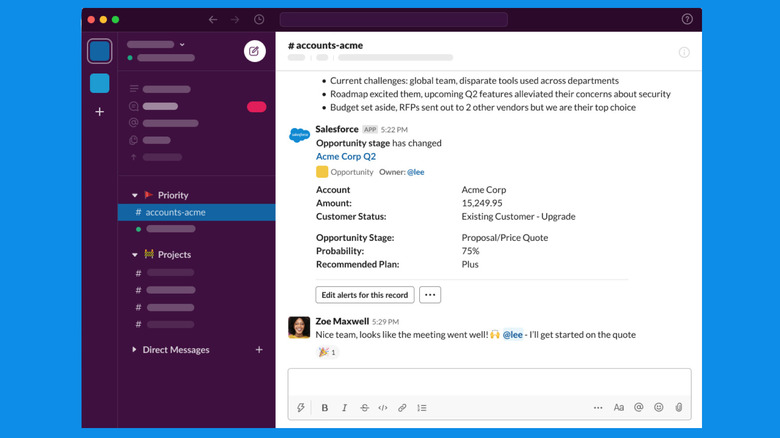
While video calls are essential, the "Zoom fatigue" of previous years has led to the evolution of Zoom Workplace. It now incorporates meeting transcription and AI-generated summaries, meaning you do not have to attend every live session to stay informed. These productivity tools for remote workers allow you to catch up on a 30-minute meeting in a three-minute text summary.
- Pros: High-quality video even on lower bandwidths, powerful screen-sharing tools, integrated whiteboards.
- The Downside: Advanced AI features often require a premium subscription; the interface can feel cluttered with too many added modules.
Visual Workflow and Project Visibility
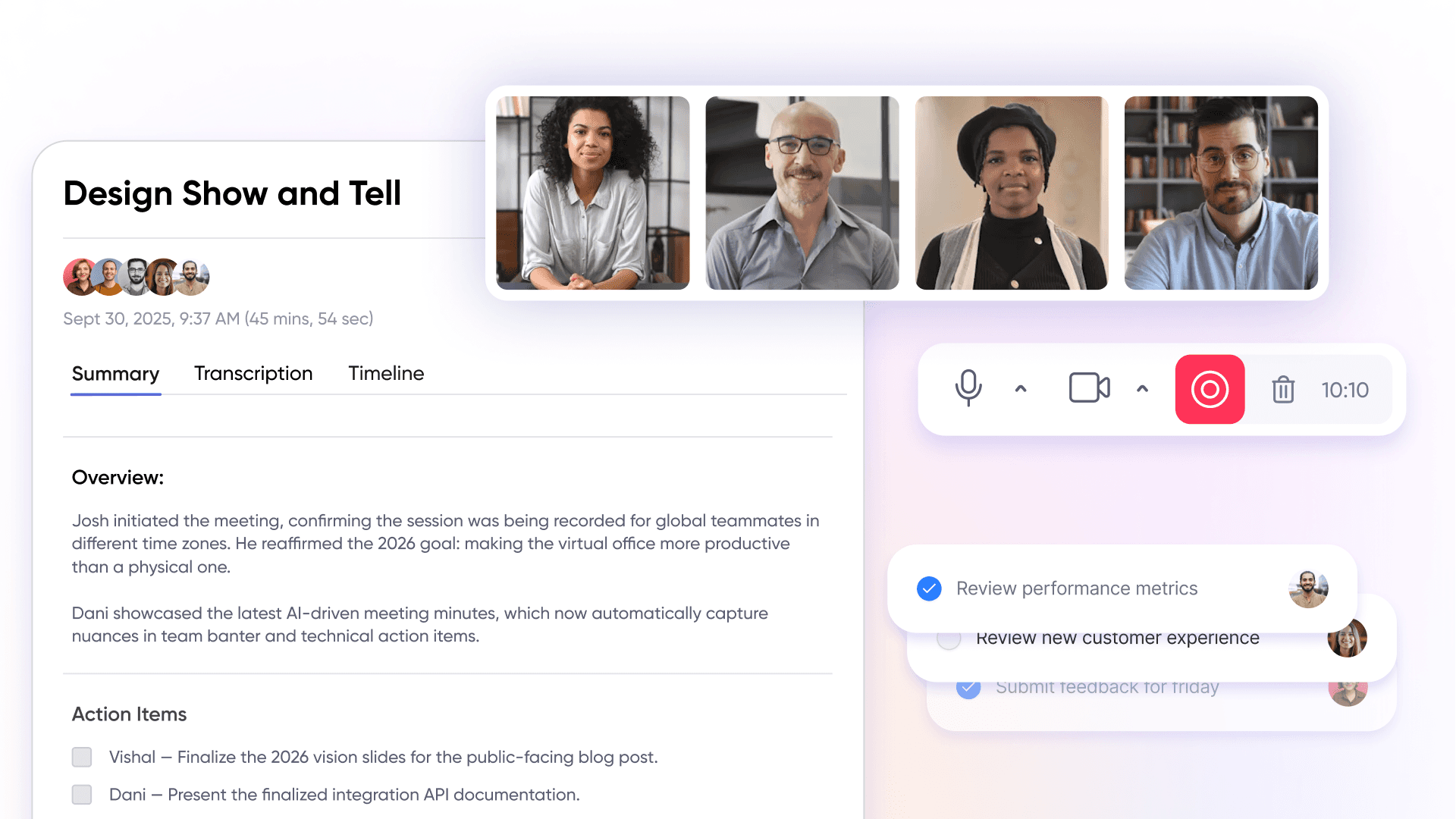
For a distributed team to function, everyone needs to know what is happening without having to ask. This is where visual workflow management tools for remote offices come into play. These apps provide a high-level view of progress, reducing the need for "status update" meetings.
Trello: The Power of Kanban Boards
Trello revolutionized the way we think about tasks using kanban boards. By moving cards across lists, teams gain instant project visibility. It is particularly effective for creative workflows, editorial calendars, and small-scale product development. For those seeking free productivity tools for remote workers, Trello’s generous free tier remains a top choice.
- Pros: Highly intuitive "drag and drop" interface, great for visual thinkers, excellent automation via Butler.
- The Downside: Can become difficult to manage for extremely complex projects with hundreds of moving parts.
Notion: The All-In-One Knowledge Base
Notion has evolved into the definitive digital workspace for teams that need to document everything. It combines notes, databases, and project tracking into a single, customizable interface. It is the perfect tool for creating a "company brain," ensuring that onboarding materials, brand guidelines, and project specs are always accessible.
- Pros: Unmatched flexibility, powerful database linking, clean aesthetic.
- The Downside: The "blank slate" start can be overwhelming for new users; requires a dedicated person to maintain organization or it becomes a cluttered mess.

Asana: Sophisticated Project Tracking
When projects involve multiple departments and complex dependencies, Asana is the best software for working from home at scale. It offers various views—lists, timelines, and calendars—allowing different team members to view data in the way that makes the most sense to them.
- Pros: Deep feature set for complex project management, excellent workload tracking to prevent burnout.
- The Downside: Steeper learning curve compared to Trello; the interface can feel "heavy" for simple task lists.
Focused Productivity and Time Management
Remote work requires a high degree of self-regulation. Without an office environment to provide structure, individual remote workers must rely on apps that encourage deep work focus and maintain cross-platform sync across their devices.
Forest: Gamifying Concentration
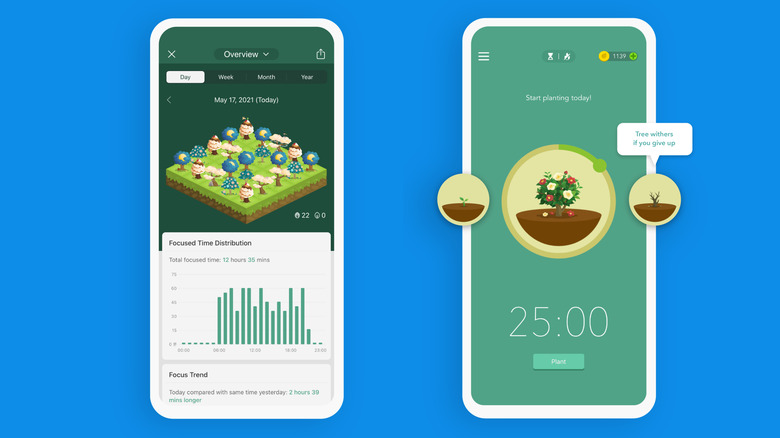
Distraction is the enemy of productivity. Forest is one of the more unique remote work apps that uses gamification to keep you off your phone. You plant a virtual tree, and it grows while you work. If you leave the app to check social media, your tree withers. Over time, you can earn credits to plant real trees in the real world.
- Pros: Encourages deep work focus in a fun way, low cost, positive environmental impact.
- The Downside: Primarily a mobile tool; may not be sufficient for those who need heavy-duty desktop blocking.
Toggl Track: Effortless Time Management
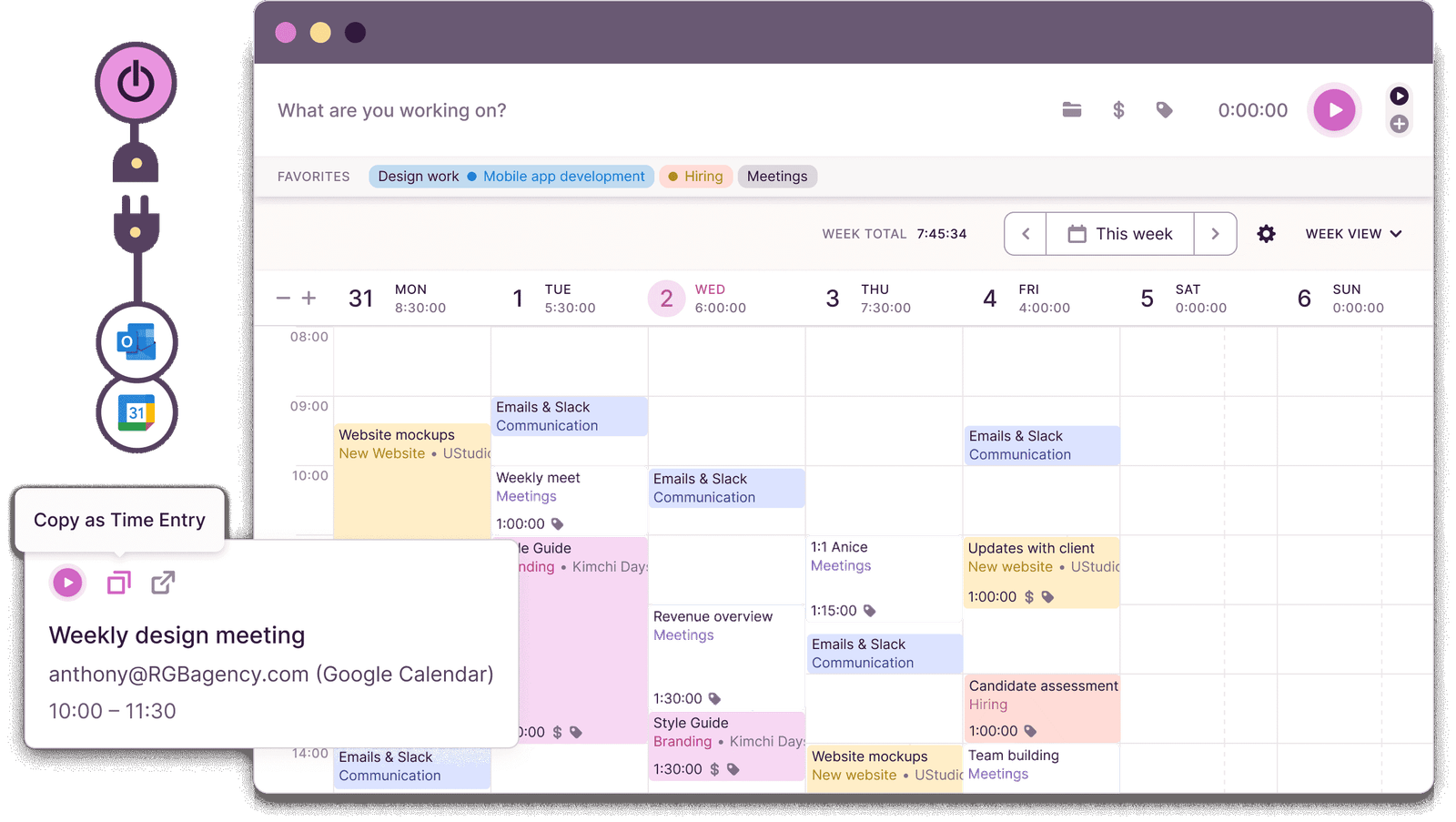
For freelancers and agencies, time is the primary unit of value. Toggl Track is among the top time tracking apps for distributed teams because it is incredibly simple to use. With one click, you can track how much time you are spending on specific clients or tasks, providing the data needed for accurate billing and better self-management.
- Pros: One-click tracking, excellent reporting, works across almost every platform.
- The Downside: Manual entry is still required if you forget to start the timer, though reminders help.
Todoist: The Master Task List
If you need a reliable way to organize your daily life, Todoist is the answer. It is a cross-platform remote work software for freelancers and professionals that excels at capturing tasks the moment they come to mind. Its natural language processing allows you to type "Review report every Friday at 2 PM," and it automatically sets the recurring reminder.
- Pros: Lightning-fast task entry, excellent priority levels, integrates with Google Calendar.
- The Downside: Some essential features like reminders are locked behind the pro version.
The Infrastructure Layer: Security and Documentation
Even the best online collaboration tools are useless if your data is not secure or your files are disorganized. The infrastructure layer is the "silent partner" in your remote setup, ensuring that your cloud infrastructure is stable and protected.
Google Workspace: The Collaboration Gold Standard
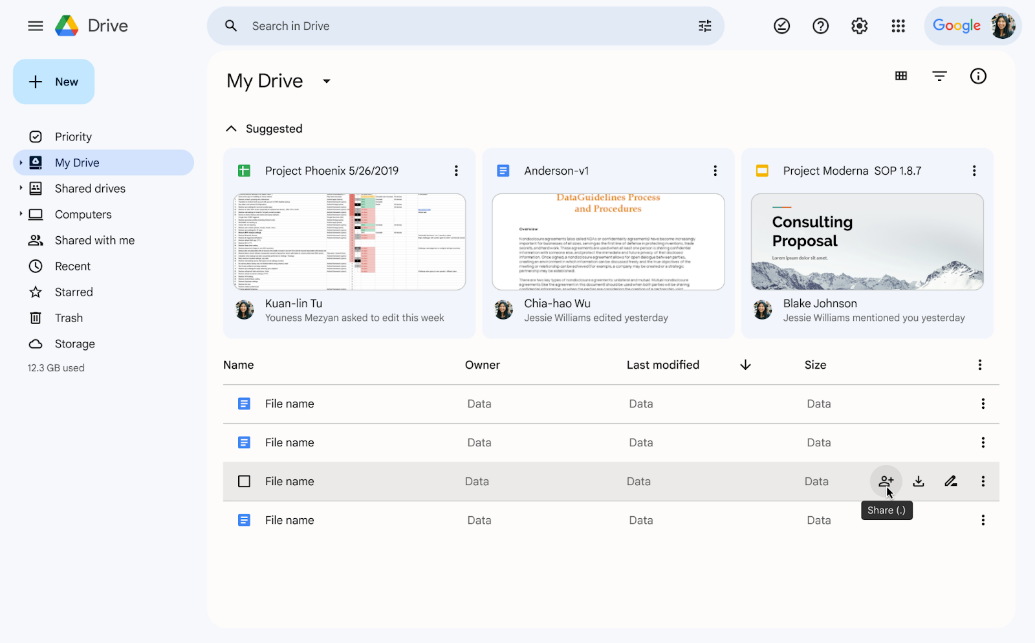
Google Workspace remains essential software for working from home effectively because it allows for real-time document editing. Whether you are co-authoring a proposal in Docs or analyzing data in Sheets, the ability for multiple people to work in the same file simultaneously is what makes modern remote work possible.
- Pros: Industry-standard collaboration, 15GB of free storage on the basic plan, seamless integration with Gmail.
- The Downside: Privacy concerns for some users; Google Sheets can struggle with extremely large datasets compared to Excel.
1Password and NordLayer: Protecting Your Digital Office
Security is often overlooked until it is too late. For remote teams, using a password manager like 1Password and a secure access tool like NordLayer is non-negotiable. These tools ensure that sensitive company data stays within the company, even when employees are logging in from home networks or public Wi-Fi.
- Pros: Highly secure, easy to share passwords within teams safely, reduces "password fatigue."
- The Downside: Requires a subscription; requires a culture of discipline to ensure everyone actually uses the tools.
4-Week Implementation Plan: Avoiding Tool Overload
Adopting too many remote work apps at once is a recipe for disaster. Instead, follow this phased approach to build your stack sustainably.
- Week 1: Communication Foundations Set up your primary team messaging tool (like Slack). Define your notification boundaries and establish which channels are for work and which are for social interaction.
- Week 2: Visual Task Management Introduce a tool for project visibility (like Trello or Asana). Migrate your current "to-do" lists into shared boards so everyone can see the workflow.
- Week 3: Security and Infrastructure Ensure your cloud infrastructure is secure. Implement a password manager and move your documentation into a central knowledge base like Notion.
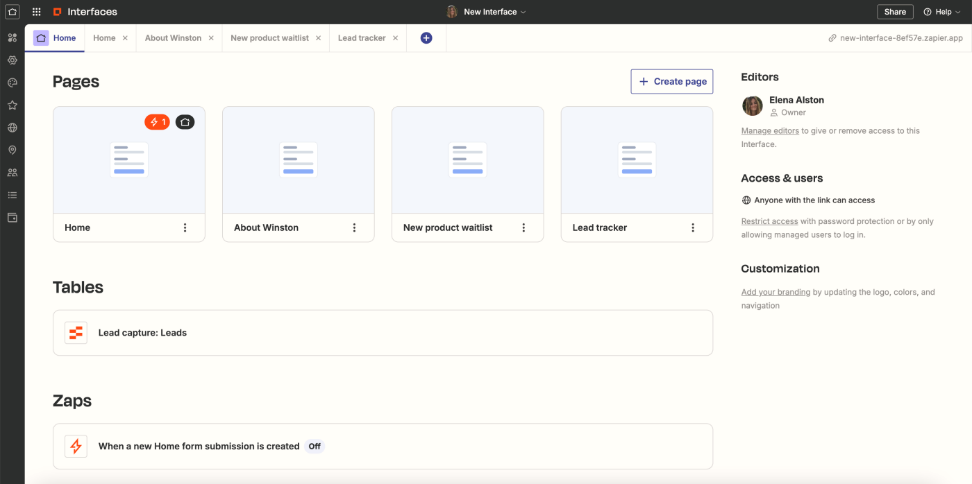
- Week 4: Workflow Automation Identify repetitive tasks, such as moving data between apps or sending follow-up emails. Use Zapier to create workflow automation that handles these tasks for you, freeing up your time for higher-level work.
FAQ
What are the most essential apps for remote work?
The core stack should include a communication tool like Slack, a video conferencing app like Zoom, a project management tool like Trello, and a cloud storage solution like Google Workspace. These four categories cover the basic needs of most distributed professionals.
How do remote work apps help with team collaboration?
They bridge the physical gap by providing a shared digital workspace. These tools allow for real-time document editing, instant feedback through messaging, and visual tracking of project milestones, ensuring that everyone stays aligned regardless of their location.
Are remote work apps secure for business use?
Most enterprise-level remote work apps use high-grade encryption and offer features like multi-factor authentication. However, security also depends on user behavior, which is why using a dedicated password manager and a VPN is highly recommended for all remote workers.
How can remote work apps improve daily productivity?
They reduce the need for time-consuming status meetings, automate repetitive tasks through workflow automation, and provide dedicated spaces for deep work focus. By organizing information logically, they also prevent the time lost to searching for files or context.
How do I choose the right remote work apps for a small business?
Start by identifying your biggest pain point—is it communication, task tracking, or file sharing? Look for apps that offer a free tier or a trial period, and prioritize those that integrate with the tools you already use to maintain a simple and efficient ecosystem.
The key to maximum digital productivity in 2026 is not about having the most apps, but having the right ones. By selecting tools that promote asynchronous communication, provide clear project visibility, and automate the mundane, you can create a remote work environment that is both sustainable and incredibly high-performing. Start with the pillars, build your infrastructure, and watch your efficiency soar.