
Google Maps is evolving beyond simple directions. In 2026, mastering Google Maps hidden features is the key to stress-free travel. Whether you are looking for google maps travel hacks to save fuel or google maps safety features like real-time crisis alerts, these 13 tools ensure your next journey is efficient and secure. As someone who spends more time testing mobile software than sitting at a desk, I have seen how these under-the-radar tools can transform a mobile device into the ultimate travel companion.
Quick Facts
- Top Safety Feature: Real-time crisis alerts for floods, wildfires, and earthquakes with Live Trip Sharing.
- Efficiency Hack: Immersive View provides a 3D time-lapse of your route, landmarks, and weather conditions.
- Logistics Essential: Indoor Directories help you navigate complex airport terminals and multi-story malls.
- AI Integration: Gemini-powered 'Ask Maps' allows for natural language queries like "find cafes with laptop-friendly seating."
- Pro Limit: Single Google Maps routes are capped at 10 stops, but shared lists can store hundreds of locations.
- Navigation Accuracy: Google Maps traffic predictions achieve an accuracy level within a 5% margin of error for 80% of trips globally.
Google Maps enhances travel safety through features like real-time crisis alerts for floods or wildfires and live trip progress sharing, which lets trusted contacts monitor your ETA. Users in remote areas can utilize Plus Codes—short digital addresses based on exact GPS coordinates—to help emergency services locate them when street signs are unavailable. For more efficient navigation, travelers can download offline maps to access directions without a cellular signal or use Immersive View for a 3D preview of their route and landmarks.
Advanced Safety Features for High-Stakes Travel
When you are traveling through unfamiliar terrain, safety is more than just a preference; it is a necessity. One of the most powerful Google Maps hidden features is the Plus Code. For those who enjoy off-the-grid adventures, street addresses are often nonexistent. A Plus Code is a simple digital address derived from latitude and longitude coordinates. You can find yours by tapping the blue dot representing your location; the code will appear at the top of the location sheet. This is a game-changer for emergency services trying to find a broken-down vehicle in a vast desert or a remote hiking trail.
Safety extends to environmental awareness as well. Google Maps has integrated a robust emergency response system that triggers real-time crisis alerts. During active events like wildfires, floods, or hurricanes, the map will display a red alert icon. Tapping this provides a detailed summary of the situation, emergency contact numbers, and visualization of affected zones.

To keep your loved ones at ease during a solo road trip, utilize the feature to share live trip progress google maps safety. Once you start a navigation route, swipe up from the bottom of the screen and select Share trip progress. This allows your chosen contacts to see your real-time movement and ETA tracking until you arrive at your destination. This transparency is vital, especially when you consider that dynamic rerouting in Google Maps reduces travel times by an average of 12% by analyzing real-time traffic inputs from over 700 million anonymized devices.
Immersive Navigation and AI-Powered Planning
The way we interact with our screens is shifting from flat 2D lines to 3D spatial awareness. One of the most visually stunning google maps navigation tips is using Immersive View. By utilizing AI and billions of Street View imagery files, Google creates a photorealistic 3D model of cities and routes. You can "fly over" your planned path to see the exact layout of complex intersections before you ever put your hands on the steering wheel.
For those using the latest flagship smartphones, the Google Gemini integration brings a conversational layer to your planning. Instead of typing generic keywords, you can use voice-activated commands or the search bar to ask, "Where can I find a quiet dinner spot with outdoor seating nearby?" The AI parses venue summaries and user reviews to give you a curated list of recommendations.

If you are navigating dense urban environments on foot, the AR-driven Live View is indispensable. By tapping the Live View icon (the camera symbol), your phone uses its camera to overlay directional arrows on the physical world. This eliminates the "which way am I facing?" dance that happens when you first exit a subway station.
| Feature | 2D Navigation | 3D Immersive View |
|---|---|---|
| Perspective | Top-down flat map | Drone-style flyover |
| Information | Traffic and distance | Weather, lighting, and volume |
| Use Case | Routine driving | Complex route planning |
| Battery Impact | Low | High |
Airport and Transit Hub Logistics
Airports are often the most stressful part of any trip. The navigate airports with google maps indoor directory feature is a literal lifesaver for tight layovers. Instead of hunting for a physical kiosk, you can zoom in on an airport, mall, or major transit station to see a floor-by-floor breakdown. You can filter by gate locations, restrooms, or even specific retailers. To access this, simply search for a hub like "LAX" and tap the Directory tab.
Pro-Tip: Use the 'wheelchair accessible' filter even if you don't use a chair. If you are traveling with heavy rolling luggage, this filter will highlight routes that prioritize elevators and ramps over stairs and escalators, making your transit through the terminal significantly easier.

This level of map customization settings ensures that the information you see is relevant to your specific physical needs at that moment. Whether you are looking for the fastest walking path to a lounge or need to find a baggage claim area on a different level, the indoor directory provides a granular view that standard GPS cannot match.
Efficiency Hacks for Road Trips and Parking
Efficiency in 2026 is often measured by your carbon footprint and your wallet. Google Maps now offers fuel-efficient routing as a default option when it doesn't significantly add to your travel time. By going to Settings > Navigation > Route options, you can select your engine type: Gas, Diesel, Hybrid, or Electric. Google then uses real-time traffic data and road incline patterns to suggest the path that consumes the least energy. For electric vehicle owners, the map provides real-time EV charging station data, including port types and charging speeds, ensuring you never face range anxiety.

Safety and efficiency meet in the design of your route. Google's AI-powered 'Safer routing' feature is designed to reduce up to 100 million sudden braking incidents annually by suggesting routes with fewer high-risk traffic segments or complex left-hand turns.
One of the most frequent traveler frustrations is "Rental Car Amnesia"—forgetting exactly where you parked in a massive multi-level garage. You can save and find parking location google maps by tapping your blue location dot and selecting Save parking. You can even add notes (like "Level 4, Section B") or photos of nearby landmarks. When you are ready to return, Google provides turn-by-turn walking directions straight back to your bumper.

Group Coordination and Power User Limits
Planning a trip with friends usually involves a chaotic mess of group chats and shared spreadsheets. You can streamline this using google maps shared lists for group travel. By creating a list in the Saved tab and hitting Share, you can invite friends to collaborate. They can add their own pins, and everyone can use emoji voting to decide on the best brunch spot or museum. It turns a static map into a collaborative itinerary management tool.
However, even power users face constraints. It is important to remember that Google Maps routes are capped at 10 stops. If you are planning a massive cross-country tour, you will need to break your journey into segments. Strategizing these segments allows you to maintain route optimization without hitting the software's hard ceiling.
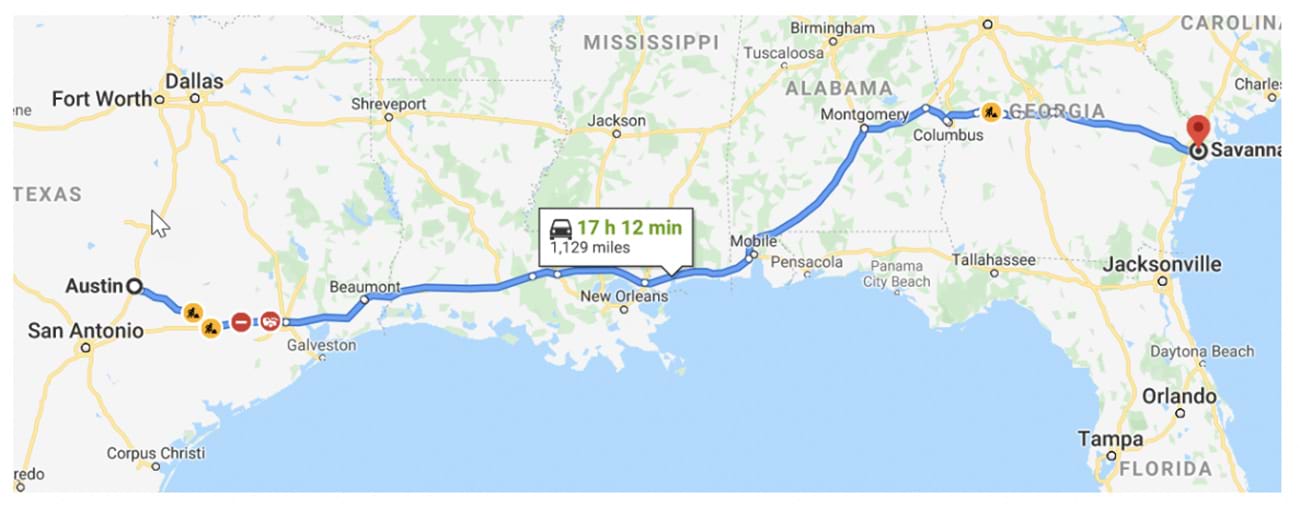
Finally, for those heading into the wilderness, google maps offline navigation for remote areas is a requirement, not a suggestion. You can select an area of the map to download for use when you lose cellular signal. Just keep in mind that these maps expire after 365 days if not updated, so always refresh your downloads over Wi-Fi before heading out on a new expedition.
FAQ
What are the best hidden features in Google Maps?
The most impactful hidden features include Plus Codes for address-less locations, the wheelchair-accessible filter for avoiding stairs with luggage, and the ability to measure exact distances between multiple points by long-pressing on the map and selecting Measure distance.
How do I use Google Maps offline without internet?
You can download specific regions by tapping your profile icon and selecting Offline maps. From there, choose Select your own map, highlight the area you need, and tap download. These maps will provide driving directions and search capabilities even without a data connection.
How do I share my live location with others?
While navigating, swipe up from the bottom menu and tap Share trip progress. Select the contact you wish to share with. They will receive a link showing your live movement on the map and your estimated arrival time until you reach your destination or stop sharing.
How can I save my parking spot in Google Maps?
Once you have parked, tap the blue dot that represents your current location. A menu will appear with the option Save parking. You can then add specific details like the floor number or a photo of the parking stall to help you find your vehicle later.
How do I add multiple destinations to a single trip?
After entering your first destination, tap the three dots in the top right corner of the screen and select Add stop. You can add up to 10 stops total in a single route. You can also reorder these stops by dragging the three-line icon next to each destination to optimize your path.