Our Top Picks
Projectivy Launcher is the best Android TV launcher for users looking to replace the ad-heavy Google TV home screen with a fast, customizable interface. It is the gold standard for performance, offering built-in launcher override features that work without complex technical work. For those who want the premium look and feel of an Apple TV, AT4K Launcher is the most polished choice, focusing on a clean grid and cinematic aesthetics. If you are running older hardware or a budget streaming stick, LTvLauncher provides the ultimate lightweight, open-source solution that prioritizes privacy and system resource optimization.
Finding a quality Android TV launcher is no longer just about personal preference; it is a necessity for anyone tired of seeing aggressive sponsored content on a device they own. By choosing a Google TV launcher replacement like Projectivy, you can reclaim your home screen, improve system fluidity, and ensure your favorite apps are always front and center.
| Feature | Projectivy Launcher | AT4K Launcher | LTvLauncher |
|---|---|---|---|
| Price | Free (Premium Unlock available) | Free (Premium for full UI) | Free (Open Source) |
| Ad-Blocking | Integrated / Ad-Free UI | Ad-Free | Ad-Free |
| Open Source | No | No | Yes |
| Best Hardware | Nvidia Shield, Google TV Streamer | High-end Sony/Philips TVs | Onn 4K, Xiaomi Box, Chromecast |
| Key Strength | Extreme Customization | tvOS Aesthetic | Performance & Privacy |
The State of Google TV in 2026: Why You Need a Custom Home Screen
As someone who monitors hardware trends and gaming performance daily, I have watched the evolution of the smart TV interface with growing frustration. What began as a helpful Leanback Interface designed to get you into your media quickly has transformed into a digital billboard. As of 2024, Android TV is the leading smart TV operating system globally, accounting for a 40% market share among more than 900 million active smart TV units. This massive scale has unfortunately made the platform a prime target for high-density advertising.
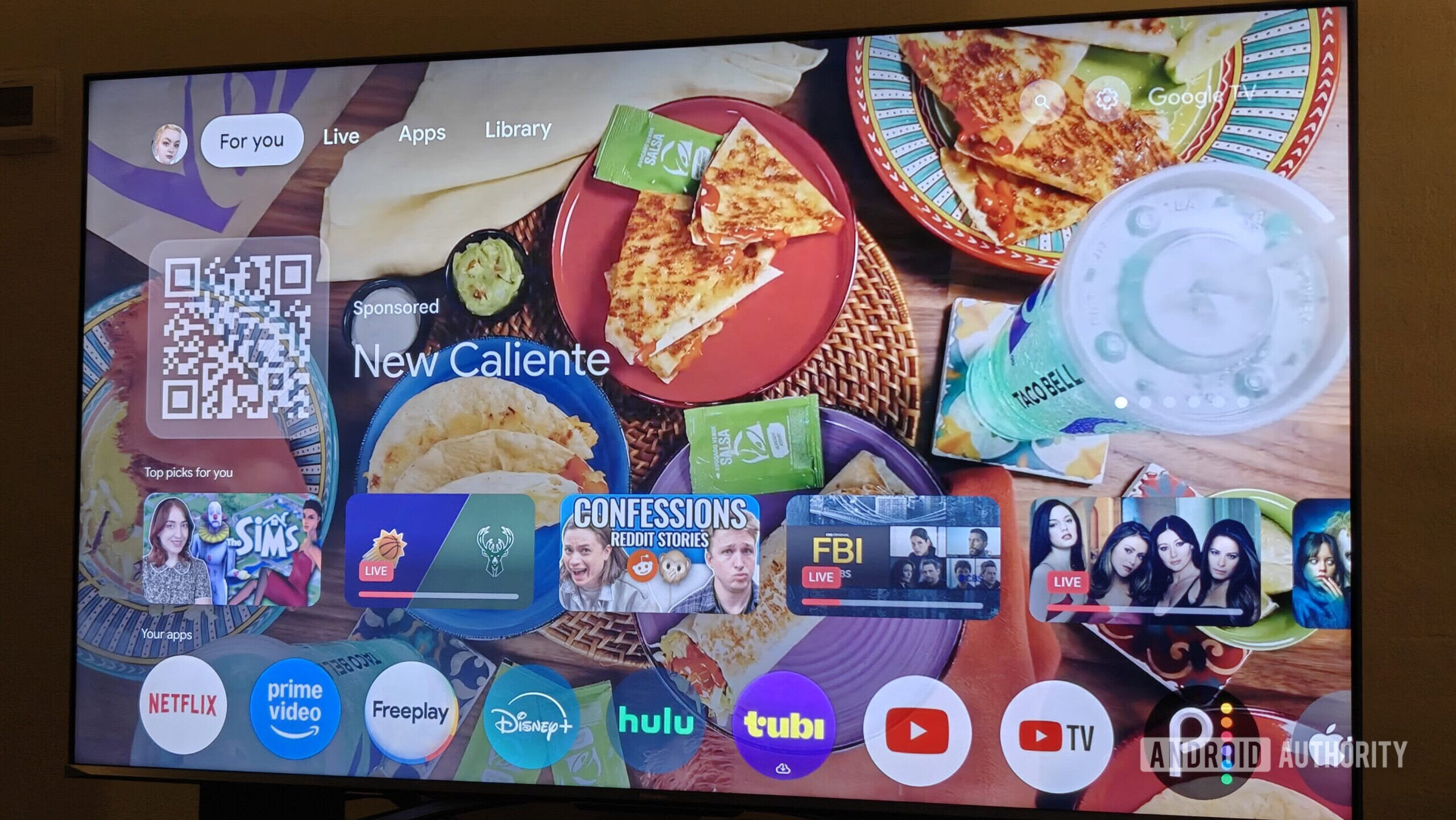
The native Google TV experience in 2026 has doubled down on its content-first philosophy, which in marketing-speak really means ad-first. Your home screen is now dominated by trailers for shows you do not watch and recommendations for services you do not subscribe to. Beyond the visual clutter, there is a technical cost. Recent shifts in Google's baseline requirements for 2025, which demand a 1GB RAM minimum for all devices, have highlighted how bloated the standard launcher has become. On many budget devices, the system UI consumes so much memory that app switching feels sluggish and the overall User Experience (UX) suffers.
Using a custom Android TV home screen is the only effective way to bypass this bloat. By installing a third-party launcher, you are not just changing the wallpaper; you are reclaiming system resources and choosing a utility-first approach. Whether you are a hardcore gamer looking for a high performance launcher for Nvidia Shield TV or a casual viewer who just wants a clean grid of icons, the third-party ecosystem offers a level of control that the stock firmware simply refuses to provide.
1. Projectivy Launcher: The Gold Standard for Ad-Free TV
If you spend any time in the enthusiast community, one name comes up more than any other: Projectivy Launcher. It has rapidly become the community favorite for a reason. Projectivy Launcher has achieved over 2 million downloads on the Google Play Store and maintains a 4.6-star user rating, which is an incredible feat for a tool that fundamentally alters how a TV functions.
Eliminating the Bloat
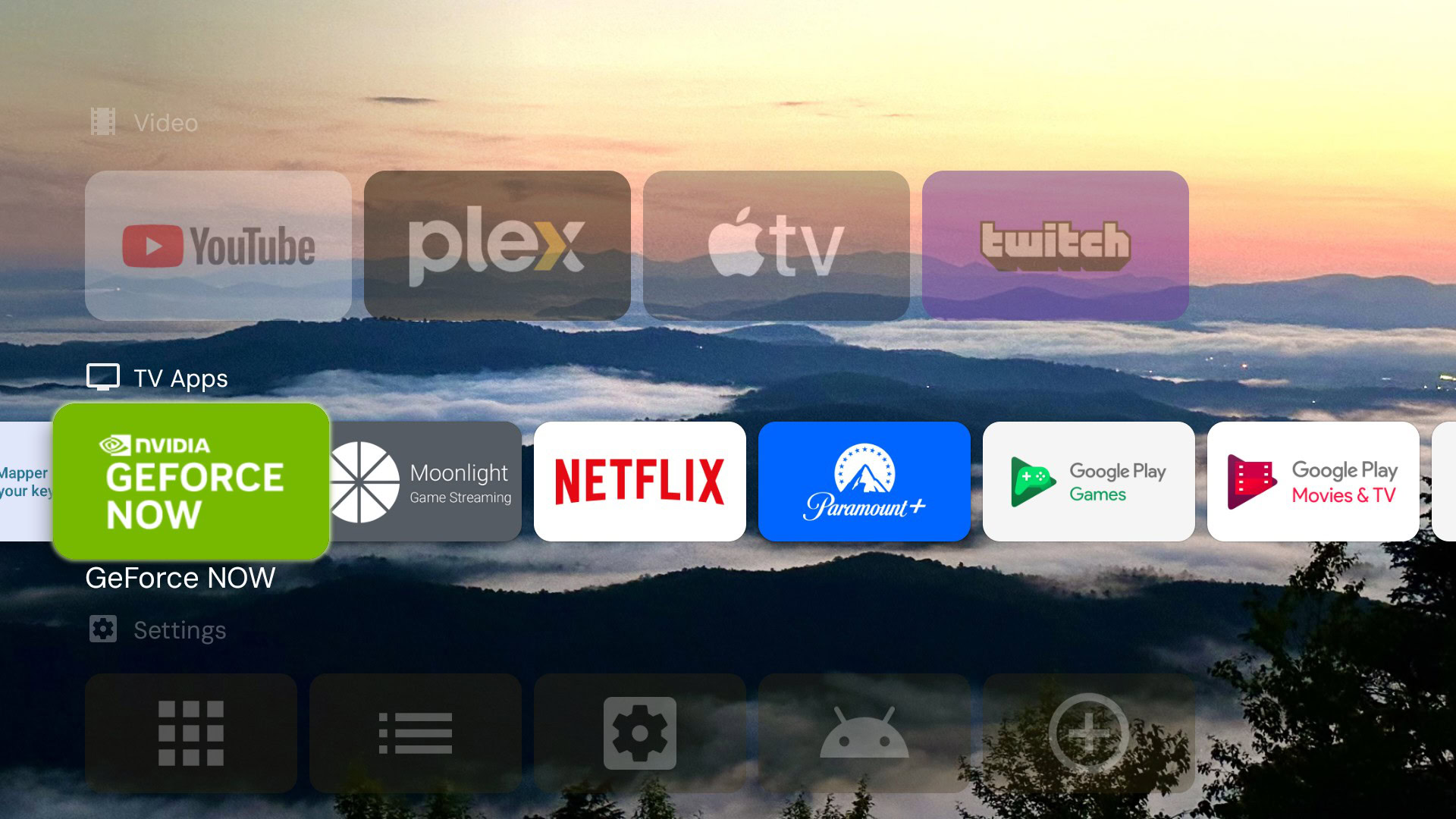
The primary appeal here is the Ad-Free Experience. Projectivy strips away every single recommendation row, leaving you with a clean, fast, and responsive interface. It does not just hide the ads; it replaces the entire home screen logic with something much more efficient. For those using the Google TV Streamer or the latest high-end panels, the speed difference is immediately noticeable. Navigation is snappy because the device is no longer constantly fetching large video previews and banner assets from Google's servers.
Deep Customization and Hardware Support
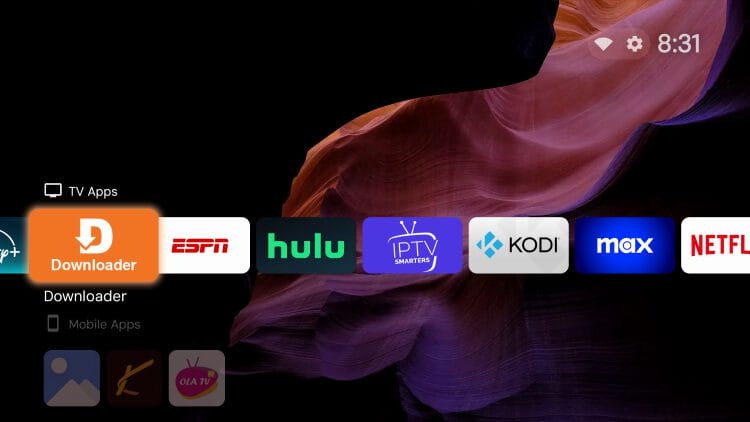
One of the most impressive features for hardware geeks like me is the level of icon and margin control. You can adjust the number of columns, the size of the cards, and even the transparency of the background. It also includes an "Auto-boot to app" feature, which is perfect for dedicated gaming setups or digital signage. If you want your TV to boot directly into a specific media center or a cloud gaming service, Projectivy handles it flawlessly.
The Launcher Override Advantage
Historically, setting a custom launcher as default on Android TV was a headache involving ADB commands or third-party mapping apps. Projectivy changed the game with its built-in override feature. It can detect when you press the home button and instantly redirect you to the custom interface, effectively acting as a permanent Google TV launcher replacement without needing to root your device. This makes it the most accessible high performance launcher for Nvidia Shield TV users who want maximum control with minimum friction.
2. AT4K & Arc Launcher: The Apple TV Experience on Android
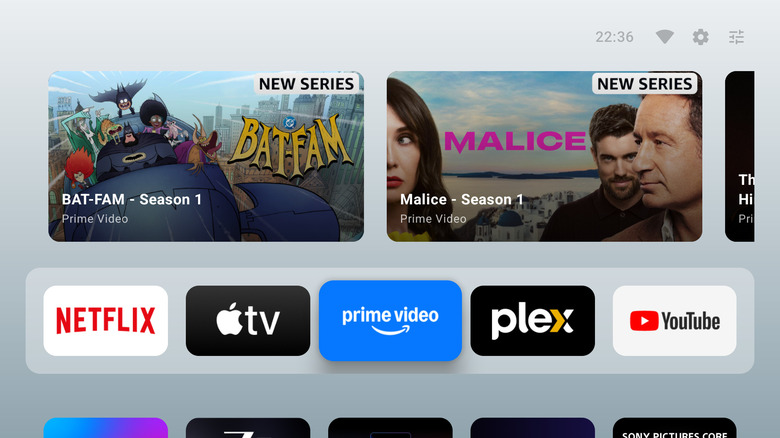
There is no denying that Apple’s tvOS is the gold standard for visual polish. It is clean, it is consistent, and it stays out of your way. If you love that aesthetic but prefer the flexibility of the Android ecosystem, the AT4K Launcher is your best bet. This launcher focuses on Visual Customization that mimics the premium grid-based layout found on high-end streaming hardware.
Cinematic Presentation
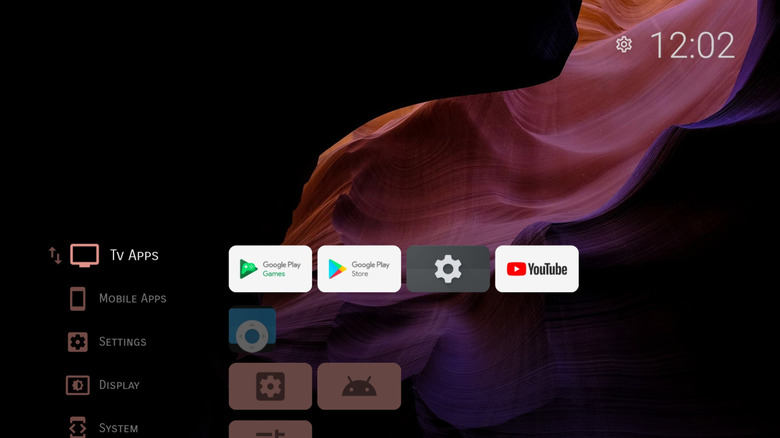
The AT4K Launcher excels at presenting your library in a way that feels intentional rather than cluttered. It supports a Watch Next row that actually integrates with your local media and supported streaming apps, providing a unified view of your ongoing shows. The use of App Categorization allows you to group your tools—separating your gaming apps from your streaming services—in a sleek, horizontal scrolling layout.
Arc Launcher: The Open-Source Alternative
For those who want a similar look but prefer a project with more community-driven roots, Arc Launcher is a strong contender. While Projectivy Launcher vs FLauncher comparison 2026 debates often focus on speed, Arc Launcher focuses on the "wow" factor. It uses blurred glass effects and dynamic backgrounds that make your TV feel like a piece of modern art. It is also particularly good for those who utilize APK Sideloading, as it offers a dedicated section for apps that do not natively support the Android TV Leanback Interface.
Balancing Design and Complexity
It is important to note that while AT4K provides a stunning look, setting it as your permanent home screen can be slightly more involved than with Projectivy. It often requires the use of a button mapping app to ensure the home button always returns you to the custom UI. However, for users who value aesthetics and a cohesive User Experience (UX), the extra five minutes of setup is a small price to pay for a premium, ad-free environment.
3. LTvLauncher: The Performance King for Budget Devices
Not everyone is running an Nvidia Shield or a thousand-dollar Sony OLED. Millions of users rely on affordable devices like the Onn 4K streaming puck or older Xiaomi boxes. On these machines, every megabyte of RAM counts. This is where LTvLauncher shines.
Lightweight and Open-Source
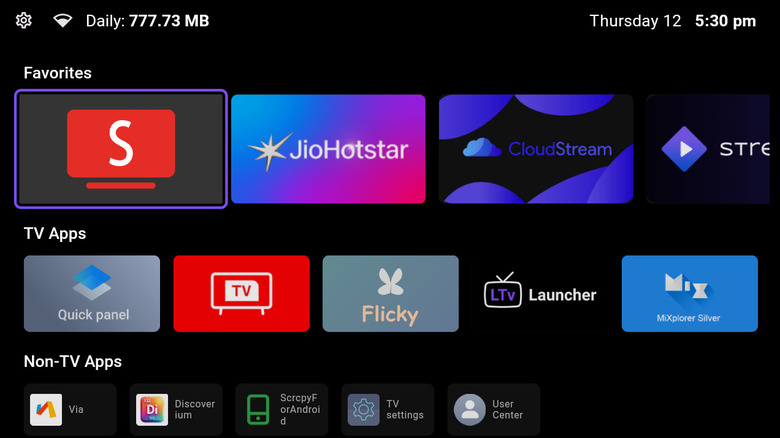
LTvLauncher is a specialized fork of FLauncher, which is an open-source Android TV launcher built using the Flutter framework. By using Flutter, the developers have created an interface that is exceptionally smooth even on hardware with limited processing power. It is a minimalist Android TV launcher for budget devices that skips the heavy animations and background processes in favor of raw speed.
Privacy and No Tracking
One of the biggest concerns with modern smart TVs is Privacy Protection. Most stock launchers are constantly reporting your viewing habits back to the manufacturer. Because LTvLauncher is open-source, it contains no tracking, no analytics, and no hidden data collection. It provides a pure, local-only interface that respects your digital footprint.
OLED Burn-In Protection
A unique value proposition of LTvLauncher is its specialized screensaver feature. If you have a high-end OLED panel, you know the fear of image retention or burn-in from static UI elements. LTvLauncher includes customizable screensavers and auto-hide features for its UI components, ensuring that your expensive panel stays protected during long periods of inactivity. It is the best Android TV launcher for sideloaded apps because it treats them exactly the same as official Store apps, giving them a clean, uniform look in your library.
Pro Tips: How to Set Your New Launcher as Default
Installing a new launcher is the easy part. Ensuring your TV stays on that launcher—especially after you press the home button on your remote—requires a bit of tactical setup. Unlike Android phones, Google TV does not always provide a simple "Set as Default" toggle in the settings menu.
Using Launcher Managers
The most straightforward method is to use a tool like Launcher Manager or Projectivy’s built-in override service. These apps monitor the system’s home button signals and "hijack" them to point toward your custom launcher. This is generally the safest method for most users as it does not require deep system modifications.
Remote Control Mapping
For a more robust solution, I highly recommend using an app called Button Mapper or tvQuickActions Pro. These tools allow for deep Remote Control Mapping. You can set a single press of the home button to open your custom launcher, a double press to open your settings, and a long press to open your favorite streaming app. This level of customization makes your TV feel far more personal and efficient.
Expert Tip: If you find that your device keeps reverting to the stock Google TV home screen, you may need to use ADB Debugging. By connecting your TV to a computer via your local network, you can run a command to "disable" the stock launcher package. This forces the system to use the only remaining launcher—your new custom one. Be cautious with this approach; always ensure your new launcher is fully installed and functional before disabling the system default.
FAQ
How do I change the default launcher on Android TV?
To change the default launcher, you first need to install a third-party option like Projectivy from the Play Store. Since Google often hides the default selection menu, you typically use the "Launcher Override" setting within the new app or a helper tool like Launcher Manager. For a permanent fix, some users use ADB commands to disable the stock com.google.android.apps.tv.launcher package, which forces the system to use your chosen replacement.
What is the best custom launcher for Android TV?
While "best" is subjective, Projectivy Launcher is widely considered the top choice in 2026. It strikes a perfect balance between being lightweight, highly customizable, and easy to set as the default. It offers an ad-free experience, supports high-resolution wallpapers, and provides granular control over row heights and icon sizes, making it suitable for everything from small monitors to 85-inch theater screens.
Can I use a third-party launcher on Google TV devices?
Yes, you can use third-party launchers on Google TV devices like the Chromecast or the Google TV Streamer. While Google has made it slightly more difficult to swap launchers compared to older versions of Android TV, tools like Projectivy and specialized button mapping apps make the process relatively straightforward. You do not need to root your device, though enabling Developer Options and USB Debugging is often required for the most stable setup.
Do third-party launchers make Android TV faster?
Third-party launchers can significantly make Android TV faster, especially on budget hardware. Stock launchers are often heavy, constantly loading advertisements, recommendations, and video previews in the background. A minimalist launcher reduces the CPU and RAM overhead, leaving more resources available for your actual streaming apps and games. This results in faster boot times and a more responsive interface with less input lag.
How to customize the home screen layout on Android TV?
To customize your layout, enter the settings menu of your chosen third-party launcher. Most high-quality options allow you to change the number of app columns, create custom categories (like "Gaming," "Movies," and "Tools"), and hide unwanted system apps. Some even allow for advanced visual tweaks like changing the shape of app icons or adding background transparency effects to create a more modern, cohesive look.