Our Top Picks
- Best Overall: InfoGraph by Amoled Watch Faces. A masterclass in data density that refuses to compromise on battery life.
- Best for Battery Life: Minimal Black v30. The gold standard for OLED optimization, perfect for those pushing their Galaxy Watch 8 to the multi-day limit.
- Best for Style: Typograph. Offers over 400 color combinations and a sophisticated analog aesthetic that makes a digital screen feel like a luxury timepiece.
- Best Free Platform: Facer. With access to over 100,000 designs, it remains the ultimate sandbox for variety and community-driven creativity.
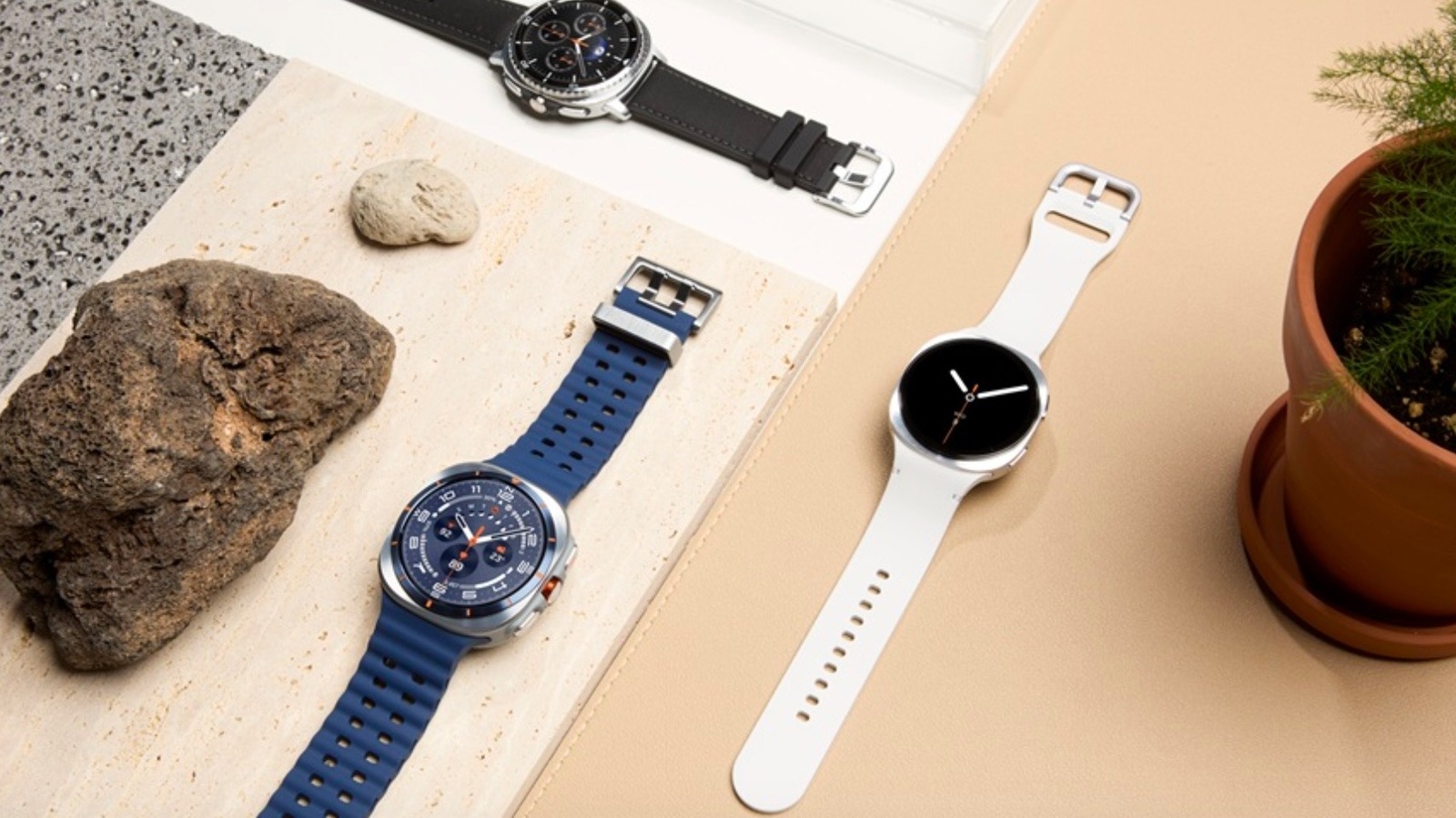
The best Galaxy Watch face apps in 2026 include InfoGraph by Amoled Watch Faces for data enthusiasts, Minimal Black v30 for those seeking simplicity, and Typograph for analog style. These third-party options leverage the Watch Face Format to ensure high performance, battery efficiency, and seamless integration with the latest Wear OS features. To maximize your experience, look for apps that prioritize the latest WFF standards to keep your sensors running accurately without draining your power.
Technical Evolution: Why WFF and API 30+ Matter in 2026
If you have been following my columns, you know I often talk about the invisible engine under the hood of your wearable. In 2026, that engine is the Watch Face Format (WFF). Developed by Google and Samsung, WFF has fundamentally changed how we think about third-party Wear OS watch face apps. In the older days of Wear OS, watch faces were essentially small apps running constantly in the background, which was a recipe for lag and battery drain.
By 2026, the Galaxy Watch 8 and Wear OS 6 have fully transitioned to API Level 30+ requirements. This means the watch faces you download from the Google Play Store today are no longer "running code" in the traditional sense. Instead, they provide a declarative XML file that the watch system itself renders. This shift drastically reduces power consumption because the watch chip can optimize the drawing of the watch face much more effectively.
When you are looking for the best Galaxy Watch face apps, checking for WFF compatibility is no longer just a "nice-to-have" feature; it is a necessity. Legacy faces designed for the old Tizen-based Galaxy Watch 3 or early Wear OS models simply cannot compete with the fluid animations and real-time sensor updates provided by the modern WFF standard.
Compatibility Table: Wear OS Generations
| Watch Model | OS Version | Recommended Standard |
|---|---|---|
| Galaxy Watch 4 / 5 / 6 | Wear OS 4 / 5 | API 30+ / Initial WFF |
| Galaxy Watch 7 | Wear OS 5 | WFF Optimized |
| Galaxy Watch 8 | Wear OS 6 | Mandatory WFF / High Performance |
| Legacy (Watch 3/Active 2) | Tizen | Not Compatible with Play Store |
Best Minimalist Wear OS Watch Faces for Battery Life
For many of us, the primary goal of a smartwatch is to stay on our wrist as long as possible. In my real-world usage tests, the difference between a flashy, poorly optimized face and a minimalist one can be as much as 10-15% of total battery life per day. This is where minimalist Wear OS watch faces shine.
Minimal Black v30
This is my go-to recommendation for anyone who wants a "set it and forget it" experience. Minimal Black v30 is built on the philosophy that less is more. It utilizes a true black background, which is critical for the Galaxy Watch’s OLED screen. Because OLED pixels are individually lit, a black pixel is effectively "off," drawing zero power.
- Why It's Notable: It features a hyper-efficient Always-On Display (AOD) mode that only lights up about 2% of the screen while still showing the time and two essential complications.
- Battery Impact: 1/5 (Minimal Impact)
Recreative Series
The Recreative collection offers a bit more flair while maintaining the efficiency of minimalist Wear OS watch faces. Their designs often use thin lines and vibrant but sparse colors to highlight information without overwhelming the processor.
- Why It's Notable: Their use of dynamic color themes allows you to match your watch face to your outfit or mood without diving deep into complex menus.
- Battery Impact: 2/5 (Low Impact)
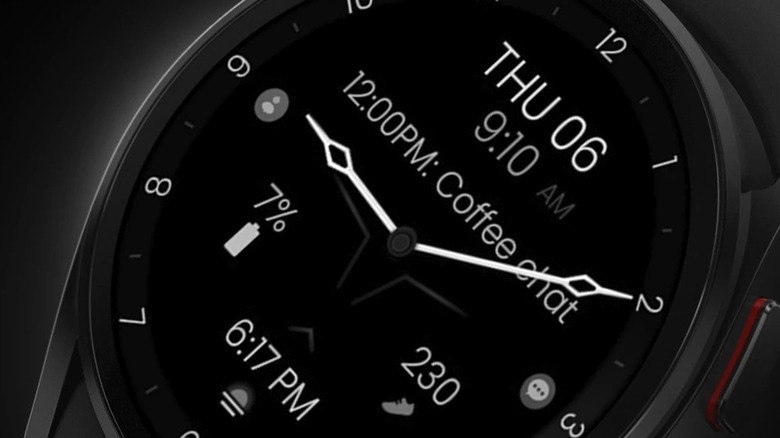
To maximize battery efficiency on a Samsung Galaxy Watch, users should prioritize minimalist watch faces with OLED-optimized black backgrounds and limited active complications. Modern apps built with the Watch Face Format (WFF) are specifically designed to reduce power consumption while maintaining essential features like Always-On Display and real-time sensor updates.
Data-Heavy Picks: Best Faces with Multiple Complications
On the other side of the spectrum, we have the "power users." These are the readers who want to see their heart rate, step count, weather forecast, next calendar event, and battery percentage all at a single glance. Providing this much data without making the screen look like a cluttered spreadsheet is a design challenge that only the best Galaxy Watch face apps have solved.
InfoGraph by Amoled Watch Faces
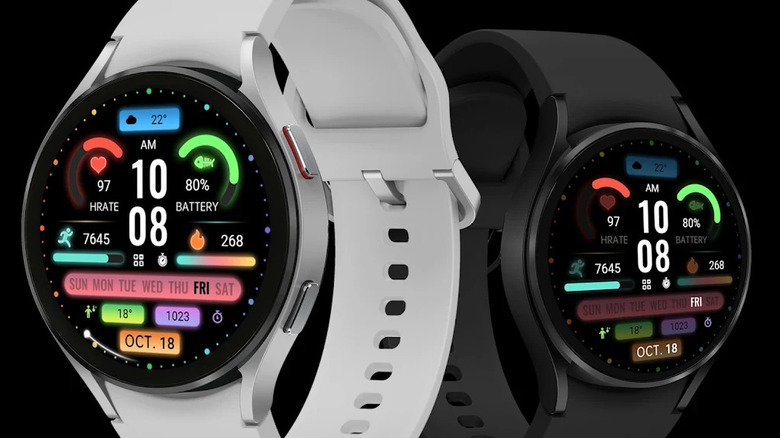
InfoGraph is arguably the most versatile face available in 2026. It offers up to 9 complication slots, yet somehow manages to remain readable. The developer has utilized the latest Samsung Health integration to ensure that data like your Body Composition or Sleep Score updates in near real-time without causing the UI to stutter.
- Why It's Notable: The curved complication slots follow the bezel of the watch, creating a professional, cockpit-like aesthetic that feels native to the Galaxy Watch 8 hardware.
- Battery Impact: 3.5/5 (Moderate Impact)
Health Dx
If fitness is your primary focus, Health Dx is a powerhouse. It prioritizes health-centric complication slots, making it easy to track your activity rings and heart rate zones during a workout. It also supports app shortcuts, allowing you to launch the Strava or Samsung Health app with a single tap on the screen.
- Why It's Notable: It includes a unique "activity progress" ring that changes color based on how close you are to your daily goals, providing visual motivation without needing to open any apps.
- Battery Impact: 3/5 (Moderate Impact)
Elegant & Analog: Top Styles for Galaxy Watch 8
Not every occasion calls for a digital readout or a step counter. When you are heading to a business meeting or a formal dinner, you want your Galaxy Watch to look like a high-end timepiece. The best analog watch face apps for Samsung Galaxy Watch 8 focus on depth, shadows, and digital typography that mimics physical watch hands.
Typograph
Typograph is a stunning example of how digital screens can replicate high-end horology. It focuses on bold numerals and elegant hand movements. One of my favorite Galaxy Watch face customization tips for this app is to play with the dynamic color themes. You can change the secondary accent colors to match your watch band, creating a unified, premium look.
- Why It's Notable: It offers over 400 color combinations and customizable font styles, ensuring that your watch doesn't look like anyone else's in the room.
- Battery Impact: 2.5/5 (Low-Moderate Impact)
Chronograph Pro
For those who love the classic "pilot watch" look, Chronograph Pro provides multiple sub-dials that can be mapped to different time zones or stopwatch functions. The aesthetic personalization here is top-tier, with options to change the texture of the dial to mimic brushed steel or carbon fiber.
- Why It's Notable: It perfectly balances the traditional chronograph style with the modern utility of complication slots for weather and battery.
- Battery Impact: 3/5 (Moderate Impact)
Customization options for Wear OS watch faces range from hundreds of color combinations and font styles to flexible complication slots for Samsung Health data. Highly customizable apps allow users to configure app shortcuts, dynamic themes, and specific layouts that balance aesthetic personalization with practical data delivery for fitness and productivity.
Best Free Samsung Galaxy Watch Face Apps 2026
You don't always have to spend money to get a high-quality look. The ecosystem for best free Samsung Galaxy Watch face apps 2026 has exploded in recent years. This growth is largely driven by the surge in Wear OS popularity. In fact, Wear OS devices represented approximately 28% of all global smartwatch shipments in 2025. This came after a massive 37% year-over-year sales increase between 2023 and 2024, creating a huge market for developers.
Facer Watch Faces
Facer remains the king of the freemium market. As of early 2026, the Facer Watch Faces platform provides access to more than 100,000 free and premium designs compatible with Samsung Galaxy and other Wear OS watches. While the app itself is free, it serves as a gateway to thousands of community-created faces.
- Why It's Notable: You can find everything from official movie tie-in faces to replicas of vintage Casio watches. It is the ultimate destination for variety.
- Battery Impact: 4/5 (Higher Impact due to the Facer engine running in the background)
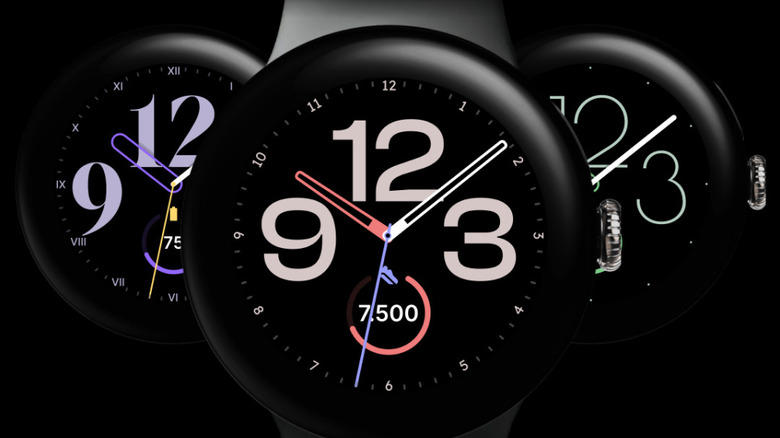
Google Pixel Watch Faces (Ported)
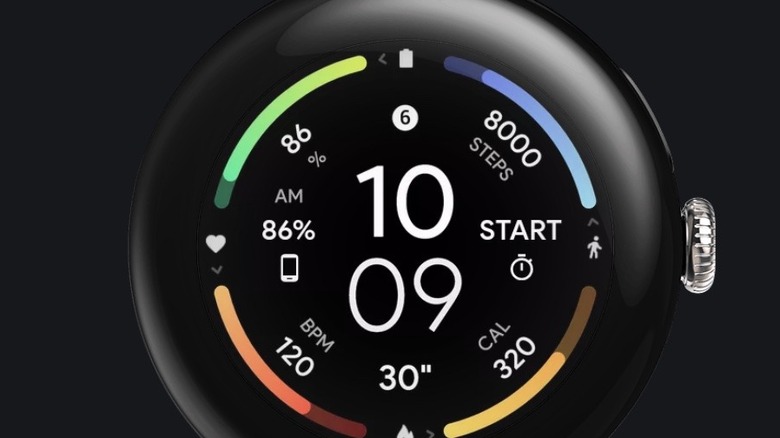
Many developers have successfully ported the clean, aesthetic faces from Google's own Pixel line to the Galaxy Watch. These are often free on the Google Play Store and offer a very polished, "stock" feel that complements the One UI Watch interface perfectly.
Troubleshooting & Customization Tips
Even the best third-party Wear OS watch face apps can occasionally run into glitches. If your new watch face isn't loading correctly or the complications aren't updating, here are some practical Galaxy Watch face customization tips to get things back on track.
- Clear the Cache: If a face is behaving strangely, go to your phone's settings, find the Galaxy Wearable app, and clear its cache. This often fixes syncing issues between the phone and the watch.
- Permissions are Key: Ensure you have granted the watch face permission to access "Sensors" and "Complications." Without these, your heart rate or weather data will simply show a dash.
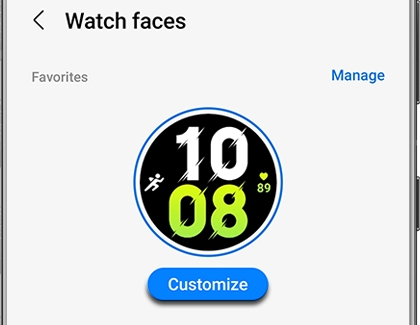
- Use the Phone App: While you can customize most faces directly on the watch, using the Galaxy Wearable app on your smartphone is much faster for complex layouts. It allows you to see all color options and complication choices on a larger screen.
- AOD Management: Always check how a watch face looks in Always-On Display mode. Some faces change significantly when the watch "sleeps," and you want to ensure the AOD version is still legible and efficient.
Whether you are looking for the best third-party Wear OS watch face apps 2026 to show off your new Galaxy Watch 8 or you just want a simple way to make your older Galaxy Watch 4 feel new again, the options have never been better. The shift to the Watch Face Format has ensured that we no longer have to choose between a beautiful design and a battery that lasts through the night.
I would love to see your current setups! Are you a minimalist, or do you prefer the data-heavy look of an InfoGraph? Share your favorite 2026 watch face configurations in the comments below.
FAQ
What is the best app for Samsung Galaxy Watch faces?
In 2026, the best app for overall utility is InfoGraph by Amoled Watch Faces due to its high customization and efficiency. For variety, Facer remains the top platform with over 100,000 designs available for Wear OS users.
Do custom watch faces drain battery faster?
It depends on how they are built. Watch faces using the modern Watch Face Format (WFF) are highly efficient and have a negligible impact on battery. However, older designs or faces with many bright, non-black pixels and constant animations can drain power more quickly.
Are there free watch face apps for Galaxy Watch?
Yes, there are thousands of high-quality free options on the Google Play Store. Many developers offer "Lite" versions of their premium faces for free, and platforms like Facer provide a massive library of community-created designs at no cost.
How do I get custom watch faces on my Galaxy Watch?
The easiest way is to browse the Google Play Store on your paired smartphone or directly on the watch. Once you download a face, you can apply and customize it using the Galaxy Wearable app on your phone or by long-pressing your current watch face.
Is Facer compatible with Samsung Galaxy Watch?
Yes, Facer is fully compatible with the Samsung Galaxy Watch 4 and all newer models, including the Galaxy Watch 7 and 8. It uses a companion app on the watch to deliver its vast library of designs to your wrist.