For years, the storage bottleneck was the single most frustrating aspect of PC ownership. You could have a lightning-fast CPU and a high-end GPU, but if your data was crawling off a mechanical hard drive or even a SATA-based SSD, the entire system felt sluggish. While modern motherboards come standard with multiple M.2 slots, millions of perfectly functional desktops from the last decade are left in the dark. If you find yourself staring at an empty PCIe slot and wondering how to add high-speed storage without upgrading your entire platform, there is a remarkably simple solution that costs less than a fast-food lunch.
Quick Facts
- Top Budget Pick: Glotrends PA09-HS ($9)
- Max Speed: Up to 7,400 MB/s (PCIe 4.0)
- Form Factor: Supports 2280 M.2 NVMe
- Compatibility: Windows 8/10/11 & macOS
- Interface: Requires PCIe x4, x8, or x16 slots
- Core Benefit: Adds NVMe speed to older motherboards or expands storage on modern builds without native M.2 slots left.
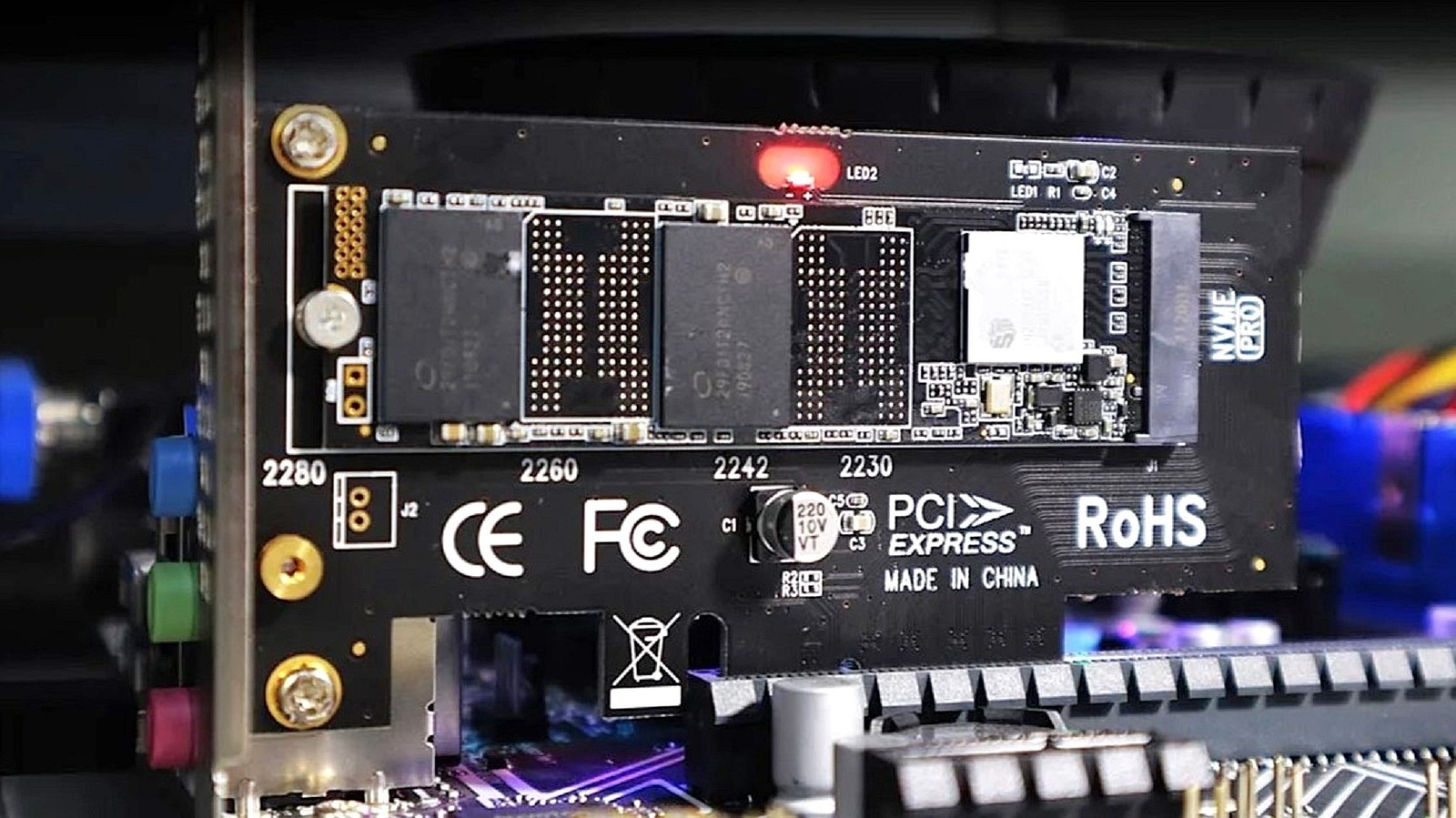
To add an M.2 NVMe SSD to a motherboard lacking a dedicated M.2 slot, use an M.2 PCIe adapter card to convert standard PCIe lanes into high-speed storage interfaces. These expansion cards install into standard PCIe x4, x8, or x16 slots, converting the interface to support M-key NVMe drives, allowing users to bypass motherboard storage limitations and utilize open PCIe lanes for high-speed data throughput.
The $9 Storage Miracle: Why the Glotrends PA09-HS Wins
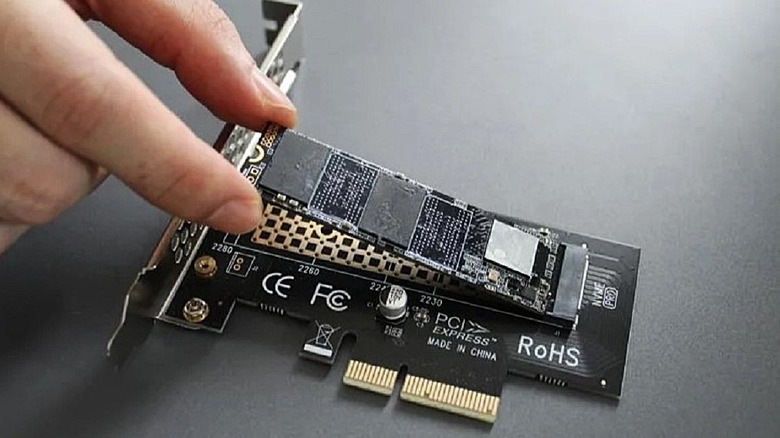
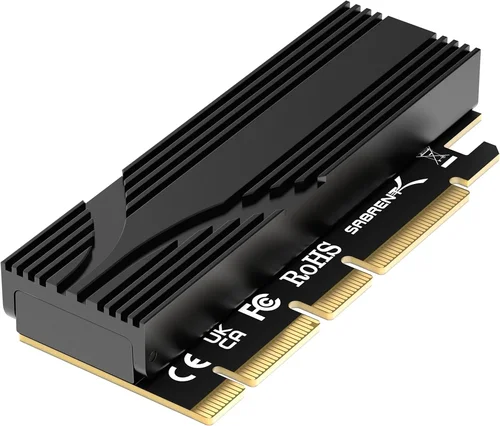
When you are looking for a budget value component, the goal is reliability and simplicity. The Glotrends PA09-HS has become a staple in the PC building community because it does exactly what it promises without any unnecessary flair. For $9, you are getting a well-constructed PCB (Printed Circuit Board) that serves as a bridge between your NVMe drive and your motherboard's PCIe bus.
Many builders are understandably skeptical about putting a $100 or $200 SSD into a $9 adapter. However, the technical reality is that an M.2 PCIe adapter is largely a passive component. Unlike a USB enclosure that requires a bridge chip to convert protocols, this adapter simply reroutes the traces from the M.2 connector to the PCIe pins. There is no controller to fail and no firmware to crash. As long as the physical connections are solid, your drive will perform exactly as if it were plugged directly into the motherboard.
The Glotrends model stands out in the crowded market of best $9 M.2 PCIe adapter for budget PC builds because of its attention to detail. It supports the standard 2280 form factor used by almost every consumer NVMe drive on the market. It is a plug-and-play solution that requires no drivers in modern operating systems, making it an essential tool for anyone hitting a storage bottleneck on an older system.
Technical Compatibility: Slots, Lanes, and Generations
Understanding M.2 NVMe adapter compatibility is crucial before you click "buy." The most common mistake I see is users trying to plug these cards into a PCIe x1 slot. While some adapters are physically designed for x1 slots, they will severely throttle your drive's performance. A standard NVMe SSD requires four PCIe lanes (x4) to run at full speed.
Most M.2 PCIe adapter cards are designed for x4 slots but are physically compatible with x8 and x16 slots as well. If you have an empty full-length GPU slot (x16), you can drop this tiny adapter right in. The motherboard will simply negotiate the connection to use the four lanes it needs.
We also need to discuss backward compatibility. PCIe generations are cross-compatible, but they are limited by the slowest link in the chain. If you put a Gen 4 drive into a Gen 3 motherboard using an M.2 PCIe adapter, you will be capped at Gen 3 speeds.
| PCIe Generation | Single Lane (x1) Bandwidth | Slot Configuration (x4) Bandwidth |
|---|---|---|
| PCIe 2.0 | 500 MB/s | 2,000 MB/s |
| PCIe 3.0 | 985 MB/s | 3,940 MB/s |
| PCIe 4.0 | 1,969 MB/s | 7,876 MB/s |
Another technical distinction to keep in mind is the M-key connector vs. the B-key connector. Modern NVMe drives use the M-key. Older SATA-based M.2 drives use the B-key or a combination B+M key. This $9 adapter is specifically an NVMe PCIe expansion card designed for M-key drives. It will not work with M.2 SATA drives, which require a different controller interface entirely.
Installation and Thermal Management
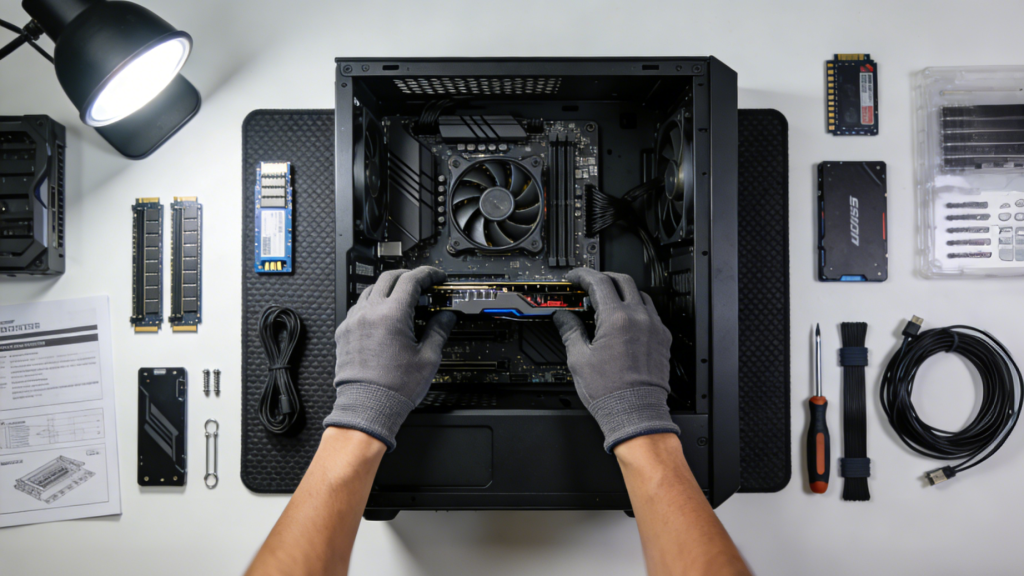
Installing an M.2 PCIe adapter is one of the easiest hardware upgrades you can perform. It typically involves three main steps:
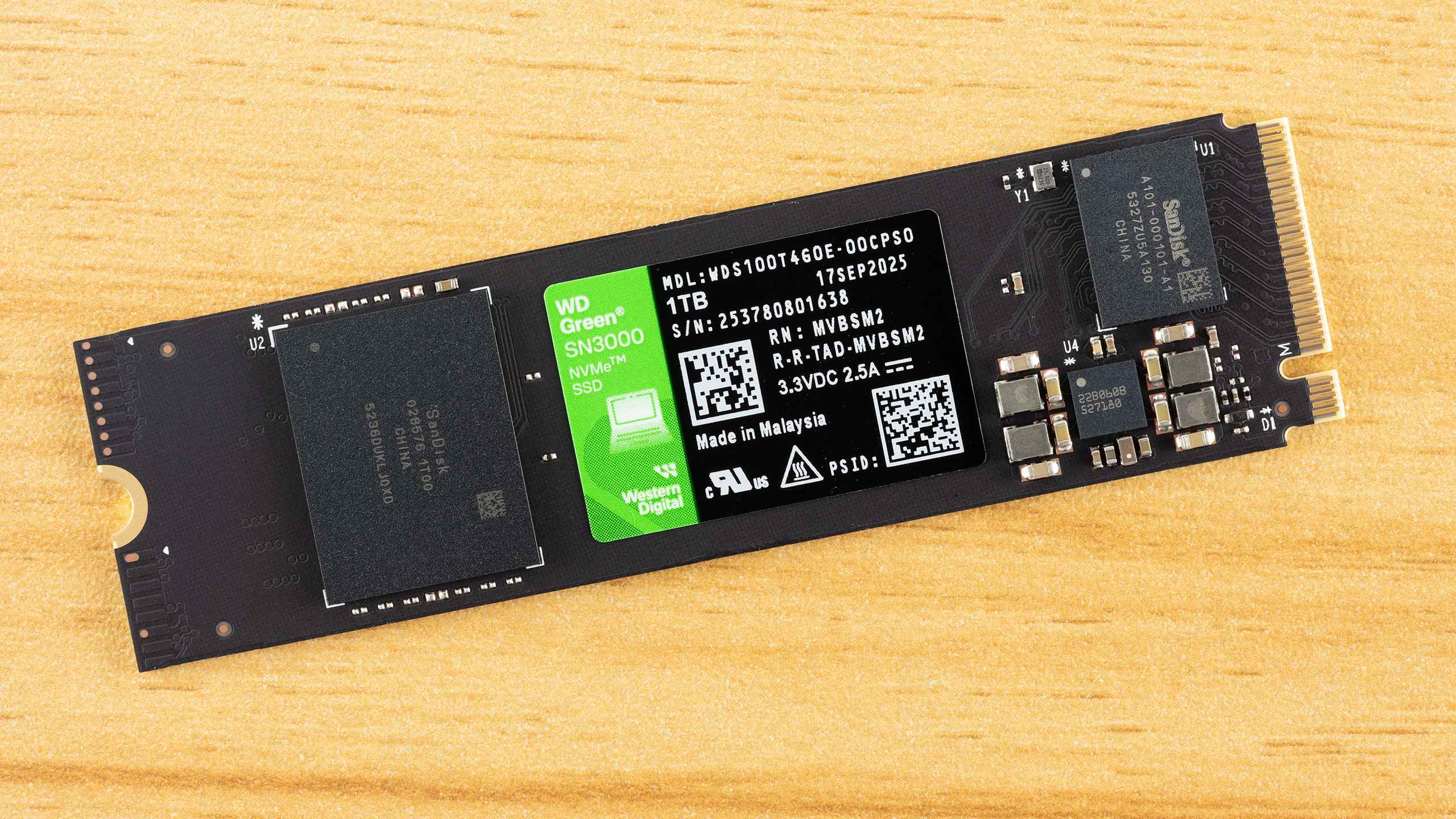
- Seating the Drive: Slide your NVMe SSD into the M.2 slot on the adapter at a slight angle, then press it down and secure it with the included screw.
- Applying Cooling: Most budget adapters come with a thermal pad and a thin aluminum heatsink. Peel the plastic off the thermal pad, place it on the SSD chips, and then strap the heatsink on top.
- Inserting the Card: Find an open PCIe x4, x8, or x16 slot on your motherboard, push the card in until it clicks, and secure the bracket to your case.
Don't skip the thermal management step. NVMe drives generate significant heat during sustained writes. If the controller on the drive gets too hot, it will trigger thermal throttling, slashing your transfer speeds to protect the hardware. While the $9 adapter includes a simple aluminum heatsink, it is surprisingly effective at keeping temperatures within the safe operating range for everyday tasks. If you are building a home server or a workstation that will be moving terabytes of data daily, you might consider a more robust cooling solution, but for 95% of users, the included kit is more than enough.
Advanced: Booting Windows from an Adapter on Legacy Systems
The "Holy Grail" for many budget builders is booting Windows from M.2 PCIe adapter on old motherboard hardware. If your motherboard was manufactured before 2015 (pre-Intel 6th Gen or early UEFI days), it likely doesn't have the NVMe driver in the BIOS. This means you can use the adapter for secondary storage in Windows, but the BIOS won't "see" the drive to start the operating system.
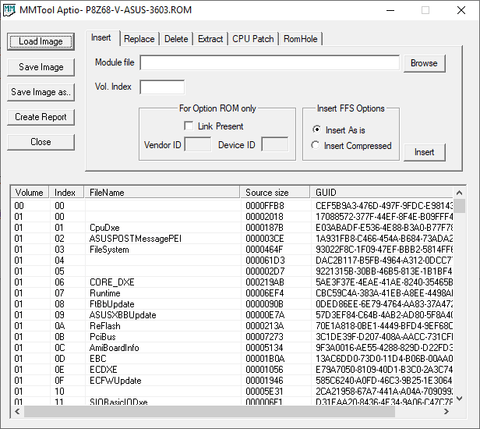
However, the PC community has developed workarounds. For those comfortable with technical modding, tools like MMTool can be used to inject NVMe modules into a legacy UEFI BIOS. Alternatively, software solutions like the Clover bootloader can be installed on a small USB drive to act as a "hand-off" mechanism, pointing the system toward the NVMe drive at startup.
If your system is relatively modern (Windows 10/11 era), you likely won't need any of this. Simply plug the drive in, and it should show up in your boot priority list. This makes system migration incredibly easy for those moving from a SATA SSD to a modern NVMe drive.
FAQ
What is an M.2 PCIe adapter used for?
An M.2 PCIe adapter is used to add NVMe SSD storage to a desktop computer that either lacks an integrated M.2 slot or has already used all its available onboard slots. It converts the PCIe lanes of an expansion slot into a compatible interface for high-speed M.2 drives.
Can I boot from an M.2 SSD using a PCIe adapter?
Yes, on most modern motherboards (roughly 2015 and newer), the UEFI BIOS will recognize the adapter and allow it to be a bootable device. On older legacy motherboards, you may need a BIOS mod or a specialized bootloader like Clover to boot an operating system from the drive.
Do M.2 PCIe adapters reduce SSD speed?
Generally, no. Because these adapters are passive, they do not reduce speed as long as the adapter, the PCIe slot, and the CPU all support the required PCIe generation and lane count (typically x4). However, if you put a Gen 4 drive into a Gen 3 slot, the speed will be limited by the slot's bandwidth.
Will an M.2 PCIe adapter work in any motherboard slot?
It will physically fit and work in any PCIe x4, x8, or x16 slot. It will also technically fit into an x1 slot if the slot is "open-ended," but the performance will be significantly reduced to roughly 25% of the drive's potential speed.
Do I need drivers for an M.2 PCIe adapter?
No additional drivers are needed for the adapter itself, as it is a passive hardware pass-through. Most modern operating systems like Windows 10, Windows 11, and recent versions of macOS have native NVMe drivers that will recognize the SSD immediately.
Final Verdict
In the world of PC hardware, we are often told that "you get what you pay for." Usually, that's true. But the $9 M.2 PCIe adapter is one of those rare exceptions where the budget entry is just as effective as the "premium" version. It solves a specific, common problem—the storage bottleneck—with zero fuss and maximum performance.
Whether you are trying to squeeze a few more years of life out of a trusty old workstation or you've simply run out of room on your new Z790 motherboard, this small piece of hardware is the ultimate value upgrade. It’s cheap, it’s fast, and it works. For less than $10, it's a no-brainer addition to any PC builder's toolkit.