Quick Facts
- Minimum OS: Android 9.0 Pie is now required as of the Android Auto 15.5 update.
- Affected Devices: Smartphones running Android 8.0 Oreo or Android 8.1 no longer receive software updates or bug fixes.
- Service Cutoff: Google has officially ended support for legacy hardware, with full service termination for older versions expected by Summer 2026.
- Wired vs. Wireless: Android 9.0 is the floor for wired connections; wireless projection requires Android 11.0 or higher.
- Primary Reason: Integration of Gemini AI and shifting the service from a standalone app to a system-level component.
- User Action: Check your current OS version immediately by navigating to Settings and then About Phone.
Android Auto now requires a smartphone running at least Android 9.0 Pie for the latest software versions, including the 15.5 update. If your connection has stopped working or the app refuses to update, your device may no longer meet the updated Android Auto requirements.
The Android 9.0 Mandate: Why Your Old Phone Stopped Working
For several years, users with older devices running Android 8.0 Oreo enjoyed a stable, if slightly slower, in-car experience. However, the release of the Android Auto 15.5 update has officially moved the goalposts. Google has decided that to maintain the security, performance, and feature set of modern infotainment systems, Android 9.0 mandate for Android Auto functionality must be enforced.
The shift is not just about choosing an arbitrary number. Technically, the firmware lifecycle of Android 8.0 has reached its natural end for high-bandwidth applications. According to data from May 2024, approximately 5.8% of active Android devices were still running Android 8.0, which previously served as the platform's minimum requirement. By cutting off these legacy systems, Google can streamline development and focus on modern architecture.
A significant technical driver for this change is how the software is built. On older versions of the mobile OS, the interface functioned as a standalone app you had to download from the Play Store. Starting with Android 9.0, Google integrated the service directly into the operating system. This move, as noted by zdnet.com, allows for better stability and deeper system-level permissions that older phones simply cannot handle.
Is My Phone Still Compatible? How to Check
If you have noticed that your in-car interface has become buggy or won't launch at all, your first step should be a compatibility check. Many users are surprised to find that while their phone feels modern, the underlying software is several years old. This is particularly common with mid-range devices from 2017 or 2018 that may have never received a major OS update.
To verify your status and see if you meet the Android version requirements for Android Auto, follow these steps:
- Open your phone Settings app.
- Scroll to the bottom and select About Phone or Software Information.
- Look for the Android Version entry.
- If your version is 8.0 or 8.1, you are now below the minimum requirements.
- If your version is 9.0 or higher, you are safe for the current update cycle.
The impact of this deprecation is being felt by millions, as 9to5google.com reported that the 15.5 update is the specific cutoff point. If you are stuck on Android 8.1, you will likely see a message stating that your phone is no longer supported, or the Play Store will simply stop offering updates for the app. While some users might try to side-load older APK versions, this is a temporary fix that lacks critical security patches and will eventually stop communicating with Google servers entirely.
The Gemini Factor: Why AI is Driving the Hardware Upgrade
You might wonder why a navigation and music app needs such modern software. The answer lies in the massive push toward artificial intelligence. Google is currently transitioning from the classic Google Assistant to Gemini, its more powerful AI model. This integration requires significant processing power and specific system hooks that only exist in more recent versions of Android Pie and beyond.
Maintaining Android Auto 15.5 update compatibility means ensuring the phone can handle complex tasks like AI-generated message summaries, more natural voice interactions, and advanced predictive navigation. Older phones running Android Oreo lack the necessary Google Play Services updates to run these features smoothly. By mandating Android 9.0, Google ensures that the hardware can support the increased RAM and CPU demands of an AI-integrated car experience.
Staying on an unsupported version like v15.4 might work for a few weeks, but you will be blocked from these upcoming features. Eventually, the server-side handshake will fail, leaving your infotainment head unit empty. Keeping Android Auto running on older Android versions is becoming a losing battle as the software moves toward a more unified, AI-centric future.
Tiered Requirements: Wired, Wireless, and In-Car Gaming
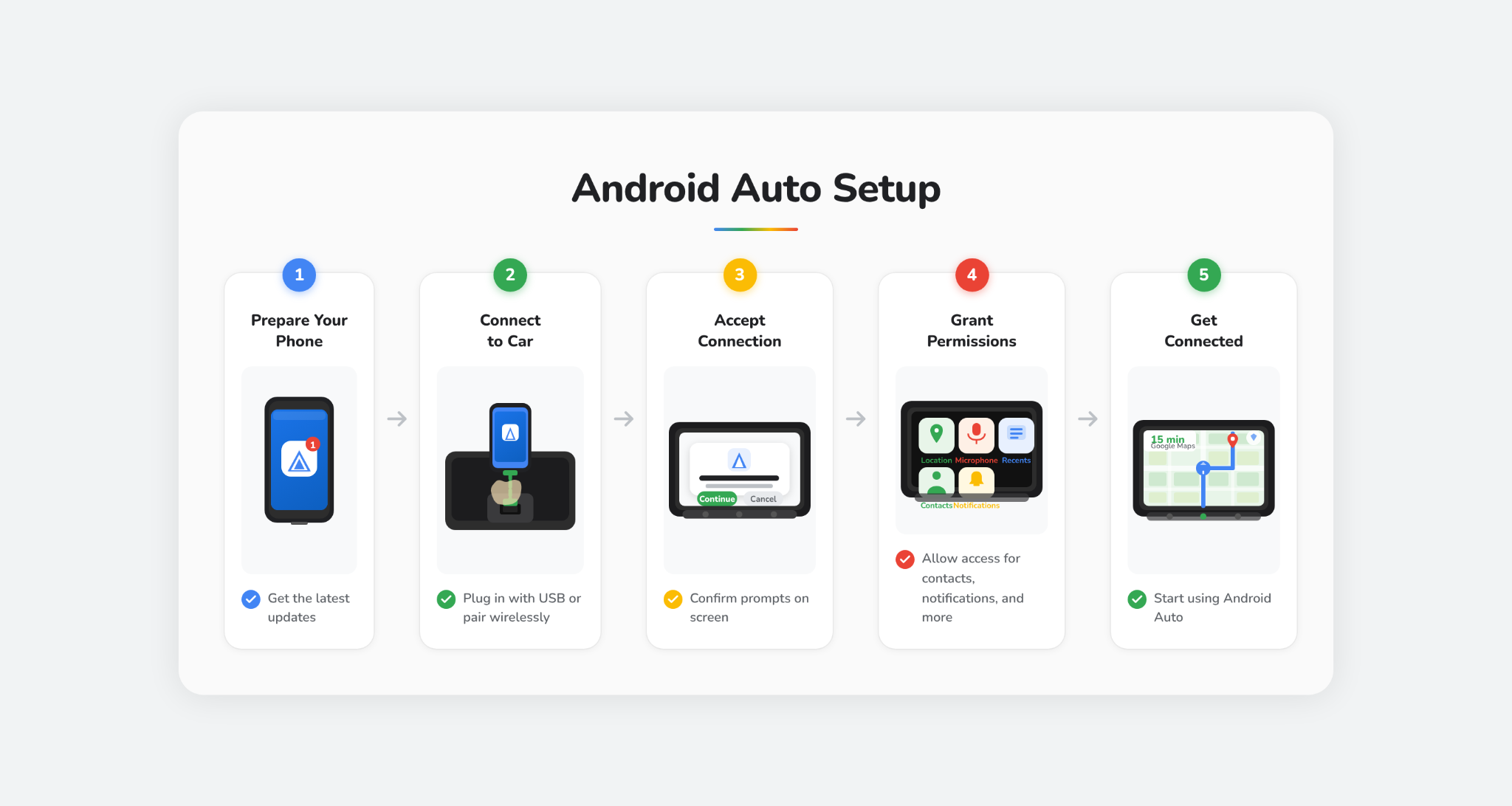
It is important to understand that there isn't just one single requirement for every feature. The Android Auto requirements depend heavily on how you connect to your car and what features you intend to use. While Android 9.0 is the absolute floor for a basic wired connection, other features demand much more from your hardware.
The following table breaks down the current hardware and software landscape for 2024 and beyond:
| Feature | Minimum Android Version | Hardware Requirement |
|---|---|---|
| Wired Connection | Android 9.0 | High-quality USB cable |
| Wireless Projection | Android 11.0 | 5GHz Wi-Fi support |
| Google Gemini AI | Android 10.0+ | Modern Google Play Services |
| In-Car Gaming/Video | Android 15.0 | High-performance chipset |
| Basic Messaging | Android 9.0 | Active data connection |
If you are using an older device and wondering why did Android Auto stop working on my Android 8 phone, the table above shows that you are now two generations behind the bare minimum for even a basic wired connection. For those looking for the best experience, including wireless Android Auto, moving to a device that supports Android 11 or higher is the only way to ensure stability and firmware lifecycle longevity.
Troubleshooting and Next Steps: Update or Upgrade?
If you find yourself on the wrong side of the Android 9.0 mandate for Android Auto, you have a few options to consider. Before you rush out to buy a new phone, perform a final check for any available system updates. Some manufacturers released late-cycle updates for older phones that might bring you from Android 8.1 up to 9.0.
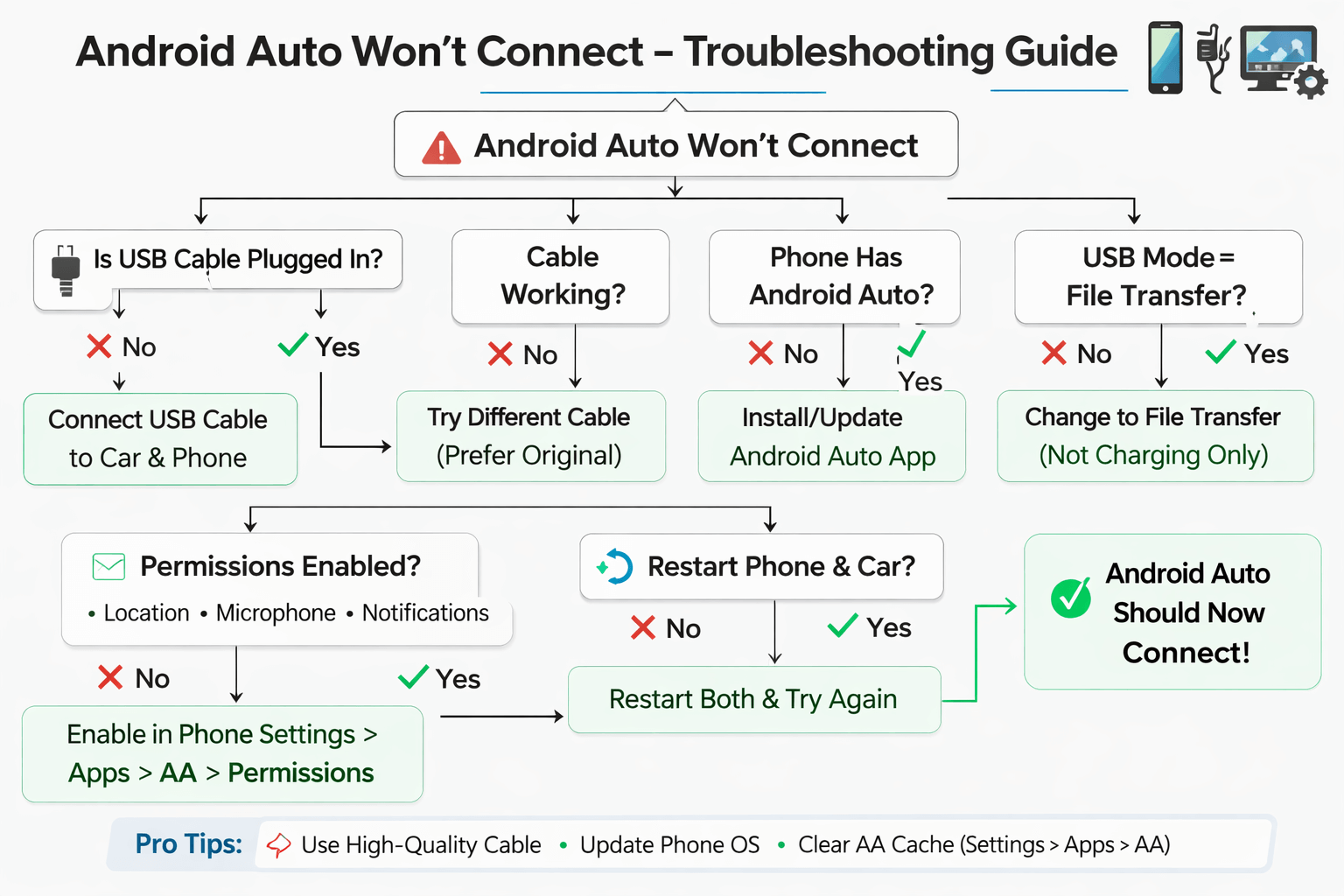
If no updates are available, here is a quick troubleshooting guide:
- Check for System Updates: Go to Settings > System > System Update. If an update to Pie (9.0) is available, install it immediately.
- Verify Cable Integrity: Sometimes a connection failure is just a bad cable. However, if the phone says "Device not compatible," the cable isn't the issue.
- Clear Cache: If you are on Android 9.0 or higher but still having trouble, try clearing the cache for both the Google app and the Android Auto system service.
- Evaluate Your Hardware: If your phone is physically incapable of running Android 9.0, it is time to look for a replacement.
Choosing a new phone for Android Auto support doesn't mean you need a thousand-dollar flagship. Even entry-level phones from the last two years ship with Android 13 or 14, which will keep you compatible for several more years. When shopping, prioritize devices with at least 6GB of RAM to ensure the interface remains fluid and responsive during navigation.
FAQ
What version of Android is needed for Android Auto?
To use the latest version of the platform, including the 15.5 update, you must have a smartphone running Android 9.0 Pie or higher. Older versions like Android 8.0 and 8.1 are no longer supported for new updates.
What are the minimum requirements for Android Auto?
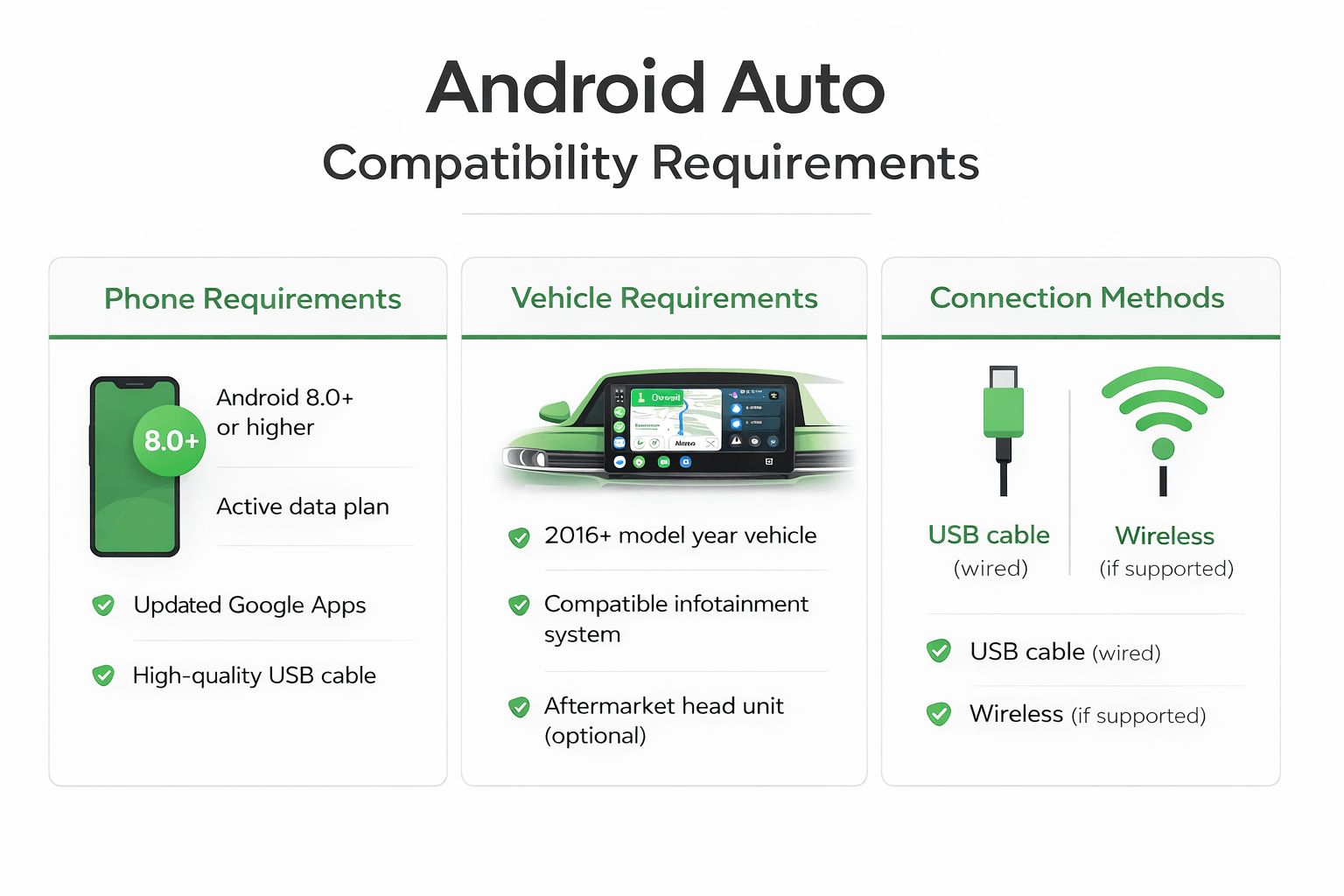
The minimum system requirements include a phone running Android 9.0 or higher, an active data plan, and a compatible car or aftermarket head unit. For wireless use, the requirements increase to Android 11.0 or higher.
What phone hardware is needed for Android Auto?
Beyond the operating system, your phone needs a stable GPS connection, a functional USB port (for wired use), and enough processing power to handle simultaneous navigation and media streaming. Google recommends using the original USB cable that came with your device.
What are the requirements for wireless Android Auto?
Wireless projection requires a phone with 5GHz Wi-Fi support and Android 11.0 or higher. Some Google and Samsung flagship phones can support wireless on Android 10.0, but Android 11.0 is the standard for most brands.
Can I use Android Auto on my phone screen?
No, the standalone phone screen version of the app was deprecated several years ago. You must connect your phone to a compatible vehicle display to use the interface. For use on the phone itself, Google suggests using the Google Assistant Driving Mode.
Do I need a high-quality USB cable for Android Auto?
Yes, a high-quality, data-capable USB cable is essential. Many charging-only cables or low-quality third-party cables will cause frequent disconnects or prevent the system from launching entirely, even if your phone meets all other requirements.