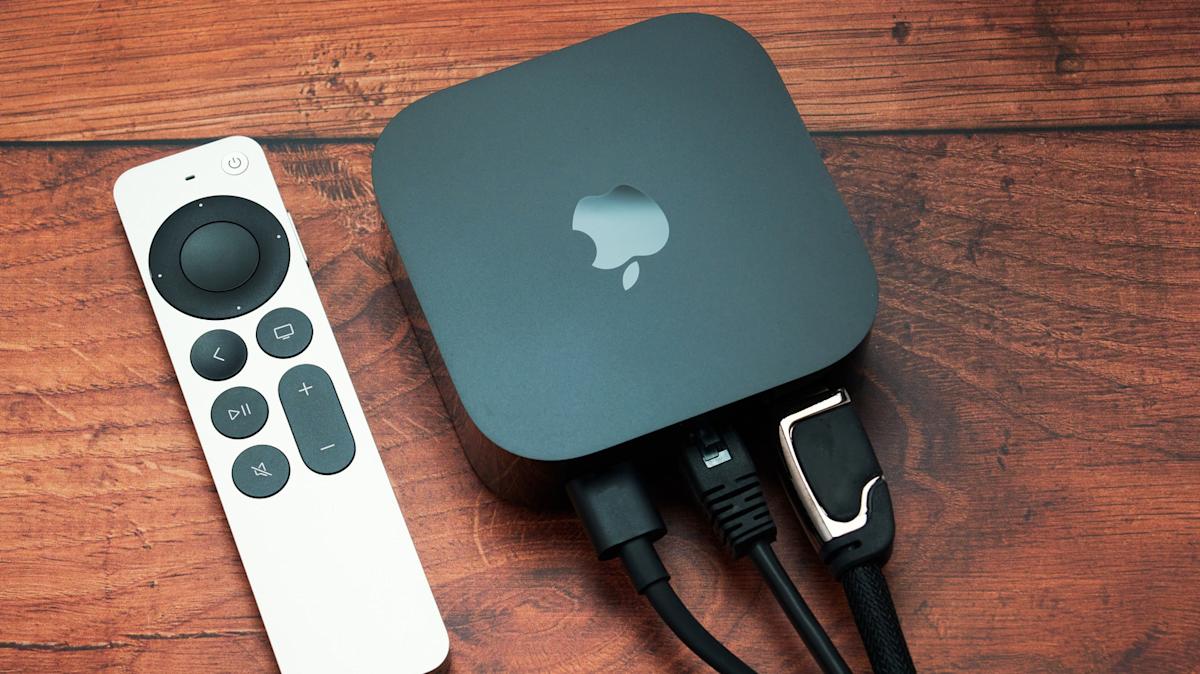
Quick Facts
- Direct Answer: Official support for powering an Apple TV 4K via a TV USB port does not exist because the console requires a dedicated AC wall outlet.
- Wattage Gap: Most televisions offer only 2.5W to 4.5W through USB, while the Apple TV 4K requires a stable supply of approximately 13W.
- Power Source: The device is engineered for 100V-240V AC input, utilizing a standard AC power cord.
- Key Component: An internal power supply unit is built into the chassis to handle high-performance processing.
- Remote Charging: The USB-C port found on the Siri Remote is for charging the remote only and cannot power the console.
- Performance Risk: Insufficient power delivery leads to system crashes, boot loops, and poor 4K HDR streaming quality.
The reality of Apple TV USB power is that you cannot officially power an Apple TV 4K using a standard TV USB port. Because the device features a high-performance internal power supply unit designed for AC power from a wall outlet, it demands significantly more energy than a typical television USB port can provide.
The Electrical Math: Apple TV Wattage vs TV USB Output
When we talk about smart home integration, reliability is the most important factor. To understand why a simple USB cable won't cut it, we have to look at the numbers. Most people assume that since a Fire TV Stick or a Chromecast can run off a TV port, an Apple TV should be able to do the same. However, the electrical requirements are worlds apart.
Standard television USB 2.0 and USB 3.0 ports typically provide only 2.5 watts and 4.5 watts of power output respectively, which is insufficient to satisfy the power demands of Apple TV devices. In contrast, the Apple TV 4K is a much more powerful computer. While it is true that the 2022 Apple TV 4K consumes approximately 2.3 watts during 4K HDR streaming, this figure only represents a steady state. During system startup, app switching, or intensive gaming, the wattage spikes significantly.
The Apple TV 4K features an internal power supply unit designed to convert 100-240V AC power into approximately 13 watts of DC power to support its processing and hardware requirements. When you attempt to bridge this Apple TV wattage vs TV USB output gap with a simple adapter, you encounter voltage regulation issues. If the hardware tries to pull 13W from a port capped at 4.5W, the voltage drops, leading to an immediate system crash or a persistent insufficient power warning on your screen. This discrepancy is why Apple TV 4K power requirements 2026 will likely continue to favor wall sockets over low-power USB alternatives.
| Device Type | Power Source | Typical Wattage |
|---|---|---|
| Fire TV Stick 4K | USB Port or Wall | 5W |
| Chromecast with Google TV | USB Port or Wall | 7.5W |
| Apple TV 4K (Current) | Wall Outlet Only | 13W |
| High-End Gaming Console | Wall Outlet Only | 150W+ |
Hardware Architecture: The Internal Power Supply Unit
One of the reasons the Apple TV 4K is larger than a standard streaming stick is its internal power supply unit. Unlike smaller competitors that use an external "wall wart" or rely on USB DC power, Apple integrates the power conversion hardware directly into the box. This design allows the device to handle a wide range of global voltages, specifically 100V to 240V AC.
This internal PSU is necessary because of the A15 Bionic energy consumption profile. This chip is a powerhouse, the same silicon found in iPhones, and it needs a consistent, high-amperage draw to maintain the high frame rates required for 4K Dolby Vision and Atmos. When the processor scales up its clock speed to load a heavy app or render a complex interface, the instantaneous power draw is something a standard USB 3.0 power limitations simply cannot accommodate.
By including the internal power supply unit, Apple ensures that the device has enough overhead to handle any task without thermal throttling or power-related lag. This is a deliberate architectural choice to provide a premium, "instant-on" experience. If you were to bypass this and use a lower power source, you would essentially be starving the A15 Bionic chip of the energy it needs to function. This is fundamentally why apple tv doesn't use usb power as its primary input method.
The USB-C Confusion: Siri Remote vs. Console
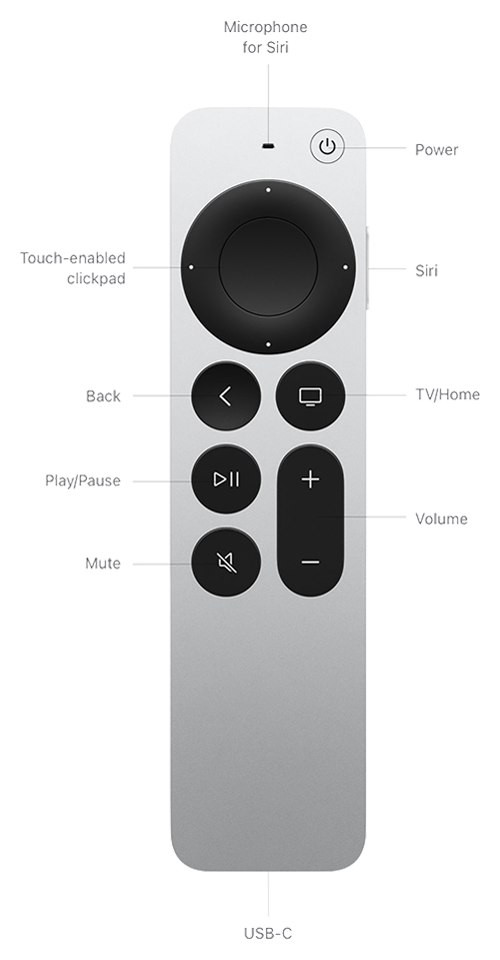
A common point of confusion for new users is the presence of a USB-C port on the Siri Remote. Many people see that port and assume the console itself can also be powered or charged via a similar interface. It is important to clarify that the Siri Remote USB-C charging is a low-power operation intended only to refill a small internal battery.
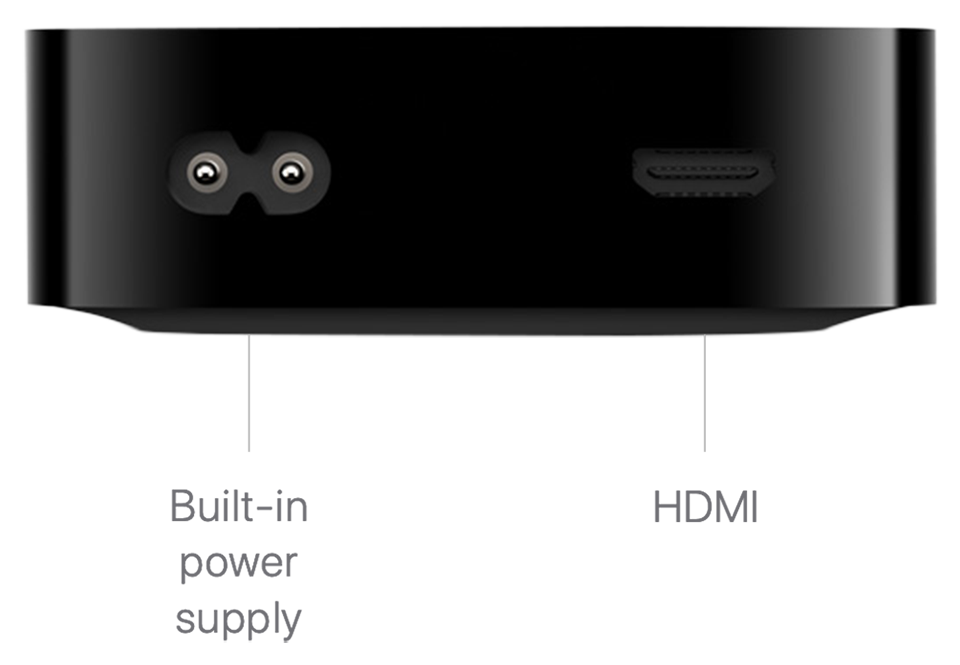
The console itself does not have a USB-C or USB-A port for power input. Instead, it uses a specialized Apple TV power adapter cable that connects via a barrel connector plug on the back of the unit. This connection is designed specifically for high-voltage Alternating Current. There is no data transfer or power input capability on the console through any form of USB, which is a major shift from earlier generations (like the Apple TV 4th Gen) which featured a USB-C port strictly for service and diagnostic purposes.
Pro-Tip: If you are looking at the back of your Apple TV and see a small, round two-prong port, that is your AC input. Do not attempt to force a USB-C cable into any part of the console; the only USB-C port in your Apple TV box is on the bottom of the remote control.
Third-Party Workarounds: Mission Cables USB Power Cable Review
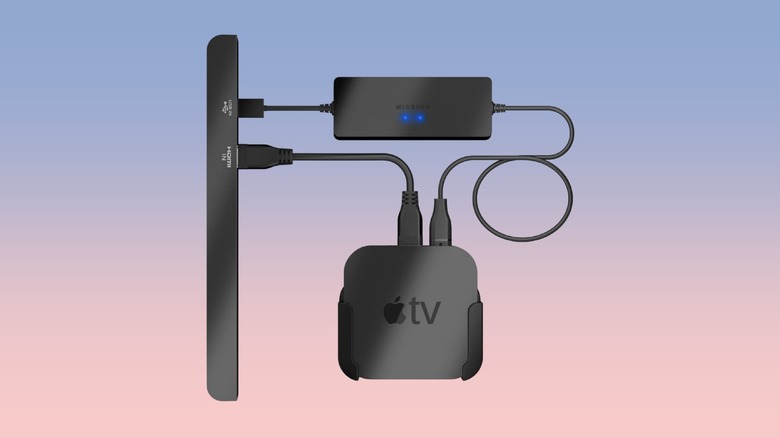
Despite Apple's official stance, the market has produced workarounds. The most notable is the Mission Cables USB Power Cable for Apple TV. This accessory claims to allow you to power your Apple TV directly from your TV's USB port. But how does it work if we’ve already established that the wattage is too low?
The Mission Cables solution utilizes an external battery buffer. The cable draws power from the TV's USB port at a slow, steady rate and stores it in a small integrated battery. When the Apple TV needs a burst of energy (like during startup or streaming), it pulls that energy from the battery rather than the TV port.
While this sounds like an elegant solution for home theater cable management, it comes with significant caveats:
- Reliability Issues: If you watch content for several hours straight, the Apple TV may consume energy faster than the USB port can recharge the internal battery, leading to a sudden shutdown.
- Hardware Longevity: Constantly cycling a small battery under high heat (the back of a TV is a warm environment) can lead to premature failure.
- Amperage Draw: Drawing the maximum possible current from a TV's USB port for extended periods can, in rare cases, stress the TV's internal power supply circuitry.
Many users report high return rates and "insufficient power" warnings even with these cables. For a device as expensive as an Apple TV 4K, the safety risks and potential for system instability usually outweigh the benefit of hiding one extra wire.
Better Alternatives for Wall Mounting
If your primary motivation for powering Apple TV from TV USB is to achieve a clean, wire-free look for a wall-mounted television, there are safer and more professional ways to achieve this without compromising voltage regulation.
Instead of looking for an Apple TV power adapter cable that plugs into a USB port, consider these apple tv 4k power cable alternatives for wall mounting:
- Recessed Wall Outlets: You can install a recessed "clock" outlet behind your TV. This provides a standard wall socket power connection that sits flush inside the wall, allowing the Apple TV and its AC cord to be hidden completely behind the screen.
- Specialized Mounting Brackets: Companies like TotalMount offer brackets that clip the Apple TV to the back of your television. You can then use short, 1-foot AC power cords to minimize clutter without resorting to dangerous USB workarounds.
- In-Wall Cable Management Kits: These kits allow you to run the official power cord through the wall safely (provided the cable is CL2 or CL3 rated for in-wall use) to an outlet hidden in a cabinet below.
By sticking to wall socket power, you ensure that your A15 Bionic energy consumption needs are met and that your device remains eligible for warranty support. As we look toward future energy efficiency standards, it is always better to provide the hardware with the direct AC connection it was engineered to use.
FAQ
Can Apple TV be powered by a TV USB port?
No, the Apple TV 4K cannot be officially powered by a TV USB port. The device requires an AC wall outlet because its power demands (up to 13W) far exceed the 2.5W to 4.5W output of standard TV USB ports.
How many watts does Apple TV need to operate?
While the 2022 Apple TV 4K averages around 2.3 watts during streaming, it requires a power supply capable of delivering approximately 13 watts to handle peak loads during startup, app loading, and high-end gaming.
Is there a USB to power cable for Apple TV?
There are no official USB to power cables. Third-party options like Mission Cables exist, which use an integrated battery buffer to store power from a USB port, but these are not supported by Apple and can be unreliable for long-term use.
What is the purpose of the USB port on the back of Apple TV?
Current models of the Apple TV 4K do not have a USB port on the back of the console. Older models like the Apple TV HD (4th Gen) had a USB-C port, but it was intended only for service, diagnostics, and connecting to a computer for software restores, not for powering the device.
Can I use a USB-C charger for my Apple TV?
No, you cannot use a USB-C charger for the Apple TV console. The console uses a dedicated AC power inlet. The only part of the Apple TV ecosystem that uses a USB-C charger is the Siri Remote for its internal battery.
In summary, while the dream of a single-cable setup is tempting, the physics and hardware design of the Apple TV 4K make a wall outlet mandatory. To protect your investment and ensure a seamless 4K HDR experience, always stick to the power source the engineers intended.