Quick Facts
- Location: The sensor is integrated directly into the front-facing bind button.
- Material: Crafted from specialized translucent plastic that permits infrared signals while appearing opaque.
- Legacy Support: Fully compatible with existing Xbox One media remotes and third-party infrared accessories.
- Media Navigation: Enables seamless control for Blu-ray playback and streaming apps like Netflix without a controller.
- Smart Integration: Supports high-end universal remotes including the Logitech Harmony series.
- Official Confirmation: The hardware feature was verified by Larry Hryb to ensure accessory backward compatibility.
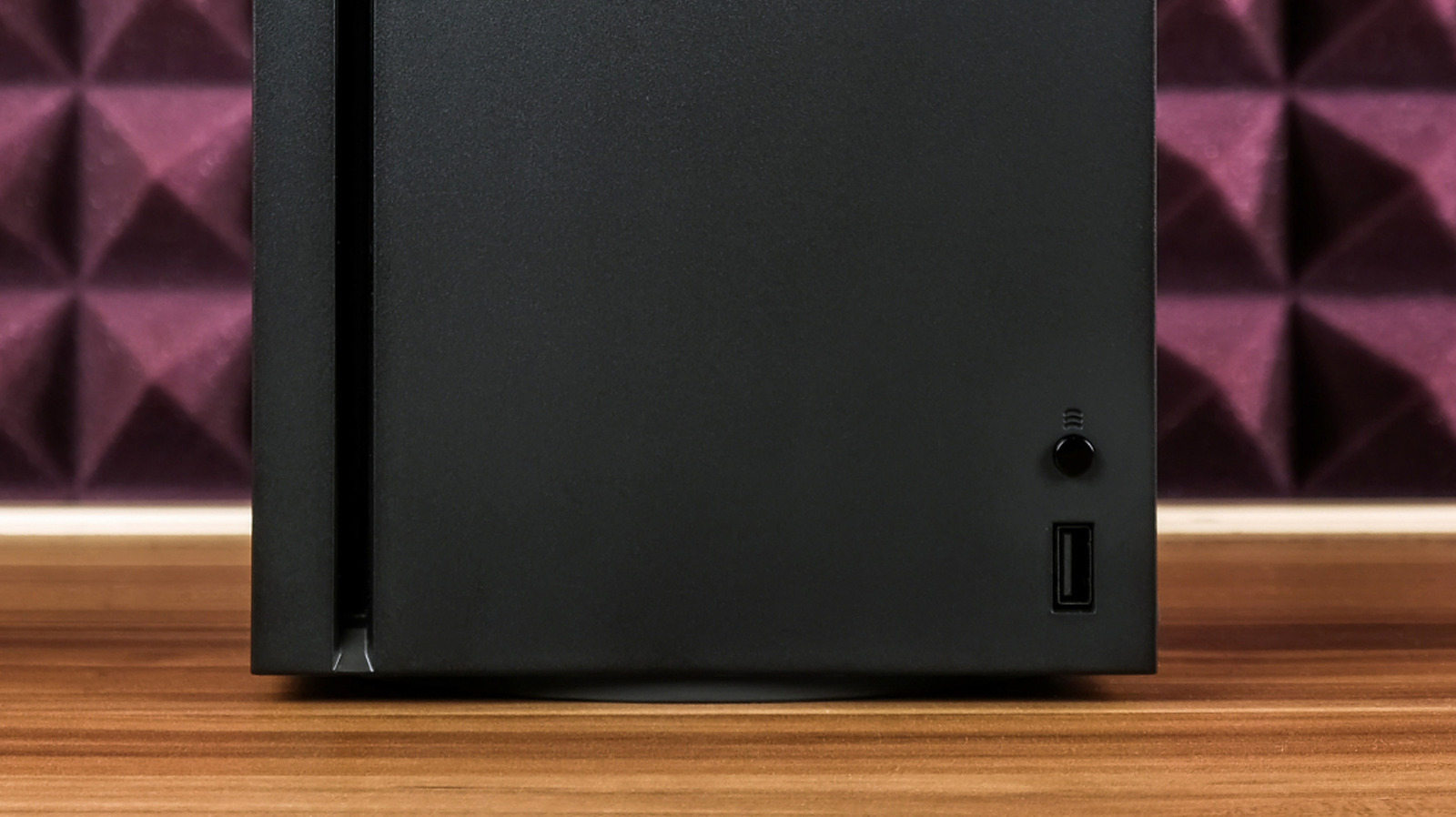
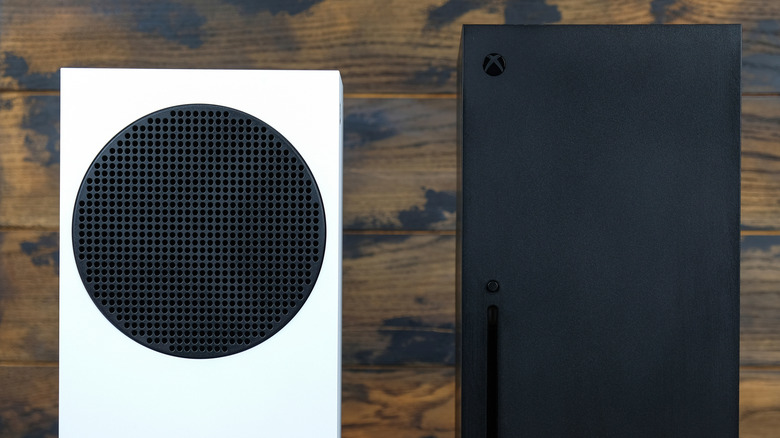
The Xbox Series X and S are marvels of minimalist design, but many users don't realize they contain a hidden xbox ir sensor. This receiver allows for seamless media navigation using legacy remotes. The xbox ir sensor is located inside the bind button next to the front USB port, crafted from translucent plastic to allow signals to pass through while maintaining a sleek aesthetic.
The Engineering Secret: Why the Bind Button?
When Microsoft designers sat down to finalize the industrial look of the Series X, they were obsessed with the monolith aesthetic. Any extra "eyes" or glossy plastic windows would have ruined the clean, matte finish of the console. This led to a clever piece of engineering that most owners miss: the xbox series x bind button hidden ir sensor.
The small, circular button used for pairing controllers isn't just a mechanical switch. It is manufactured using a specific type of translucent plastic. To the naked eye, it looks like standard black or white polycarbonate, matching the rest of the chassis. However, this material is transparent to infrared light wavelengths. By placing the xbox ir sensor behind this button, Microsoft managed to maintain hardware functionality without the need for a dedicated, unsightly receiver window.
This design choice was officially confirmed by Larry Hryb, the former Xbox Live director of programming, on October 22, 2020. During the lead-up to the console launch, there was significant concern among the home theater community regarding the removal of the dedicated IR port found on the Xbox One. Hryb clarified that the hidden infrared (IR) receiver integrated into the console's pairing or 'bind' button was a deliberate move to support media enthusiasts while keeping the hardware footprint minimal.
From a technical standpoint, this is a brilliant compromise. It means the internal xbox series x infrared receiver location is perfectly positioned on the front of the unit, where it has the best chance of catching signals from a couch, yet it remains completely invisible during gameplay.
Compatibility Guide: Bringing Back the Remote
One of the biggest wins for the Series X and S is the commitment to backward compatibility. This doesn't just apply to your digital library; it extends to your physical accessories as well. Because of the built-in xbox ir sensor, Xbox One Media Remotes and various third-party infrared universal remotes remain fully compatible with the newer hardware.
If you are a movie buff, you know the frustration of using a standard Xbox controller for Blu-ray playback. The triggers are too sensitive, the thumbsticks can accidentally skip chapters, and the controller eventually shuts off to save battery, requiring a wake-up period just to hit pause. Using xbox one media remote with xbox series x solves all of these issues. The console recognizes the IR signal instantly, allowing for traditional play, pause, and menu navigation.
For those with complex setups, using a universal remote with xbox series x via ir is a game-changer. If you own a Logitech Harmony or a similar high-end programmable remote, you don't need to buy a new adapter or a proprietary Bluetooth dongle. You simply point the remote at the console, and the internal receiver handles the rest. This is particularly useful for streaming services like Disney+ or YouTube, where a remote feels more natural for browsing than a gaming peripheral.
The xbox one media remote compatibility also means that older, officially licensed third-party remotes from companies like PDP or Talon will work out of the box. As long as the device sends a standard infrared signal compatible with the Xbox protocol, the hidden sensor will pick it up.

Setup and Optimization: Line of Sight is Everything
While the hidden xbox ir sensor is a powerful tool, it operates on ancient physics: light. Unlike the radio frequency or Bluetooth signals used by your controllers, infrared requires a clear optical signal path. If you tuck your Series X deep inside a wooden media cabinet or hide it behind your television, the IR signals from your remote won't be able to reach the bind button.
To get the best performance, you need to follow a few basic xbox series x infrared sensor line of sight guide rules:
- Clear Path: Ensure there are no physical obstructions between your seating area and the bind button. Even a glass cabinet door can sometimes degrade the signal, though most clear glass allows IR to pass through.
- Angle Matters: Infrared sensors have a specific field of view. While the xbox series s ir receiver location for media remotes is optimized for wide-angle reception, placing the console at an extreme angle relative to your remote can cause dropped inputs.
- Range Limits: Most IR remotes have a 30-foot range limit. If you are sitting in a very large home theater room, you might notice sluggish response times if you are at the edge of that distance.
It is also worth noting that the Series X and S lack a dedicated IR blaster port. On the Xbox One, you could plug in an external IR cable to "blast" signals to your TV or soundbar. On the newer consoles, Microsoft has transitioned this functionality to HDMI-CEC. While the xbox ir sensor handles incoming signals from your remote, the console uses the HDMI cable to send "Power On" or "Volume Up" commands to your screen. This combination of legacy IR for input and modern HDMI-CEC for output creates a robust home theater integration.
FAQ
Where is the IR sensor located on an Xbox?
The sensor is located directly inside the circular bind button on the front of the console. This button is found next to the USB port on the Series X and on the front-right face of the Series S.
Does the Xbox Series X have an IR receiver?
Yes, the Xbox Series X features an integrated infrared receiver hidden behind the pairing button. It was officially confirmed by former Xbox Live director of programming Larry Hryb to ensure compatibility with older media remotes.
How do I use a media remote with my Xbox?
You do not need to sync or pair an IR media remote. Simply point the remote at the front of the console and press any button. The built-in receiver will detect the signal automatically, provided there is a clear line of sight.
Does the Xbox Series S support IR signals?
The Xbox Series S supports IR signals exactly like the Series X. The receiver is housed within the console's bind button, allowing for full use of media remotes and universal home theater controllers.
What is the range of the Xbox IR sensor?
The range is typically dictated by the remote control being used, but most standard infrared remotes work reliably up to 30 feet. For optimal performance, ensure the path between the remote and the console's bind button is unobstructed.