Quick Facts
- Quick Fix: Check if Night Mode or Auto Volume is enabled and turn it off immediately to regain full volume range.
- The 6-Inch Rule: Maintain at least 6 inches of clearance around the soundbar, especially for Dolby Atmos drivers, to avoid muffled sound.
- Bandwidth Boost: Switching to HDMI eARC provides 37 Mbps of bandwidth compared to just 1 Mbps on standard ARC, significantly improving dynamic range.
- Format King: Change your TV audio output from PCM to Bitstream or Passthrough to let the soundbar decode the full digital signal.
- Voice Clarity: Use Dialogue Boost or lower the bass levels to make speech stand out without needing to push the master volume to the limit.
To make your soundbar louder, start by checking your TV's audio output settings. Ensure the digital format matches your soundbar's capabilities; switching to PCM is a reliable fallback if Bitstream formats result in low volume. Additionally, verify that all HDMI ARC or optical cables are secure and check for software features like Night Mode or Dynamic Range Compression that might be limiting the maximum decibel output.
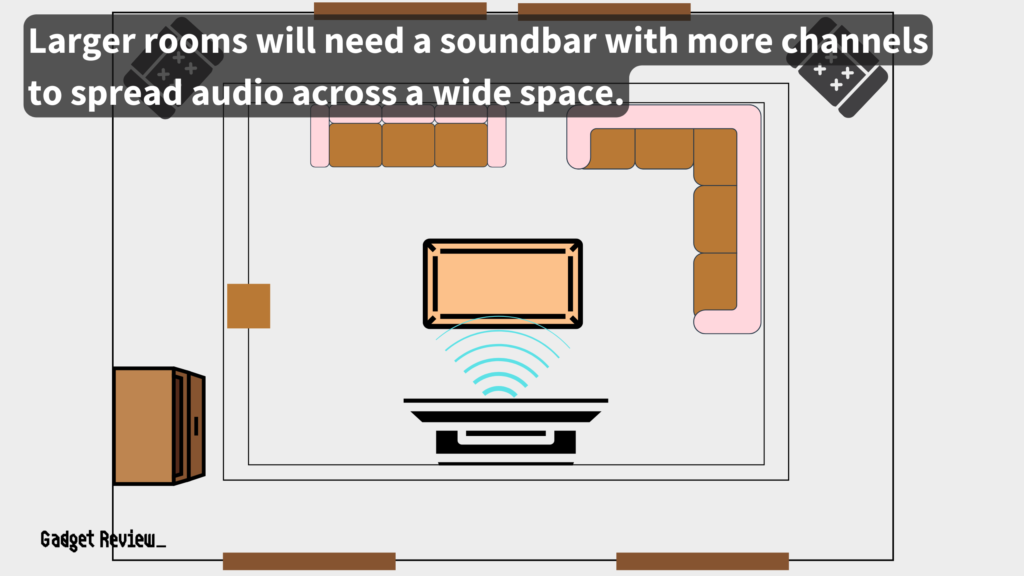
Optimizing room acoustics can significantly improve perceived loudness and clarity. Place your soundbar at the front edge of its shelf to prevent sound waves from reflecting off the surface and becoming muffled. In larger rooms, soundbars with more channels, such as 5.1 or 7.1 systems, are more effective at projecting audio across the space than standard 2.0 or 2.1 models because they distribute sound through more paths.
If your soundbar is quiet even at maximum volume, consider adjusting the furniture and decor in your listening area. Hard surfaces help reflect sound and increase perceived volume, while heavy rugs and bulky furniture absorb it. For a more immersive experience without distorting the audio, look for Dialog Boost settings that enhance vocal frequencies or consider adding compatible external wireless speakers to expand your soundstage.
Tip 1: Upgrade Your Digital Handshake (HDMI eARC)
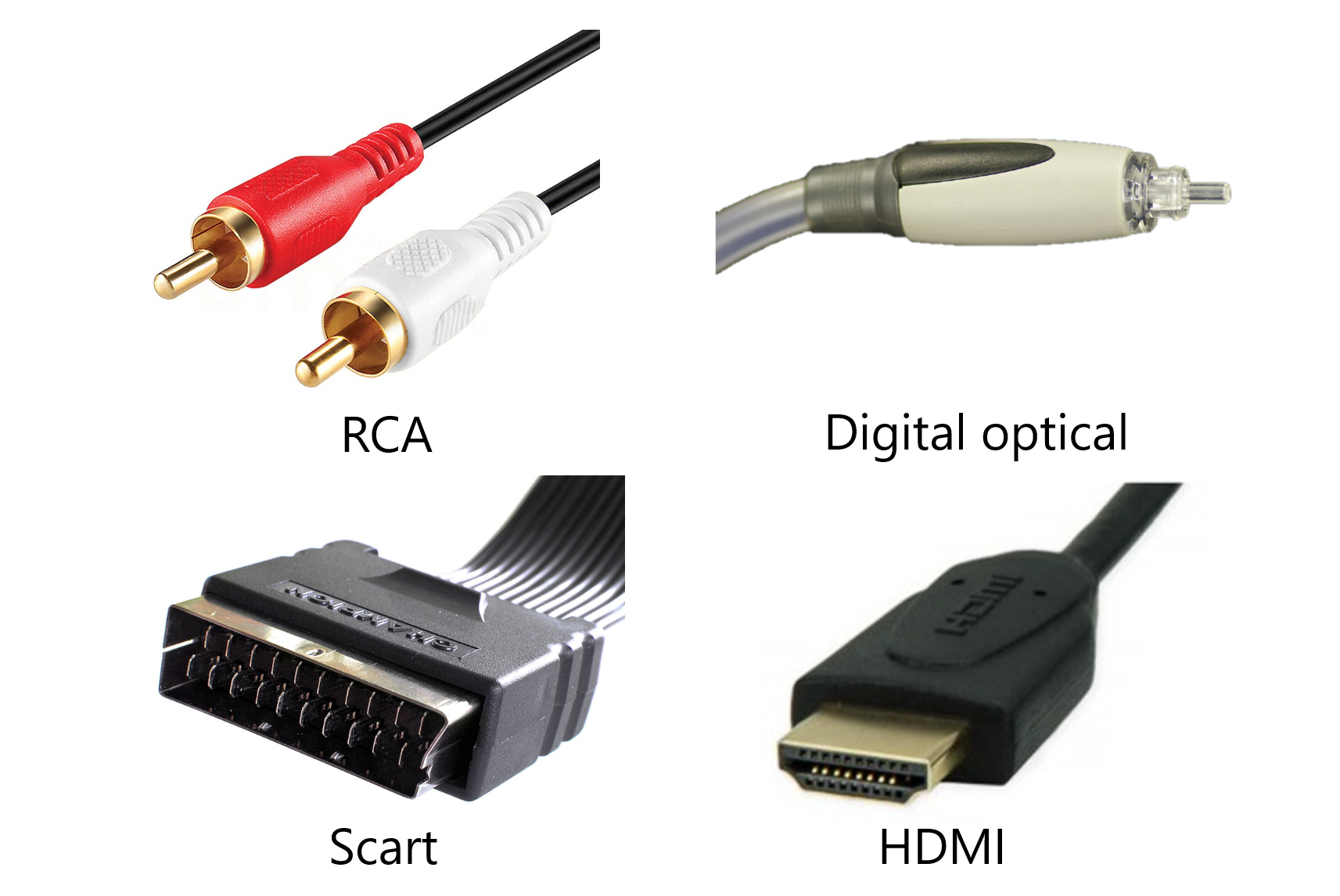
In my experience reviewing audio gear, the most common bottleneck isn't the speakers themselves—it's the digital connection between your TV and the soundbar. Many users are still using traditional optical cables or standard HDMI ARC, both of which have severe limitations on how much data they can carry. This data cap often results in a compressed, quieter soundstage that lacks the punch you expect from a high-quality system.
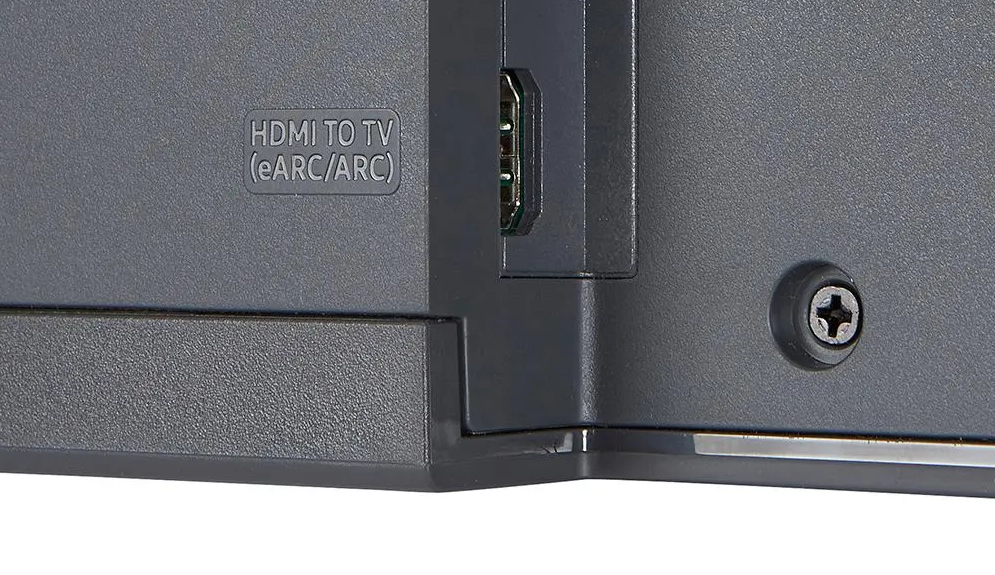
The leap to HDMI eARC (Enhanced Audio Return Channel) is the single most effective way to make soundbar louder because it expands the pipe through which audio travels. While standard HDMI ARC connections support up to 8 channels of compressed audio, they struggle with high-bitrate, lossless formats. Moving to eARC allows your system to handle uncompressed multi-channel audio like Dolby TrueHD and DTS-HD Master Audio. These formats have a much higher dynamic range, meaning the difference between a whisper and an explosion is more pronounced, and the overall volume floor is higher.
| Feature | HDMI ARC | HDMI eARC |
|---|---|---|
| Max Bandwidth | 1 Mbps | 37 Mbps |
| Uncompressed 5.1/7.1 | No | Yes |
| Object-Based Audio (Atmos) | Compressed | Lossless |
| Lip Sync Correction | Optional | Mandatory |
As the table shows, HDMI eARC supports an audio bandwidth of up to 37 Mbps, which is a massive increase over the 1 Mbps limit of standard ARC. This ensures your Audio Fidelity remains intact and the signal is delivered with maximum Signal Integrity. If you are wondering how to increase soundbar volume with hdmi arc, the answer is often to ensure you are using a certified high-speed cable and that both your TV and soundbar are plugged into the specific eARC-labeled ports.
Tip 2: Configure Pro TV Audio Settings (PCM vs. Bitstream)
Even with the best cables, your TV might be sabotaging your sound. Most modern televisions ship with audio settings defaulted to PCM (Pulse Code Modulation). While PCM is universal, it often means the TV is doing the heavy lifting of decoding the audio and then sending a simplified, two-channel downmix to your soundbar. This is a primary reason why you might find yourself asking why is my soundbar so quiet at max volume.
To fix this, you need to dive into your TV settings optimization menu. Look for the digital audio output format and change it from PCM to Bitstream or Passthrough. By selecting Bitstream, you are telling the TV to take the raw digital signal from your Netflix stream or Blu-ray and pass it directly to the soundbar. This allows the soundbar’s internal processor to handle the Equalizer Calibration and decoding, which almost always results in a louder, fuller sound.
When analyzing the difference between pcm and bitstream for soundbar loudness, the technical reality is that Bitstream preserves the original metadata of the track. This metadata includes instructions for height channels and surround effects that add to the perceived volume. If your TV settings for soundbar are locked in PCM, you are essentially listening to a "flattened" version of the movie. For the best tv audio settings for louder soundbar performance, always prioritize Passthrough mode to maximize Input Sensitivity.

Tip 3: Master the Physics of Placement
Sound is physical. It doesn't just travel in a straight line; it interacts with every surface in your room. If your soundbar is tucked deep inside a cabinet or pushed back against the wall, you are likely losing a significant amount of decibels to Sound Reflection and Acoustic Absorption.
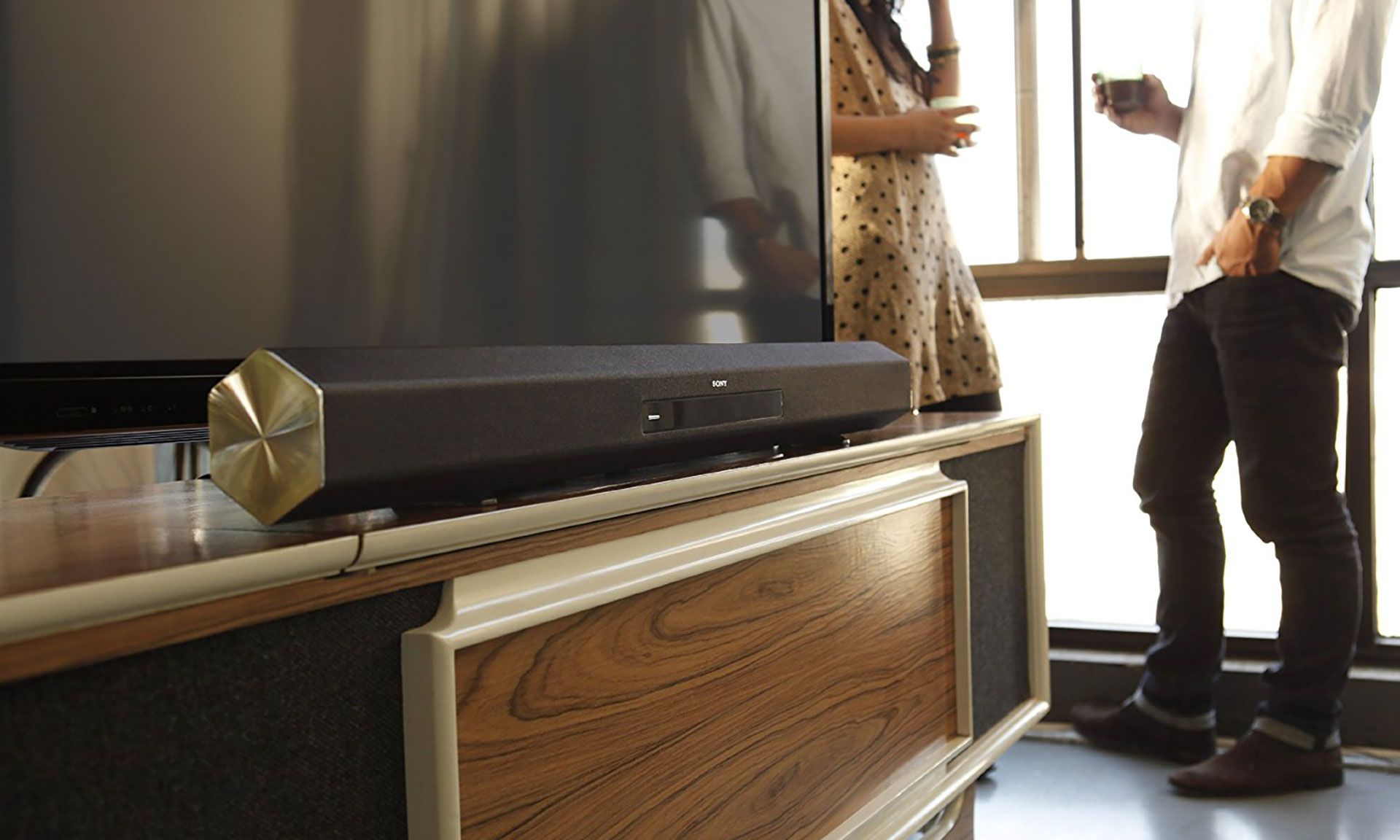
One of the most important rules I advocate for is the 6-inch rule. If your soundbar has upward-firing drivers for Dolby Atmos, it needs at least 6 inches of vertical clearance to let those sound waves bounce off the ceiling. If it's shoved under the lip of a TV, those waves hit the underside of the TV and scatter, creating a muffled, quiet mess. Furthermore, always pull the soundbar to the very front edge of the shelf. This prevents sound from reflecting off the surface of the furniture, which can cause phase cancellation and reduce the total decibel output.
When looking at soundbar placement for better sound projection in large rooms, consider the materials in your space. Hardwood floors, glass windows, and bare walls provide Sound Reflection, which can actually help a small soundbar fill a room. If your room is full of heavy rugs and plush curtains, you might need to optimize soundbar room acoustics by tilting the soundbar slightly upward or moving it away from corners where bass can become "boomy" and mask the higher frequencies that provide clarity.

Tip 4: Prioritize Intelligibility Over Raw Volume
Sometimes the problem isn't that the soundbar isn't loud enough; it's that you can't understand what’s being said. When the bass is too heavy, it can muddy the mid-range frequencies where human speech lives. This leads users to crank the volume, only to be blasted by an explosion ten seconds later.
To fix quiet soundbar audio related to dialogue, look for a feature called Dialogue Boost or Speech Enhancement. Brands like ZVOX are famous for this, using AccuVoice technology to lift voices above the background noise. If your soundbar doesn't have a specific button for this, you can manually adjust your Crossover Settings. Reducing the bass (subwoofer level) by just 2 or 3 decibels can often provide enough headroom for the mid-range to shine, effectively teaching you how to boost dialogue clarity on soundbar without raising volume.
Creating a wider Soundstage Expansion also helps. By spreading the audio across more virtual channels, the "clutter" of the sound is reduced, making every element seem more distinct and louder. This isn't about raw power; it's about efficient use of the soundbar's drivers.
Tip 5: Disable Dynamic Range Compression (Night Mode)
There is a hidden setting in almost every soundbar app that could be capping your volume without you knowing. It’s often called Night Mode, Auto Volume, or Dynamic Range Compression. These features are designed to keep the volume consistent, preventing loud spikes that might wake up the kids or annoy the neighbors.
While useful at 11:00 PM, these settings are the enemy of high Decibel Output. They work by "squashing" the audio signal—bringing the loudest sounds down and the quietest sounds up. This results in a lack of impact and makes the entire system feel weak, even when the volume slider is near the top. If you find yourself asking why is my soundbar so quiet at max volume, navigate to your soundbar's companion app and ensure any "Auto" or "Night" volume limiting features are toggled off.
Disabling these features allows the soundbar to utilize its full power, providing the natural dynamics intended by the sound engineer. You will notice an immediate difference in the "energy" of the room once the compression is removed.
Tip 6: Eliminate Wireless Interference and Sync Issues
In our modern homes, invisible signals are everywhere. Your Wi-Fi router, microwave, and even Bluetooth devices can create electromagnetic interference that affects your soundbar’s performance. This interference can cause "jitter" or momentary volume drops that make the audio feel inconsistent.
If you suspect signal problems are the reason you need to fix quiet soundbar audio, try a 60-second power cycle. Unplug the TV, soundbar, and router. Plug the router back in first, wait for it to boot, and then power up the TV and soundbar. This forces a fresh digital handshake between your devices. Also, try to keep your Wi-Fi router at least three feet away from your soundbar to maintain Signal Integrity.
Troubleshooting Checklist
- Ensure all HDMI cables are seated firmly in their ports.
- Move high-frequency devices (routers, baby monitors) away from the soundbar.
- Check for any visible damage or kinks in the optical or HDMI cables.
- Check the millisecond audio delay settings in your TV menu if voices don't match the screen.
Tip 7: Calibrate and Expand the Soundstage
Every room is an acoustic puzzle. A soundbar in a bedroom sounds completely different than one in a high-ceilinged living room. Most premium brands like Sonos, Bose, and Samsung now offer auto-calibration tools (like Sonos Trueplay) that use your smartphone’s microphone to "map" the room. This process adjusts the Equalizer Calibration to compensate for furniture and wall placement, often resulting in a noticeable boost in perceived volume.
If you’ve reached the limit of what your single bar can do, it might be time for Soundstage Expansion through hardware. Many modern systems allow you to add wireless rear speakers or a second subwoofer. Adding rear channels doesn't just add surround effects; it adds more physical drivers to the room, which naturally increases the total volume potential and distributes sound paths more effectively.
Lastly, never ignore Firmware Updates. Manufacturers frequently release patches that optimize the power management and amplification of the soundbar. A simple update can sometimes unlock a higher max volume that was previously capped for safety or energy efficiency.
FAQ
Why is my soundbar volume so low?
Low volume is typically caused by the TV outputting audio in a compressed PCM format or having Night Mode enabled. These settings limit the range and power of the signal. Switching to Bitstream and disabling any volume-leveling features in the soundbar app usually resolves the issue.
How can I increase the maximum volume on my soundbar?
You can increase the maximum output by using a high-bandwidth HDMI eARC connection, disabling Dynamic Range Compression, and ensuring the soundbar is placed on a hard surface at the front edge of its shelf to maximize sound projection.
Why is my soundbar quieter than my TV speakers?
This often happens when the TV is downmixing 5.1 surround sound into a 2-channel PCM signal. Because the soundbar is expecting a full multi-channel signal to distribute to its various drivers, the downmixed signal sounds thin and quiet. Adjusting the TV audio output to Passthrough will fix this.
How do I make my soundbar dialogue louder?
Most soundbars have a Dialogue Boost or Clear Voice mode. If yours doesn't, try lowering the bass levels on your subwoofer. This reduces the low-frequency interference that often masks the mid-range frequencies where human voices are most audible.
Does the connection type affect soundbar volume levels?
Yes, significantly. Optical cables and standard HDMI ARC have limited bandwidth (1 Mbps), which requires audio to be compressed. HDMI eARC supports up to 37 Mbps, allowing for lossless audio that has a much higher dynamic range and perceived loudness.
What settings should I change to boost soundbar audio quality?
The most important settings are changing digital output to Bitstream/Passthrough, turning off Night Mode/Auto Volume, and performing a room calibration if your soundbar supports it. These steps ensure the soundbar is working with the best possible signal and is tuned to your specific environment.