Quick Facts
- Latency: Sub-200ms local response times for most actions
- Connectivity: Thread 1.4 mandatory for seamless credential sharing
- Capacity: Supports up to 250 nodes per individual Thread fabric
- Battery Impact: Possible 50% increase in drain for multi-admin setups
- Security: Utilizes industry-standard AES-128 and TLS 1.3 encryption
- Ecosystem: Over 4,800 certified devices available as of early 2025
To integrate Matter devices with Apple Home, ensure your iPhone is running iOS 16.1 or later and that you have an Apple Home hub like a HomePod mini or Apple TV 4K. Matter allows for secure, local control via the HomeKit Accessory Protocol, reducing latency and removing cloud dependencies. This setup uses end-to-end encryption and multi-fabric orchestration to let you manage accessories across different platforms simultaneously.
The Apple Home & Matter Synergy: Local Control Explained
For years, the smart home landscape was a fragmented collection of "walled gardens." You either committed to the Apple ecosystem or lived with the frustration of checking three different apps to turn off your lights. Matter Apple Home integration has fundamentally changed this dynamic by prioritizing local control over cloud-based execution. Unlike legacy smart devices that required a round-trip to a server in Virginia or Dublin just to toggle a switch, Matter operates entirely within your four walls.
This shift toward local processing is enhanced by the HomeKit Accessory Protocol (HAP) running on top of the Matter foundation. Apple has always been a stickler for privacy, and by using Matter, they have extended their end-to-end encryption standards to a much wider array of third-party hardware. In a significant move for the industry, Apple updated its policy in 2025 to allow Matter-certified devices to receive the 'Works with Apple Home' badge without additional proprietary testing. This has drastically lowered the barrier for entry for manufacturers, resulting in a surge of high-quality, compatible hardware for your secure smart home.
The benefit for you, the user, is a more responsive and reliable home. When you ask Siri to lock the front door, the command travels from your HomePod to the lock via your local network. This eliminates the "No Response" errors often caused by internet outages or manufacturer server downtime. By focusing on secure smart home local control, Matter ensures that your data stays private and your automations remain functional even if the outside world goes offline.
Hardware Audit: Commanders vs. Translators
When building a Matter Apple Home environment, it helps to think of your hardware in two categories: Commanders and Translators. This distinction is crucial for maintaining a stable mesh network and ensuring your devices always have a path to communicate.
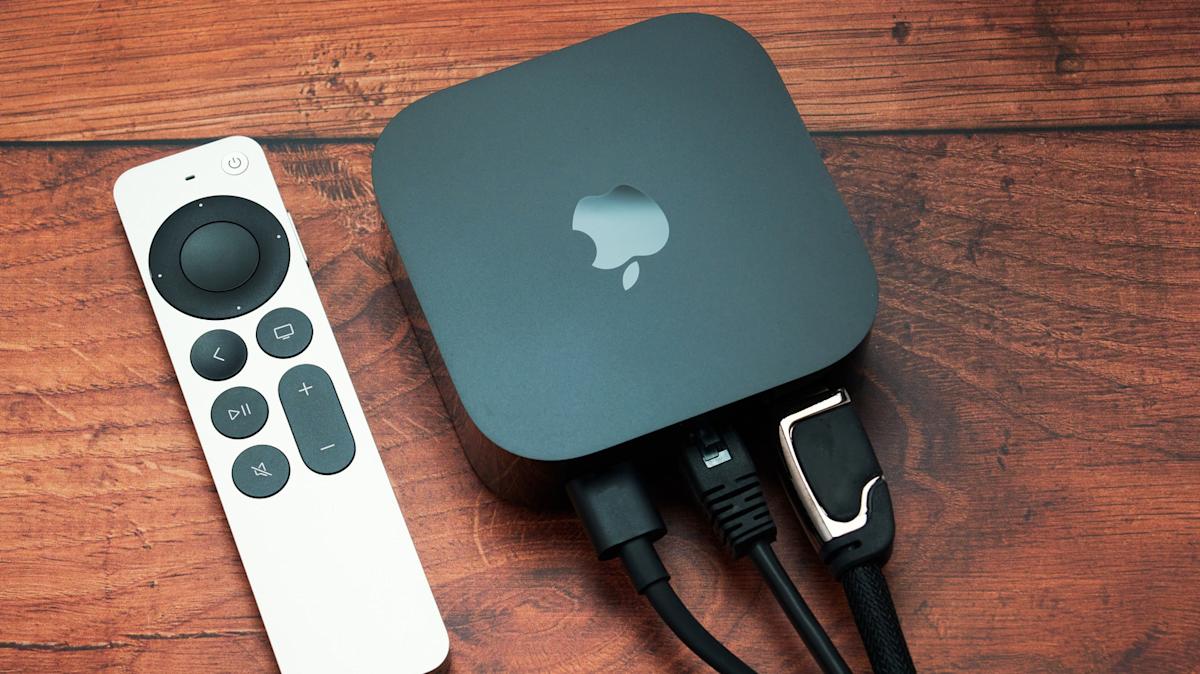
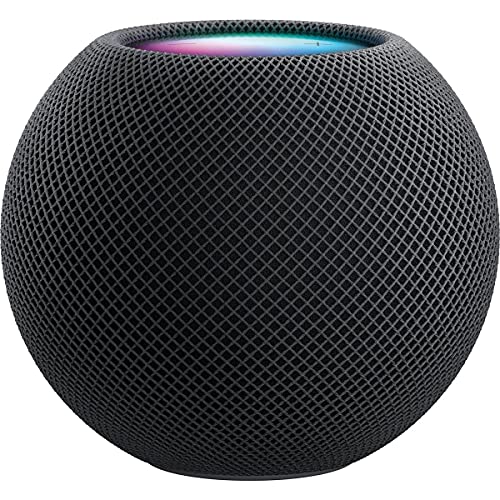
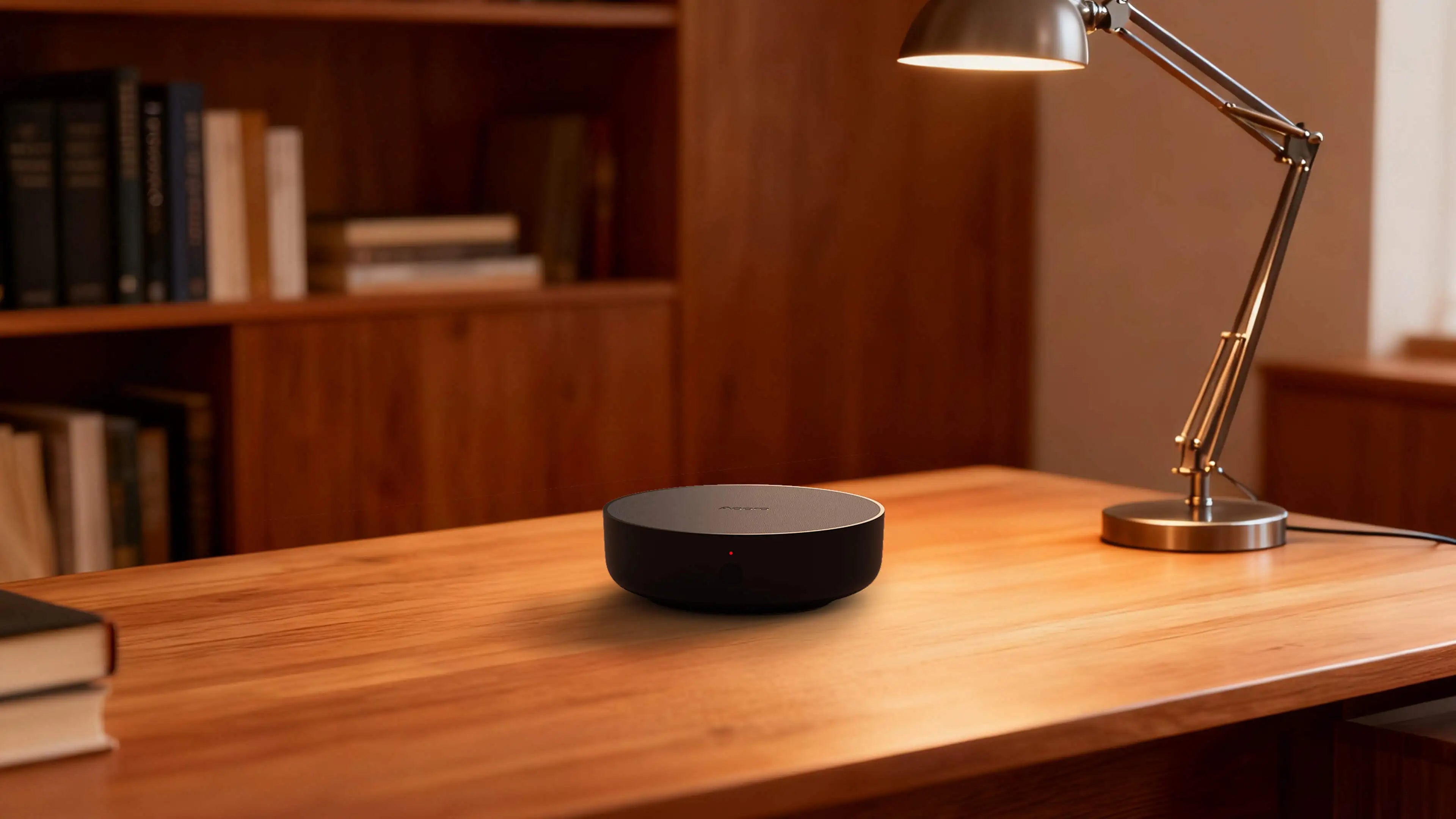
Commanders are your central hubs—the brains of the operation. These are devices like the HomePod mini or Apple TV 4K. They act as Thread border routers, bridging your low-power Thread mesh network to your high-speed Wi-Fi or Ethernet network. As of early 2025, the Connectivity Standards Alliance has certified more than 4,800 devices under the Matter standard. Many of these are simple end-devices, but your Commanders are what keep the network unified.
Translators, on the other hand, are bridges designed to bring older, non-Matter technology into the new world. If you have a house full of Zigbee sensors or Z-Wave switches, you don't need to rip them out. A Translator hub can take those signals and present them to Apple Home as Matter-compatible accessories.
To help you decide which protocol to prioritize for your Matter device integration Apple Home strategy, consider the following comparison:
| Feature | Apple Home (HomeKit) | Matter |
|---|---|---|
| Connection Type | Wi-Fi, Bluetooth, Thread | Wi-Fi, Ethernet, Thread |
| Control Path | Local (mostly) | Local (mandatory) |
| Security | Apple Secure Element | Distributed Compliance Ledger |
| Setup | QR Code / NFC | QR Code / 11-digit Code |
| Multi-Platform | Apple Only | Multi-Admin (iOS, Android, etc.) |
| Hardware Hub | Required for Remote Access | Required for All Operations |
For the best experience, I recommend using an Apple TV 4K (Ethernet version) as your primary Commander. Its wired connection provides the most stable backbone for your Thread network, serving as the ultimate Apple TV 4K vs HomePod mini for Matter Thread networking choice in larger homes.
Secure Setup: IPv6, VLANs, and Port 5540
A secure smart home is only as strong as the network it sits on. Unlike older protocols, Matter relies heavily on an IPv6 infrastructure. Specifically, it uses IPv6 Link-Local addresses to allow devices to discover and talk to each other without needing a central DHCP server to assign them an address. This is why you might see a device fail to connect if your router's IPv6 settings are disabled or misconfigured.
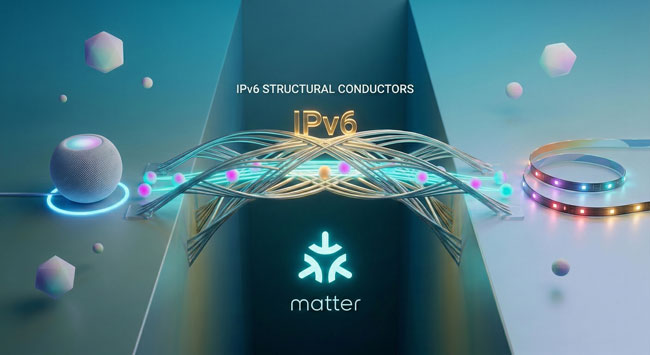
If you are a prosumer using a managed network like Ubiquiti Unifi, you likely have your IoT devices on a separate VLAN. While this is great for security, it can break Matter communication if you don't have the right rules in place. Matter uses Port 5540 for its primary operations. You must ensure that mDNS (Multicast DNS) is enabled across your VLANs so your iPhone on the "Main" network can find the light bulb on the "IoT" network.
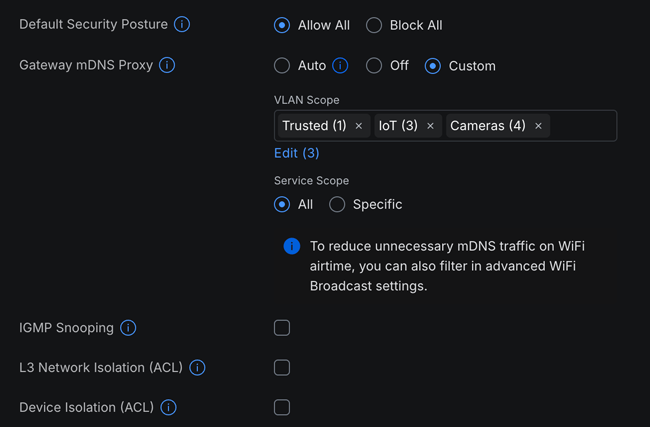
Use this checklist for a secure VLAN setup:
- Enable mDNS globally on your router.
- Enable IGMP Snooping to prevent your network from being flooded with unnecessary multicast traffic.
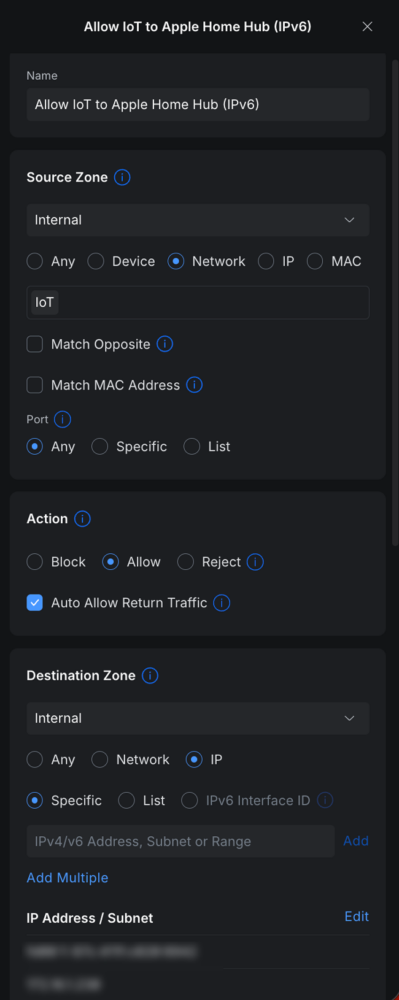
- Create a firewall rule allowing traffic on Port 5540 (UDP/TCP) between your Apple Home hub and your IoT VLAN.
- Ensure the Apple Home hub itself is on a network that can "see" both the internet (for updates) and the local devices.
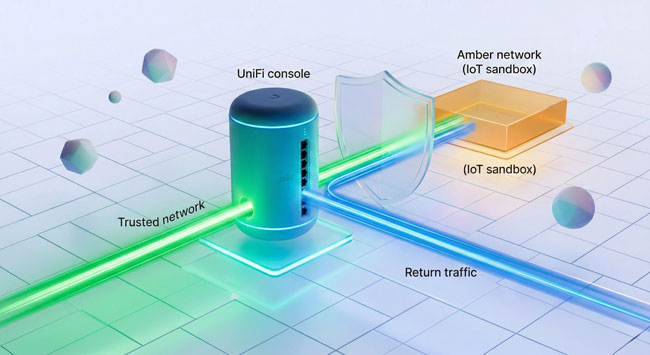
By following these steps, you are effectively setting up Matter over Thread vs Wi-Fi in Apple Home with a focus on maximum security. You get the isolation of a VLAN without the headache of devices showing as "Offline."
The Multi-Admin 'Battery Tax' and Thread 1.4
One of the most praised features of Matter is Multi-Admin. This allows you to connect a single device to Apple Home and Google Home simultaneously. It’s perfect for households where one person uses an iPhone and another uses an Android. However, there is a hidden cost: the "Battery Tax."
When a battery-powered sensor is connected to multiple "fabrics" (different smart home systems), it has to wake up more frequently to check in with each controller. This constant background chatter can lead to significantly higher energy consumption. If you notice your Matter sensors dying faster than expected, it’s likely due to this multi-fabric orchestration.
To mitigate this, ensure your network is running Thread 1.4. This version of the protocol introduces a better Apple Home Thread border router credential sharing guide, ensuring that different manufacturers' hubs can talk to each other more efficiently. Before Thread 1.4, you might end up with "Thread Islands"—separate mini-networks that couldn't communicate. By unifying these islands, you reduce the redundant work each device has to do, effectively reducing Matter device battery drain in multi-admin setup scenarios.
Matter Troubleshooting for Apple Home
Even with the best planning, you might encounter the dreaded "No Response" or "Unable to Add Accessory" error. When a Matter device is not showing up in Apple Home, it is usually a networking or commissioning flow issue.
If you are experiencing Matter troubleshooting for Apple Home, follow these steps in order:
- Check the Version: Ensure your iPhone and Home Hub are on the latest software. A troubleshooting Matter version mismatch in Apple Home is a common cause of failed setups.
- Toggle Bluetooth: Matter commissioning uses Bluetooth for the initial handshake. Make sure your phone is within three feet of the device during the pairing process.
- Reset the Fabric: If a device was previously paired with another system, you may need to put it into "Pairing Mode" again or perform a full factory reset to generate a new setup code.
- Verify IPv6: As mentioned earlier, ensure IPv6 is active on your router. Without it, the local communication path will fail.
- Check Firewall Logs: If you use a VLAN, check if traffic to Port 5540 is being dropped.
Many how to fix Matter device not showing up in Apple Home guides overlook the importance of the Thread Border Router's state. If your Apple TV 4K is acting as your hub, try restarting it. This often forces the Thread mesh to re-route and find "lost" devices.
FAQ
What is Matter and how does it work with Apple Home?
Matter is a universal smart home protocol that allows devices from different brands to work together locally. In Apple Home, it acts as a common language, allowing you to add certified devices to the Home app just like any other HomeKit accessory, but with the added benefit of being able to share that device with other ecosystems like Google or Alexa.
Do I need a special hub to use Matter with Apple Home?
Yes, you need an Apple Home hub that supports Matter, such as a HomePod (1st or 2nd Gen), HomePod mini, or an Apple TV 4K (2nd Gen or later). These devices act as the brain of your home and the bridge between your Matter devices and your Apple devices.
Which Apple devices are compatible with Matter?
To control Matter devices, you need an iPhone or iPad running iOS/iPadOS 16.1 or later. For automation and remote access, you also need a compatible Apple Home hub running the latest software.
How do I add a Matter-certified device to the Home app?
The process is nearly identical to adding a HomeKit device. Open the Home app, tap the Plus (+) icon, select Add Accessory, and scan the Matter QR code or type in the 11-digit setup code provided with the device.
Is Matter replacing HomeKit?
No, Matter is not replacing HomeKit. Instead, Apple has built Matter support directly into the existing HomeKit framework. HomeKit remains the "user interface" and automation engine, while Matter serves as one of the underlying protocols (alongside Wi-Fi and Thread) that devices use to communicate.
What is the difference between Matter and HomeKit?
The primary difference is interoperability. HomeKit is an Apple-exclusive ecosystem. Matter is an industry-wide standard backed by Apple, Google, Amazon, and others. While HomeKit devices only work with Apple, Matter devices can work with any platform that supports the standard.
Conclusion & Future Proofing
The journey toward a truly seamless smart home is well underway, and Matter Apple Home integration is the most significant milestone we've seen in a decade. By moving away from proprietary clouds and toward secure smart home local control, we are gaining speed, reliability, and privacy.
Looking ahead, Apple Home Matter 1.4 features for smart home automation are already beginning to expand into new categories like security cameras and energy management systems. The 2026 landscape looks even more promising, with Matter 1.5 expected to refine the user experience further. My advice? Audit your local network settings today, ensure your IPv6 infrastructure is solid, and always look for the Matter logo when expanding your collection. The era of the fragmented smart home is ending, and the era of the integrated, secure home is just beginning.