Quick Facts
- Best Offline AI App: Private LLM ($5 one-time purchase)
- Minimum Hardware: iPhone 13 Pro (6GB RAM)
- Recommended Hardware: iPhone 15 Pro/16 Pro or newer (8GB RAM)
- Max Performance: 15-25 tokens per second via Metal GPU acceleration
- Privacy Proof: Test functionality in Airplane Mode to ensure 100% data sovereignty
To run an offline AI chatbot, download a local LLM app like Private LLM or Off Grid. These apps use the Apple Neural Engine for on-device intelligence without internet. By downloading model weights directly to your device, you can transform your device into an offline AI iPhone that handles complex queries while keeping your data entirely private.
Hardware Compatibility: Can Your iPhone Handle Local LLMs?
When we talk about running local language models on a mobile device, we are essentially moving away from the massive server farms of Silicon Valley and putting that entire computational burden on the slab of glass and aluminum in your pocket. This is made possible by Apple Silicon, specifically the unified memory architecture and the dedicated NPU known as the Apple Neural Engine. However, not every iPhone is up to the task.
The most critical factor isn't actually your processor's clock speed, but your available RAM. Because these models are loaded directly into memory for fast access, the minimum RAM requirements for local iPhone LLMs are quite strict. If your phone has less than 6GB of RAM, it will likely kill the app as soon as the model begins to load.
| iPhone Model | RAM Capacity | AI Capability Tier | Recommended Model Size |
|---|---|---|---|
| iPhone 16 Pro / 16 Pro Max | 8GB | Optimal | 7B or 8B Parameter Models |
| iPhone 15 Pro / 15 Pro Max | 8GB | Optimal | 7B or 8B Parameter Models |
| iPhone 16 / 16 Plus | 8GB | Optimal | 7B or 8B Parameter Models |
| iPhone 14 Pro / 14 Pro Max | 6GB | Functional | 1B to 3B Parameter Models |
| iPhone 13 Pro / 13 Pro Max | 6GB | Functional | 1B to 3B Parameter Models |
| Standard iPhone 15 / 14 / 13 | 6GB | Entry-Level | 1B Parameter Models |
The leap in performance with the latest chips is staggering. For instance, Apple's A17 Pro chip features a Neural Engine capable of performing up to 35 trillion operations per second, which is double the 17 trillion operations per second of the A16 Bionic found in the previous generation. This NPU performance is what allows the phone to predict the next word in a sentence almost instantly.
Top Apps for Running Local AI on iOS in 2026
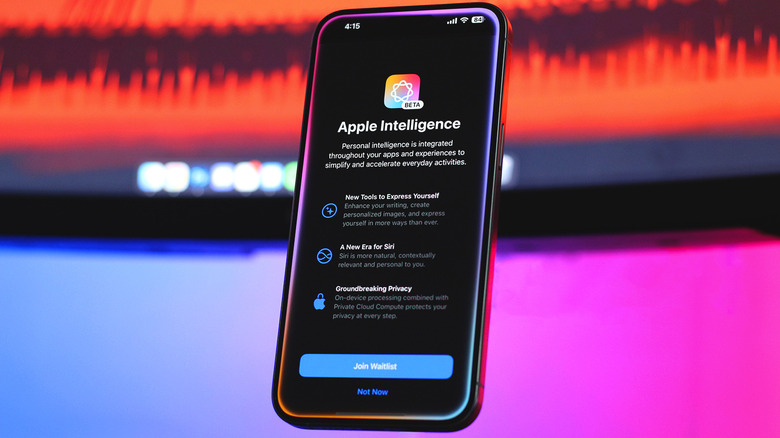
While Apple provides the hardware foundation, you still need the right software interface to interact with these models. In my testing, two names consistently stand out: Private LLM and Off Grid. Unlike cloud-based assistants that require a monthly subscription, these apps often favor a one-time purchase model, which is a breath of fresh air for those of us tired of "subscription fatigue."
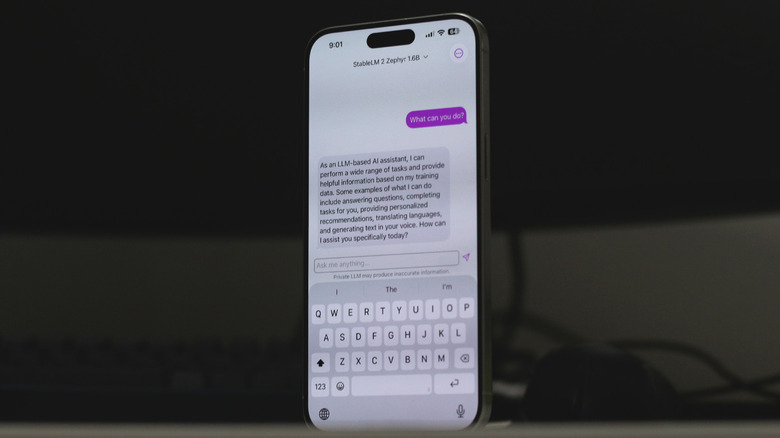
Private LLM is perhaps the most user-friendly option for the average person. It simplifies the process by providing a curated list of models optimized for the iPhone AI chatbot parameter size. You simply tap to download a model like Llama 3 or Mistral, and the app takes care of the configuration. It is built specifically to leverage the Metal framework, ensuring that the GPU handles the heavy lifting instead of the less efficient CPU.
On the other hand, Off Grid is geared toward the power user. It allows you to import your own GGUF files and offers deeper control over the MLX framework settings. This is ideal if you are a developer or a hobbyist who wants to experiment with specific fine-tuned versions of open-source models. Both apps are essential tools for anyone looking for how to run Llama 3 on iPhone without internet, as they handle the complex task of memory management behind the scenes.
Optimizing Performance: The 60% Rule and Quantization
Running a 7B parameter model on a phone sounds impossible when you consider that a 7B model usually requires 14GB of memory in its raw, 16-bit format. This is where a technique called quantization comes into play. By compressing the model weights from 16-bit to 4-bit or 5-bit (often referred to as Q4_K_M or Q5_K_M formats), the file size drops significantly without a massive loss in the model's intelligence.
We recommend following the 60% Rule: never attempt to load a model that takes up more than 60% of your total device RAM. On an iPhone with 8GB of RAM, this means your model file should stay under 4.8GB. If you exceed this, you will notice significant thermal throttling as the system struggles to balance the AI task with background OS processes.
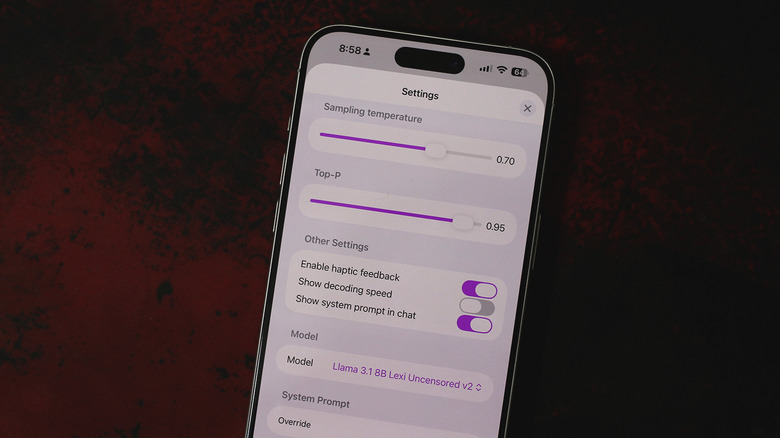
To maximize your experience when running 7B parameter models on iOS with Metal, you should also pay attention to how to use GGUF files in iOS AI apps. These files are designed for efficiency on consumer hardware. Using a 4-bit quantized version of a model like Llama 3 allows it to fit comfortably within the memory constraints of an iPhone 15 Pro, leaving enough headroom for the OS to stay responsive.
Benchmarks: Speed and Battery Life Expectancy
Speed is measured in tokens per second, where one token is roughly equivalent to 0.75 words. For a chatbot to feel "natural," you generally want a speed of at least 5 to 8 tokens per second. The good news is that modern iPhones are crushing these targets.
Recent tests show that compressed local language models like Phi-3-mini can achieve text generation speeds of 10 to 15 tokens per second on iPhone models equipped with A16 or A17 chips. If you step up to an iPhone 16 Pro, those numbers can climb even higher, reaching up to 25 tokens per second for smaller models. This is faster than most people can read, making the offline experience just as snappy as using ChatGPT over a 5G connection.
However, there is a trade-off. Inference speed comes at a cost to battery life. Engaging the Neural Engine and GPU at full tilt is a power-intensive task. During a continuous 30-minute chat session with a local LLM for iOS, you might see a battery drop of 10% to 15%. This is significantly higher than the drain from a web-based app, so it is something to keep in mind if you are away from a charger. For long-term use, keeping an eye on Apple Neural Engine AI optimization settings within your app can help mitigate some of this drain.
Privacy Proof: The Airplane Mode Test
The primary reason to pursue an offline AI iPhone setup is data sovereignty. When you use a cloud-based AI, every word you type is sent to a server, potentially used for training, and linked to your account. With a local model, your data never leaves the device.
I always encourage readers to perform a Privacy Verification test. Once you have downloaded your model weights, toggle on Airplane Mode and turn off Wi-Fi. If your chatbot still answers your questions accurately, you have successfully decoupled your personal data from the cloud. This level of security is unmatched by any web-based service.
FAQ
Can iPhones run AI models without an internet connection?
Yes, as long as you use a specialized local LLM app and have previously downloaded the model weights to your device storage. These apps perform all calculations on the local processor, requiring zero data transfer.
Which iPhone models support on-device AI features?
While Apple Intelligence features are limited to the iPhone 15 Pro and newer, third-party apps can run smaller local models on any iPhone with at least 6GB of RAM, which includes the iPhone 13 Pro and all subsequent Pro models.
Is on-device AI more secure than cloud-based AI?
Absolutely. On-device AI ensures that your prompts and the AI's responses are never transmitted to an external server. This eliminates the risk of data breaches or your private conversations being used for model training by third-party corporations.
Does running AI locally on an iPhone drain the battery?
Yes, local inference is a computationally expensive task. It utilizes the GPU and Neural Engine heavily, which will drain the battery faster than typical apps. It is comparable to the battery drain experienced while playing a high-end mobile game.
How much storage space is required for offline AI models?
A typical quantized 3B parameter model requires about 2GB of storage, while a 7B or 8B parameter model usually takes up between 4GB and 5GB. You should ensure you have adequate free space before downloading multiple models.
Conclusion
The era of the offline AI iPhone is finally here, and it is more capable than many realize. While we are still limited by the 8GB RAM ceiling on current flagship devices, the ability to run sophisticated models like Llama 3 or Phi-3-mini at high speeds is a testament to the power of Apple Silicon. Whether you are a privacy advocate or a traveler who frequently finds yourself without a signal, local LLMs provide a powerful, secure alternative to the cloud.
If you are just getting started, I suggest downloading a small 1B or 3B model first. It will give you a feel for the response times and battery impact without overwhelming your device's memory. Once you see how capable these "small" models are, you might find yourself reaching for the cloud a lot less often.